







NetSuite is one of the most widely used ERP platforms for growing and mid-market finance teams. It provides a strong foundation for financial management, vendor bills, approvals, payments, and reporting. But as invoice volumes increase, finance teams often find that manual data entry, invoice validation, matching, approvals, and exception handling still consume significant time. NetSuite AP automation helps close that gap by connecting intelligent invoice processing and workflow automation with the NetSuite environment.
In this guide, we explain what NetSuite AP automation is, how it works with NetSuite, the implementation steps to follow, the tools and integration approaches available, and how to measure ROI. We will also look at practical outcomes such as faster invoice processing, lower processing costs, higher touchless rates, and fewer manual interventions.
Whether you are evaluating AP automation for the first time or looking to improve an existing NetSuite workflow, the goal is the same: create a more efficient, controlled, and scalable accounts payable process.
What is NetSuite AP automation?
NetSuite AP automation is the use of automation software, intelligent document processing, workflow technology, and, where appropriate, robotic process automation (RPA) to automate accounts payable activities within or alongside a NetSuite ERP environment.
The automation can cover much more than simply entering an invoice into NetSuite. A typical workflow can capture invoices from email, portals, EDI, or other channels; extract invoice data; validate vendor and transaction information; match invoices against purchase orders and receiving records; route invoices for approval; handle exceptions; and prepare approved invoices for payment.
This is the core of NetSuite accounts payable automation: connecting invoice intake and processing with the financial system where the resulting transaction ultimately needs to be recorded.
NetSuite already provides important AP capabilities, including vendor bill management, approval workflows, and payment functionality. Its payment automation capabilities can also allow businesses to manage payments directly within NetSuite. However, organizations with complex or high-volume AP operations may need additional automation for AI-powered invoice capture, advanced matching, exception management, and straight-through processing.
The potential improvement can be substantial. Industry benchmarks used by AP automation providers commonly show manual invoice processing costs around $8–$15 per invoice versus approximately $1–$3 for highly automated processes. Some organizations also target significantly shorter processing cycles and 60–80% touchless processing, depending on invoice quality, workflow complexity, supplier adoption, and automation maturity.
The important point is that NetSuite AP automation does not replace NetSuite. It extends the ERP with a more automated process around it.
How AP automation works with NetSuite
There are several ways to connect an AP automation solution with NetSuite. The right approach depends on your existing technology stack, process complexity, security requirements, and the capabilities of the automation platform.
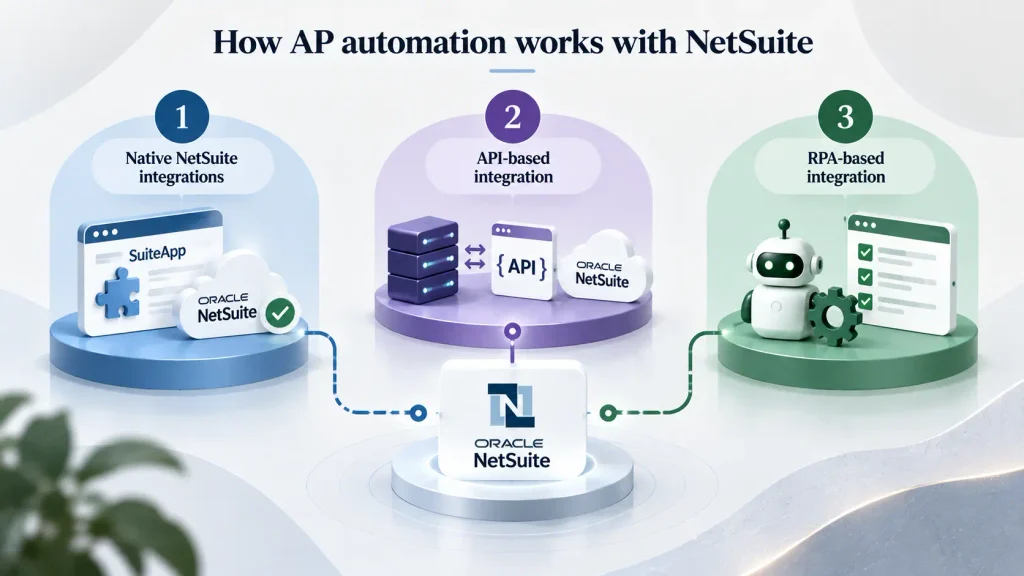
1. Native NetSuite integrations
Many AP platforms provide pre-built NetSuite connectors or SuiteApp-based integrations. These can reduce implementation effort because they exchange information with NetSuite using established integration methods.
A native connector can typically transfer information such as vendor records, purchase orders, item receipts, account codes, departments, locations, and approved invoice data. This allows the automation platform to handle document processing while NetSuite remains the financial system of record.
2. API-based integration
For organizations requiring more customization, REST or SOAP APIs can connect the AP automation platform with NetSuite. API-based integration provides greater flexibility when standard connectors do not support a specific workflow or when data needs to move between several enterprise applications.
For complex environments, working with an experienced provider of ERP integration services can help ensure that the integration architecture, authentication, data mapping, error handling, and monitoring are designed correctly.
3. RPA-based integration
RPA can be useful when a system does not provide an appropriate API or when a specific NetSuite task still requires interaction through the user interface. Platforms such as UiPath can automate repetitive UI-based activities while preserving the existing application environment.
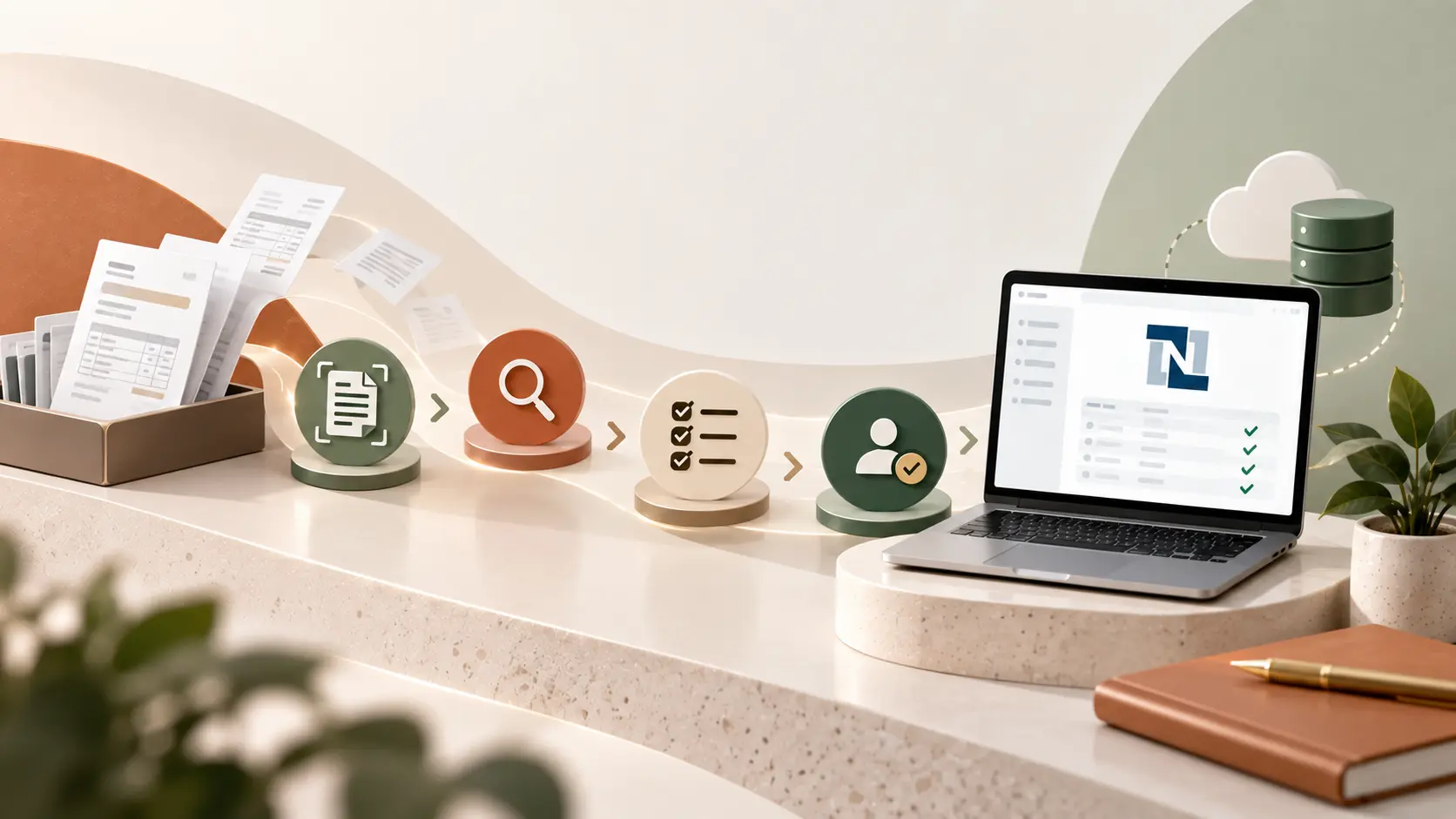
A typical AP automation for NetSuite workflow looks like this: Invoice capture → AI extraction → validation → PO/receipt matching → approval routing → NetSuite bill creation → payment processing → posting and reporting
The automation can create vendor bills, retrieve purchase orders, perform two-way or three-way matching, route approvals based on business rules, identify exceptions, and prepare approved invoices for payment.
For organizations looking to automate the broader invoice-to-payment lifecycle, AP automation services can help connect these individual activities into one controlled workflow.
NetSuite AP automation implementation steps
A successful NetSuite AP automation implementation starts with the process rather than the technology. Before selecting a platform, document how invoices currently enter the organization, who touches them, where delays occur, and what information NetSuite needs at each stage.
Step 1: Assess your current NetSuite AP process
Start by documenting invoice volume, invoice sources, manual data-entry activities, approval workflows, matching requirements, exception rates, payment processes, and current processing times.
Measure your baseline KPIs, including cost per invoice, cycle time, touchless processing rate, exception rate, and invoices processed per AP employee.
Step 2: Choose the right automation approach
Evaluate whether a native connector, API-based integration, RPA, or a combination of technologies makes the most sense.
For straightforward environments, a pre-built NetSuite connector may be sufficient. Complex multi-entity environments may require APIs, RPA, workflow orchestration, or additional integration components.
Step 3: Configure NetSuite for automation
Review vendor records, approval rules, subsidiaries, departments, locations, custom fields, purchase order structures, and matching requirements.
Clean master data before automation goes live. Automating a process with inconsistent vendor or accounting data simply makes bad data move faster.
Step 4: Implement invoice capture and extraction
Define how invoices will enter the process. Common channels include shared email inboxes, vendor portals, EDI, and direct uploads.
AI-powered extraction can identify vendor names, invoice numbers, dates, PO numbers, line items, taxes, totals, and other relevant fields before the information reaches NetSuite.
Step 5: Set up two-way or three-way matching
Two-way matching generally compares an invoice against a purchase order.
Three-way matching adds the receiving record, allowing the system to compare:
Purchase order + item receipt + invoice
This is particularly valuable for organizations with significant purchase-order-based spending because invoices that meet predefined tolerances can move through automatically while mismatches are routed for review.
Step 6: Configure approval routing
Use NetSuite approval workflows and the automation platform to route invoices according to amount, department, subsidiary, vendor, cost center, or other business rules.
Escalations can also be automated when invoices remain pending beyond a defined period.
Step 7: Test with real invoices
Do not test only with clean sample invoices. Use a representative sample that includes different vendors, layouts, currencies, PO and non-PO invoices, tax structures, credit notes, and common exceptions.
Testing should verify extraction accuracy, matching, workflow routing, NetSuite posting, duplicate detection, and exception handling.
Step 8: Go live and optimize
After deployment, monitor touchless rate, exception rate, invoice cycle time, extraction accuracy, approval delays, and processing cost.
A good implementation should improve over time as invoice patterns become better understood and exception rules are refined.
With the right process scope and implementation partner, projects can often move from assessment through a working automation solution in approximately 6–8 weeks. Auxiliobits currently describes its AP automation engagements around this timeframe.
Before committing to a project, it is also worth building an AP automation business case using your own invoice volumes, labor costs, exception rates, and current processing times rather than relying only on generic ROI claims.
NetSuite AP automation tools and partners
The market includes several AP automation platforms that can connect with NetSuite. The right choice depends on invoice volume, geographic footprint, approval complexity, matching requirements, and how much automation you want beyond invoice processing.
1. Bill.com
Small and mid-sized organizations commonly use Bill.com to digitize invoice-to-pay workflows. Its NetSuite integration can connect AP processing with the ERP environment.
2. Stampli
Stampli focuses specifically on accounts payable and invoice management. Its platform uses AI-assisted invoice processing and provides a NetSuite connector for organizations looking for AP-specific workflow capabilities.
3. Tipalti
Tipalti is designed for organizations with more complex supplier and payment requirements, including multi-entity and international operations. Its NetSuite integration makes it relevant for companies managing global AP processes.
4. AvidXchange
AvidXchange focuses heavily on mid-market AP automation and has developed industry-specific capabilities for organizations with recurring or high-volume invoice workflows.
5. UiPath
UiPath takes a broader RPA approach. It can automate repetitive activities across NetSuite and other enterprise applications, making it useful when AP workflows extend beyond a single system or when specific UI-based tasks need automation.
Pricing models vary across these platforms, so finance teams should check directly with each vendor rather than assuming that licensing will follow a particular structure.
When evaluating NetSuite AP automation tools, look beyond invoice scanning. Important evaluation criteria include:
- Native NetSuite connectivity
- Invoice extraction accuracy
- Two-way and three-way matching
- PO and receipt data synchronization
- Multi-entity support
- Approval workflow integration
- Exception management
- Duplicate invoice detection
- Payment workflow support
- Audit trails and reporting
- Scalability and implementation requirements
For a broader platform comparison, see our guide to the best AP automation software.
NetSuite is one of several ERP platforms that can benefit from AP automation. For teams using QuickBooks, similar workflows can be automated with tools such as Microsoft Power Automate. See our guide to QuickBooks automation for more details.
NetSuite AP automation ROI
The business case for NetSuite AP automation should be based on your actual invoice volume and current process cost.
Common benchmark ranges used in AP automation analysis put manual invoice processing at roughly $8–$15 per invoice and highly automated processing at approximately $1–$3. Automated workflows can also reduce processing cycles significantly when invoices move through capture, matching, approval, and posting without repeated manual intervention.
For example, imagine a finance team processing 5,000 invoices every month. Even a $5 reduction in processing cost per invoice would represent approximately $300,000 in annual operational savings before considering additional benefits such as faster approvals, fewer errors, improved auditability, and early-payment discount capture.
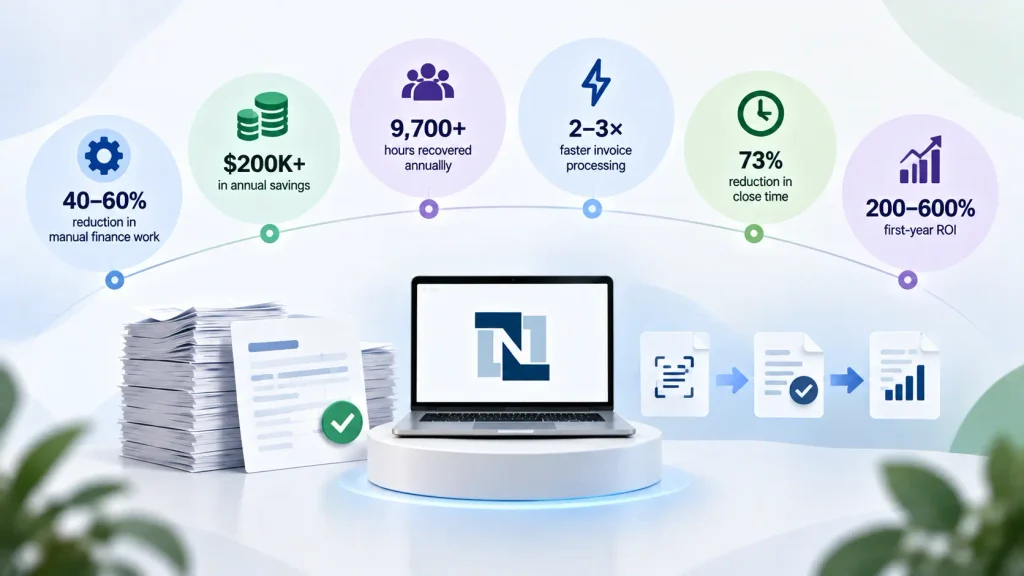
Auxiliobits reports outcomes from its AP automation engagements including:
- 40–60% reduction in manual finance work
- $200K+ in annual savings
- 9,700+ hours recovered annually in one enterprise AP engagement
- 2–3× faster invoice processing
- 73% reduction in close time where automation was extended into financial close
- 200–600% first-year ROI as a benchmark range in its AP software analysis
These figures are examples of reported engagement outcomes and benchmark ranges, not guaranteed results for every NetSuite deployment. Actual ROI depends on invoice volume, labor costs, exception rates, integration complexity, supplier behavior, and the level of touchless processing achieved.
ROI is generally easier to demonstrate when a mid-market finance team processes a high volume of invoices manually. The business case becomes even stronger when AP automation is part of a broader finance automation roadmap that eventually connects AP with reconciliation, financial close, order-to-cash automation and reporting.
Case studies
What does automation look like when it moves from a technology discussion into daily finance operations?
Auxiliobits publishes case studies on finance automation that demonstrate measurable improvements in invoice processing and broader financial workflows. One vendor invoice-processing engagement for a large marketing network reports 9,700 hours recovered annually and more than $200,000 in annual savings. The AP automation work focused on automating invoice intake, data extraction, ERP entry, and exception handling.
The broader AP automation portfolio also reports 40–60% reductions in manual finance work and 2–3× faster invoice processing. For organizations extending automation into financial close, Auxiliobits reports a 73% reduction in close processing time in relevant engagements.
These results show why NetSuite AP automation should be viewed as an end-to-end process improvement rather than simply an invoice-scanning project. The objective is to reduce the number of manual touches from invoice receipt through approval, posting, payment preparation, and reconciliation.
You can explore the broader Auxiliobits portfolio on the case studies page.
Ready to automate AP in NetSuite?
Ready to automate AP in NetSuite? Book a discovery call to see how NetSuite AP automation can help reduce manual invoice processing, accelerate approvals, improve control, and create a scalable AP workflow. With the right process design and integration approach, finance teams can move from repetitive invoice handling toward exception-based processing and higher-value financial work.
Ready to automate AP in NetSuite?
Ready to automate AP in NetSuite? Book a discovery call to see how NetSuite AP automation can help reduce manual invoice processing, accelerate approvals, improve control, and create a scalable AP workflow. With the right process design and integration approach, finance teams can move from repetitive invoice handling toward exception-based processing and higher-value financial work.