







Key Takeaways
- Automating invoice generation eliminates repetitive manual tasks, helping finance teams create accurate invoices faster while reducing administrative workload.
- Automated invoice generation improves billing accuracy by integrating with ERP, CRM, and other business systems, minimizing manual data entry and reducing costly errors.
- Faster invoice generation accelerates billing cycles, shortens Days Sales Outstanding (DSO), and strengthens cash flow by enabling quicker customer payments.
- AI-powered invoice generation solutions enhance automation by validating invoice data, identifying anomalies, predicting payment delays, and improving exception handling.
- Businesses that adopt automated invoice generation can scale their financial operations more efficiently, improve customer satisfaction, ensure regulatory compliance, and support long-term digital transformation initiatives.
Invoice generation is one of the most fundamental processes in every business, yet it remains surprisingly manual for many organizations. Finance teams often spend hours creating invoices, verifying customer information, applying pricing rules, calculating taxes, and sending invoices to customers. While these tasks may seem routine, they become increasingly difficult as transaction volumes grow.
Manual invoice generation not only consumes valuable time but also increases the likelihood of human error. Incorrect pricing, missing tax details, duplicate invoices, and delayed billing can all impact customer satisfaction and slow down cash flow. These issues become even more significant for organizations managing multiple business units, global customers, or high-volume transactions.
This is where automation makes a measurable difference. Modern invoice generation solutions eliminate repetitive manual work by automatically creating accurate invoices based on predefined business rules and integrated enterprise data. Instead of spending hours preparing invoices, finance teams can focus on strategic activities such as financial planning, collections, and customer relationship management.
In this blog, we’ll explore what automated invoice generation is, why businesses are adopting it, its key benefits, implementation best practices, and how intelligent automation is reshaping financial operations.
What Is Invoice Generation?
Invoice generation is the process of creating a billing document that requests payment from a customer for products delivered or services rendered. An invoice typically includes:
- Customer information
- Invoice number
- Invoice date
- Payment terms
- Product or service descriptions
- Quantity and pricing
- Applicable taxes
- Total amount due
- Payment instructions
While creating an invoice sounds straightforward, enterprise invoice generation often involves pulling data from ERP systems, CRM platforms, inventory applications, contract management software, and tax engines.
When performed manually, this process becomes time-consuming and error-prone.
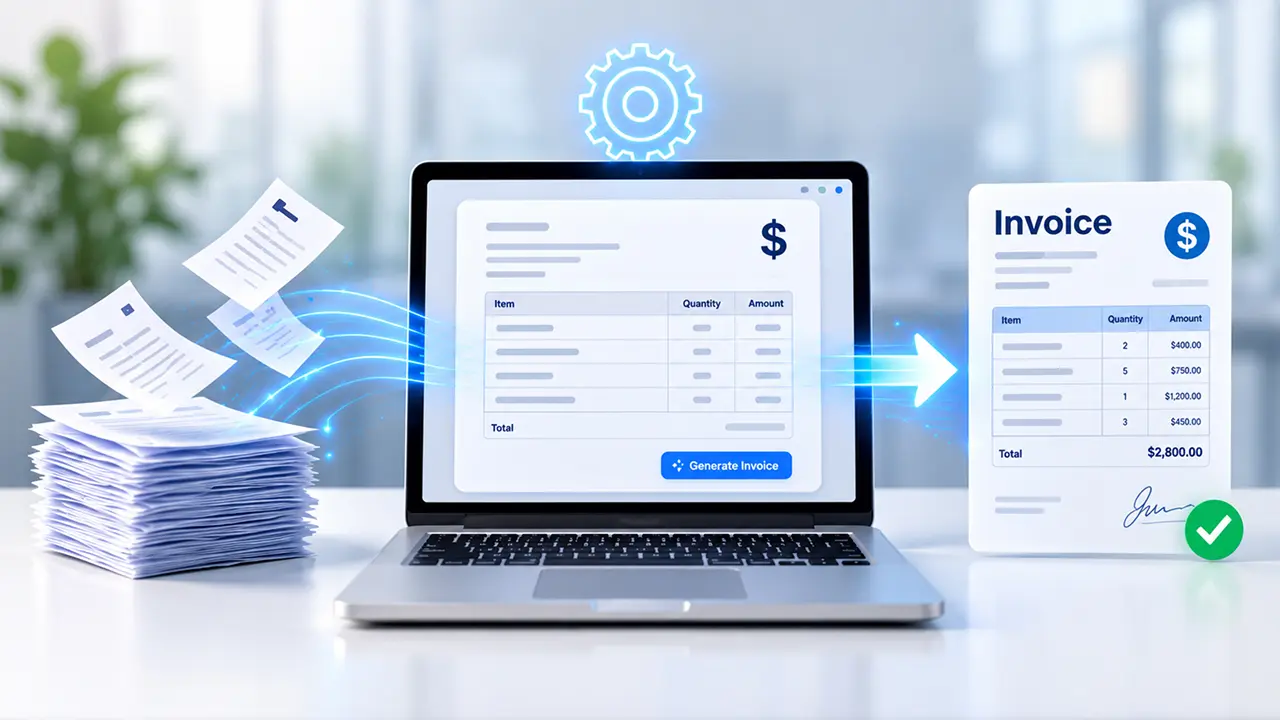
Automated invoice generation uses software to collect transaction data, apply pricing and tax rules, generate invoices automatically, and deliver them through digital channels with minimal human intervention.
Why Manual Invoice Generation Creates Business Challenges
Many organizations still rely on spreadsheets or manually entered ERP transactions for invoice creation. Although this approach works for smaller businesses, it quickly becomes inefficient as operations expand.
Common challenges include:
1. Human Errors
Manual data entry frequently results in:
- Incorrect invoice amounts
- Wrong customer information
- Duplicate invoices
- Missing tax calculations
- Pricing inconsistencies
Even small mistakes can delay payments and damage customer relationships.
2. Slow Billing Cycles
If invoices are generated only after manual review, billing gets delayed.
Late invoices often lead to:
- Delayed customer payments
- Longer Days Sales Outstanding (DSO)
- Reduced working capital
- Cash flow disruptions
3. Compliance Risks
Many industries require invoices to comply with local tax regulations, GST/VAT requirements, or electronic invoicing mandates.
Manual invoice preparation increases the risk of non-compliance.
4. Limited Scalability
As transaction volumes increase, finance teams struggle to maintain speed without hiring additional resources.
Automation allows businesses to grow without proportionally increasing administrative workload.
What Is Automated Invoice Generation?
Automated invoice generation refers to using intelligent software to automatically create invoices based on business events, customer orders, completed services, subscriptions, or ERP transactions.
Instead of manually preparing each invoice, the system automatically:
- Retrieves transaction data
- Validates customer information
- Calculates taxes
- Applies pricing rules
- Creates invoice documents
- Sends invoices to customers
- Records accounting entries
- Tracks invoice status
This approach significantly reduces manual intervention while improving speed and consistency.
How Automated Invoice Generation Works
Although every organization has unique workflows, the process generally follows these steps.
1. Data Collection
The automation platform gathers information from systems such as:
- ERP
- CRM
- Procurement software
- Inventory management
- Order management
- Subscription platforms
This eliminates manual data entry.
2. Data Validation
The solution verifies:
- Customer details
- Contract terms
- Pricing
- Discounts
- Tax codes
- Payment terms
Errors are identified before invoice creation.
3. Invoice Creation
Based on predefined templates and business rules, the software automatically generates professional invoices.
Dynamic fields are populated instantly using transaction data.
4. Approval Workflow
If required, invoices are routed for manager approval before being released.
Routine invoices can bypass approval entirely through predefined rules.
5. Invoice Delivery
Invoices are automatically sent through:
- Customer portals
- E-invoicing platforms
- Electronic Data Interchange (EDI)
Delivery happens immediately after approval.
6. ERP Posting
Accounting entries are automatically recorded in the ERP system, ensuring financial records remain synchronized.
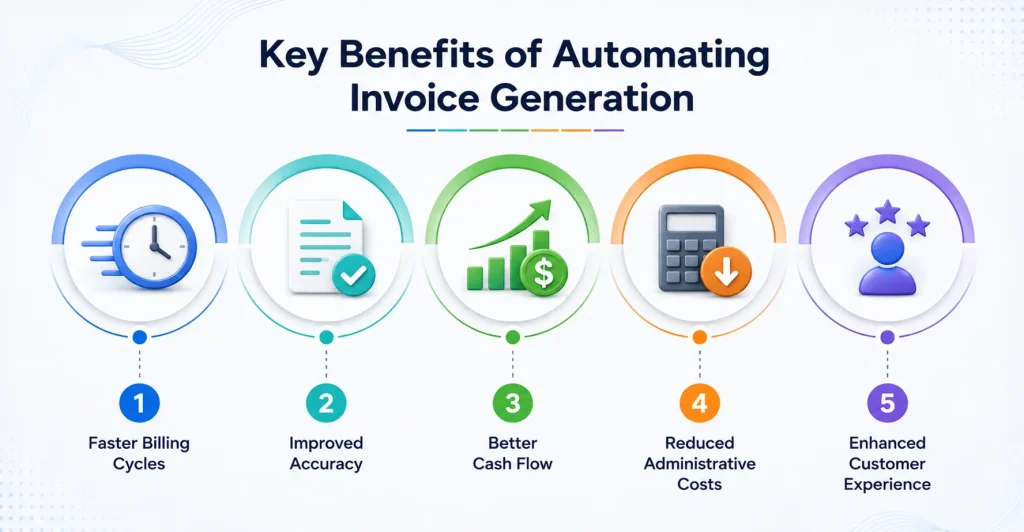
Key Benefits of Automating Invoice Generation
1. Faster Billing Cycles
Automation dramatically shortens the time between completing a transaction and sending the invoice.
Customers receive invoices sooner, enabling faster payments and improved cash flow.
2. Improved Accuracy
Since information comes directly from integrated business systems, automated invoice generation minimizes manual entry errors.
Consistent calculations reduce disputes and payment delays.
3. Better Cash Flow
Faster invoice delivery often leads to quicker customer payments.
Organizations benefit from:
- Lower DSO
- Improved liquidity
- More predictable cash flow
4. Reduced Administrative Costs
Automation eliminates repetitive work such as:
- Copying customer data
- Manual calculations
- Formatting invoices
- Emailing documents
- Filing invoice records
Finance teams become significantly more productive.
5. Enhanced Customer Experience
Customers appreciate receiving:
- Accurate invoices
- Professional formatting
- Timely billing
- Clear payment instructions
This approach improves trust and reduces billing-related support requests.
Industries Benefiting from Invoice Generation Automation
Almost every industry can improve financial efficiency through automated invoice generation.
1. Manufacturing
Generate invoices automatically after shipment confirmation while applying customer-specific pricing, taxes, and contractual terms.
2. Professional Services
Automatically bill completed projects, consulting hours, or milestone-based work without manual calculations.
3. Retail and E-commerce
Create invoices immediately after customer purchases, reducing delays during high-volume sales periods.
4. Healthcare
Automate patient billing while integrating with insurance and healthcare management systems.
5. Logistics and Transportation
Generate invoices using shipment data, freight charges, fuel surcharges, and delivery confirmations.
6. SaaS and Subscription Businesses
Automatically create recurring invoices based on subscription plans, renewals, or usage-based billing.
Best Practices for Successful Invoice Generation Automation
Implementing automation requires more than installing software. Organizations should follow proven best practices.
1. Standardize Invoice Templates
Maintain consistent branding and formatting across all customer invoices. This also simplifies compliance.
2. Integrate Business Systems
Connect automation with:
- ERP
- CRM
- Inventory
- Tax engines
- Payment gateways
Integrated systems eliminate duplicate data entry.
3. Define Clear Business Rules
Specify rules for:
- Discounts
- Payment terms
- Taxes
- Currency conversions
- Customer-specific pricing
This ensures invoice consistency.
4. Automate Approval Workflows
Not every invoice requires manual approval. Routine invoices should be automatically approved based on predefined thresholds.
5. Monitor Performance
Track KPIs such as:
- Invoice processing time
- Invoice accuracy
- Billing cycle duration
- DSO
- Payment collection rates
Continuous monitoring helps optimize automation performance.
The Role of AI in Invoice Generation
Artificial intelligence is taking invoice generation beyond traditional automation.
AI-powered platforms can:
- Detect missing invoice information
- Recommend pricing corrections
- Predict payment delays
- Identify duplicate invoices
- Validate invoice data automatically
- Improve exception handling
- Learn from historical billing patterns
Instead of simply automating repetitive tasks, AI continuously improves billing accuracy and operational efficiency. Combined with intelligent automation, AI enables finance teams to process invoices faster while making better business decisions.
Choosing the Right Invoice Generation Solution
When evaluating automation platforms, organizations should look for capabilities such as:
- ERP integration
- AI-powered data validation
- Workflow automation
- Tax compliance support
- E-invoicing compatibility
- Approval management
- Real-time reporting and analytics
- Secure document management
- Scalability for business growth
Selecting a solution that integrates seamlessly with existing financial systems helps maximize return on investment and accelerate implementation.
Conclusion
Manual invoicing may have worked when transaction volumes were low, but today’s businesses require faster, more accurate, and scalable financial operations. Automating invoice generation reduces administrative effort, improves invoice accuracy, accelerates billing cycles, and strengthens cash flow—all while enhancing the customer experience.
As organizations continue their digital transformation journeys, invoice automation has become a strategic investment rather than just an operational upgrade. By integrating intelligent automation and AI into billing processes, finance teams can shift their focus from repetitive administrative work to higher-value activities that drive business growth and resilience.
Whether you’re processing hundreds or thousands of invoices each month, modern invoice generation solutions provide the speed, consistency, and control needed to support long-term success.