








Invoice processing is one of the most repetitive and time-consuming activities in finance. Teams spend hours downloading invoices, entering data into ERP systems, checking purchase orders, chasing approvals, resolving exceptions, and preparing payments. Invoice automation changes this model by using AI, intelligent document processing, RPA, and workflow automation to move invoices through the process with significantly less manual intervention.
For finance leaders, the opportunity is bigger than simply eliminating data entry. Modern invoice automation can connect invoice capture, data extraction, validation, matching, approval, payment, and reporting into one controlled workflow. The result is faster processing, fewer errors, better visibility, and a higher percentage of invoices handled without human intervention.
This guide explains what invoice automation is, how the invoice processing workflow works, what technologies power it, where the ROI comes from, and how finance teams can evaluate and implement the right solution.
What Is Invoice Automation?
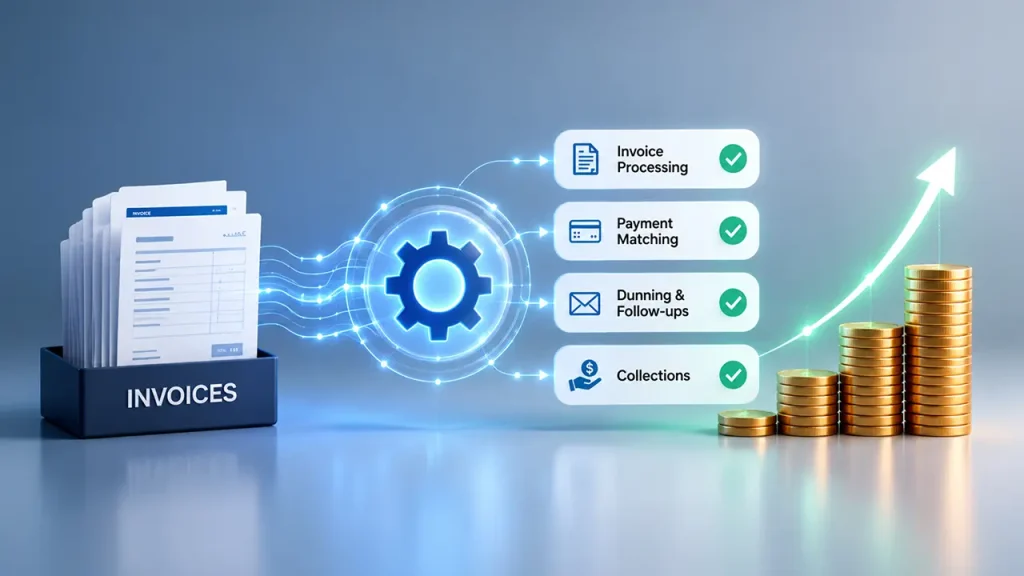
Invoice automation is the use of technology to automate the invoice processing workflow from invoice receipt through validation, matching, approval, posting, and payment preparation. Instead of requiring AP professionals to manually perform each step, automation uses technologies such as artificial intelligence, optical character recognition (OCR), intelligent document processing (IDP), robotic process automation (RPA), and workflow orchestration to execute repetitive activities automatically.
In a traditional process, an AP employee may open an email, download an invoice, read the vendor and invoice details, enter the information into an ERP, find the corresponding purchase order, perform a two-way or three-way match, email an approver, follow up on delays, and eventually prepare the invoice for payment.
Invoice automation replaces much of this manual coordination with predefined rules and intelligent decision-making.
A modern automated workflow can:
- Capture invoices from email, portals, EDI, or other channels.
- Extract vendor, invoice, PO, tax, amount, and line-item information.
- Validate required fields and identify potential duplicates.
- Match invoices against purchase orders and goods receipts.
- Route invoices to the appropriate approver.
- Escalate exceptions when rules are not satisfied.
- Prepare invoices for posting and payment.
- Maintain an audit trail for every transaction.
The ultimate goal is touchless invoice processing: invoices that move from receipt to completion without requiring an employee to manually intervene at every stage. Human involvement remains important for exceptions, policy decisions, unusual invoices, and high-risk transactions, but routine invoices can move through the process automatically.
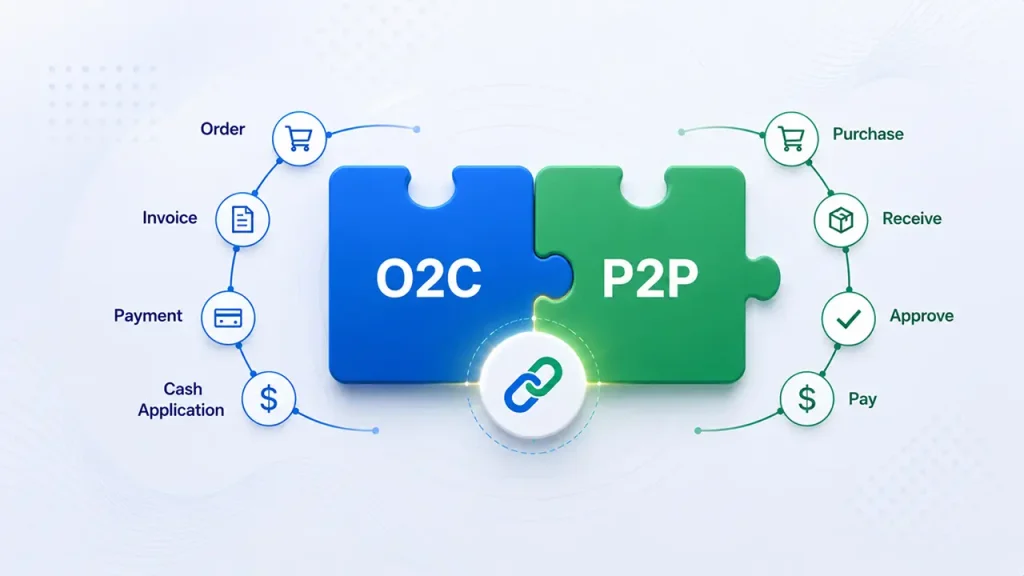
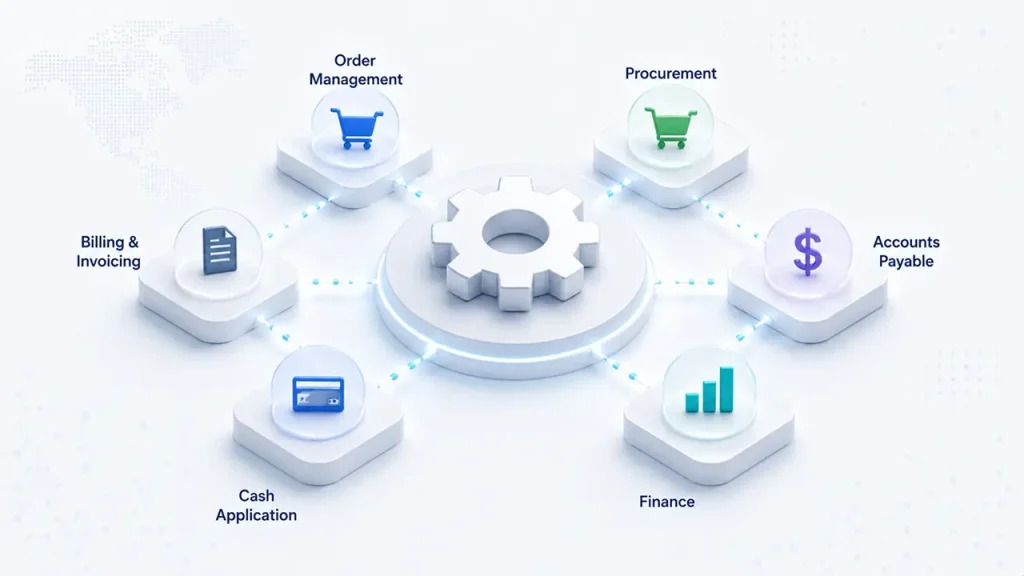
Invoice automation also fits naturally into broader procure-to-pay automation, which connects procurement, receiving, invoicing, approvals, payments, and reconciliation into a single workflow.
The Invoice Processing Workflow: Step by Step
An effective invoice automation strategy does not automate just one task. It connects the entire invoice processing workflow.

1. Capture: The process begins when an invoice arrives through email, a supplier portal, EDI, an e-invoicing network, or even as a scanned paper document.
Manual: An AP employee monitors inboxes, downloads attachments, renames files, and moves documents into folders.
Automated: Invoice automation software automatically monitors configured channels, captures incoming documents, identifies invoice files, and sends them into the processing workflow.
The goal is to eliminate the manual collection and filing of invoices before processing even begins.
2. Extract: Once captured, invoice data needs to be converted into structured information.
Manual: An employee reads the invoice and enters the vendor name, invoice number, date, PO number, tax, totals, and line-item information into the ERP or accounting system.
Automated: OCR, machine learning, and AI-powered document processing identify and extract relevant invoice fields automatically, including information from unstructured invoice layouts.
This is one of the most important areas for automated invoice processing because extraction is traditionally one of the most labor-intensive steps.
3. Validate: Extracted information needs to be checked before an invoice can move forward.
Manual: AP staff verify mandatory fields, vendor information, invoice numbers, amounts, tax information, and potential duplicates.
Automated: Validation rules can check data completeness, vendor records, duplicate invoices, amounts, dates, tax fields, and other business rules automatically.
Invoices that pass validation continue through the workflow, while exceptions are routed for review.
4. Match: Matching determines whether an invoice corresponds to an approved purchase.
Manual: AP employees compare the invoice against the purchase order and, where required, the goods receipt.
Automated: A matching engine can perform two-way matching between an invoice and PO or three-way matching between the invoice, PO, and goods receipt.
Straightforward invoices can proceed automatically when the required information matches within predefined tolerances.
5. Approve: Invoices that require approval must reach the right person without creating unnecessary delays.
Manual: AP employees email approvers, monitor responses, send reminders, and chase overdue approvals.
Automated: Workflow automation routes invoices according to rules such as amount, vendor, business unit, cost center, department, or approval hierarchy. Automated reminders and escalations can reduce approval bottlenecks.
6. Pay: Once approved, invoices need to be prepared and scheduled for payment.
Manual: Finance teams manually prepare payment runs and determine which invoices should be paid.
Automated: Payment automation can schedule approved invoices based on payment terms, due dates, cash-management rules, and eligible early-payment discounts.
This can help finance teams move from reactive payment processing toward more controlled working-capital management.
7. Report: The final stage is visibility and control.
Manual: Teams compile AP aging reports, processing metrics, exception reports, and audit documentation manually.
Automated: Dashboards can provide real-time visibility into invoice volumes, processing times, exceptions, approval bottlenecks, aging, and payment status while maintaining an electronic audit trail.
This makes invoice processing automation more than a productivity initiative. It becomes a source of operational and financial visibility.
What Can Be Automated?

Not every invoice requires the same level of human intervention. The objective of invoice automation is not necessarily to remove people from the process completely. It is to automate predictable work and reserve human attention for exceptions and decisions that genuinely require judgment.
| Step | Manual Process | Automated Process | Potential Automation Level* |
| Capture | Open email, download PDF, file invoice | Auto-capture from email, portal, EDI | 95–100% |
| Extract | Manually enter invoice data into ERP | AI/OCR extraction | 90–98% |
| Validate | Manually check duplicates and vendor data | Automated validation rules | 95–100% |
| Match | Manually perform 2-way/3-way matching | Automated matching engine | 80–95% |
| Approve | Email approver, wait, follow up | Automated routing and reminders | 90–100% |
| Pay | Manually prepare payment run | Scheduled payment automation | 95–100% |
| Report | Manually generate reports | Automated dashboards and audit trail | 100% |
Actual automation levels vary by invoice quality, ERP environment, business rules, exception rates, supplier behavior, and solution capabilities.
The biggest ROI opportunity typically comes from capture, extraction, and matching because these activities can consume substantial AP capacity. Automating them allows finance teams to process more invoices without adding proportional headcount.
The next level of maturity comes from connecting these activities instead of automating them as isolated tasks. When capture feeds extraction, extraction feeds validation, validation feeds matching, and matching feeds approval, the organization begins to move toward true end-to-end invoice automation.
Invoice Automation Technologies
Modern invoice automation combines several technologies rather than relying on one tool.
1. AI Extraction and OCR
OCR converts text from digital or scanned documents into machine-readable information. AI-based extraction goes further by identifying the meaning and context of invoice fields, even when invoices have different layouts. This enables automated invoice processing across structured and unstructured documents rather than relying on a single standardized template.
2. Robotic Process Automation
RPA is effective for repetitive, rule-based activities such as entering data into ERP systems, moving files, updating records, checking predefined conditions, or triggering downstream workflows. RPA remains valuable when processes are predictable and when you can clearly define the required actions.
3. Intelligent Document Processing
IDP combines OCR, AI, machine learning, and document understanding to interpret business documents. In invoice processing, it can identify fields, understand different invoice layouts, classify documents, and improve extraction accuracy. IDP is particularly useful when finance teams receive invoices from many suppliers using different formats.
4. Workflow Orchestration
Workflow orchestration connects the different stages of invoice processing. Instead of simply extracting data, the system determines what should happen next and routes work to the appropriate system, person, or automation. This is what turns individual automation tasks into a coordinated process.
5. Agentic AI
Agentic AI introduces another layer of intelligence. Traditional RPA follows predefined instructions, while AI agents can interpret context, reason about exceptions, use enterprise tools, and determine the next appropriate action within defined guardrails. For example, an agent could analyze an invoice mismatch, review available PO and receipt information, identify the likely reason for the exception, gather additional context, and route the issue to the appropriate person.
Finance teams exploring this next stage can learn more about agentic process automation. The evolution from RPA and intelligent automation toward agentic workflows is particularly relevant for invoice exceptions, where rigid rules often reach their limits.
The strongest invoice processing automation architectures use each technology where it adds the most value: RPA for deterministic tasks, IDP and AI for document understanding, workflow orchestration for process coordination, and agentic AI for increasingly complex exceptions.
Benefits and ROI of Invoice Automation
The business case for invoice automation extends beyond reducing the time employees spend entering data.

Common benefits include:
- Lower cost per invoice.
- Faster invoice processing.
- Fewer manual data-entry errors.
- Higher touchless processing rates.
- Faster approval cycles.
- Better visibility into invoice status.
- Improved auditability.
- Fewer duplicate payments.
- Better capture of early-payment discounts.
- Greater AP capacity without proportional headcount growth.
Industry benchmarks commonly place manual invoice processing costs in the high single digits or above, while well-designed automated processes can reduce the cost substantially. Actual savings depend on invoice volume, process complexity, labor costs, exception rates, technology investment, and integration requirements.
Auxiliobits reports outcomes including a 40–60% reduction in manual finance work, $200K+ in annual savings, 9,700 hours recovered annually in a single enterprise AP engagement, and 2–3x faster invoice processing.
One important distinction is that these should be treated as outcome benchmarks, not guaranteed results. Your business case should be built around your own baseline metrics.
For example, measure:
- Current cost per invoice.
- Average processing time.
- Percentage of invoices requiring manual intervention.
- Exception rate.
- Approval time.
- Invoices processed per FTE.
- Duplicate payment rate.
- Early-payment discounts captured.
A structured AP automation business case can then translate these operational metrics into financial value.
For a broader methodology, see automation ROI, which emphasizes measuring cost, processing time, error rates, productivity, and total program investment rather than relying on headline ROI percentages alone.
Touchless processing is another important KPI. A manual environment may have a relatively low percentage of invoices that pass through without intervention, while a mature automated process can significantly increase straight-through processing. However, the exact touchless rate depends heavily on PO coverage, invoice quality, exception complexity, and supplier behavior.
How to Choose Invoice Automation Software
Choosing invoice automation software requires looking beyond the feature list. A platform may have impressive AI capabilities but still deliver poor results if it does not integrate properly with your ERP or handle your actual invoice population.
Consider these criteria:
1. ERP Compatibility
The solution should integrate effectively with the systems your finance team already uses, including SAP, Oracle, NetSuite, Microsoft Dynamics, or QuickBooks. Replacing a core ERP simply to implement invoice automation is rarely the starting point most finance teams need. A stronger approach is often to build an automation layer around the existing finance stack.
2. AI Extraction Accuracy
Test the platform using your actual invoices rather than relying only on vendor demonstrations.
Ask how well the system handles
- Different invoice layouts.
- Scanned documents.
- Multi-page invoices.
- Line-item data.
- Tax information.
- Handwritten or unusual fields.
- Non-PO invoices.
- Foreign-language invoices where relevant.
3. Exception Handling
Automation is only as effective as its exception management.
Ask what happens when:
- The PO does not exist.
- The invoice amount does not match.
- A vendor changes bank details.
- A duplicate is detected.
- A required field is missing.
- An approver does not respond.
The system should route exceptions intelligently rather than simply stopping the workflow.
4. Pricing Model
Compare per-invoice, subscription, per-user, transaction-based, and hybrid pricing. Calculate the total cost at your expected invoice volume rather than comparing license prices alone.
5. Implementation Support
Determine whether implementation is DIY, vendor-led, or partner-led.
Integration, workflow configuration, ERP connectivity, testing, change management, and supplier onboarding can have a significant impact on time to value.
6. Scalability
The solution should support increasing invoice volumes, additional business units, new suppliers, multiple entities, and potentially multiple ERP systems.
7. Agentic AI Roadmap
If your long-term goal is increasingly autonomous finance operations, evaluate whether the vendor has a credible strategy for AI agents, exception handling, reasoning, governance, and enterprise tool use.
When comparing platforms, the best AP automation software evaluation should therefore consider more than invoice capture. Invoice automation should also be evaluated based on integration depth, workflow coverage, exception management, scalability, auditability, and the vendor’s ability to support the next stage of automation.
It is also worth evaluating AP automation vs outsourcing based on your operating model. Automation and outsourcing solve different problems, and the right choice depends on cost, control, scalability, internal capabilities, and your desired finance operating model.
Real Invoice Automation Case Studies
Real-world outcomes are often more useful than vendor feature lists when evaluating invoice automation.
Auxiliobits’ case-study portfolio includes a project for processing vendor invoices for a large marketing network that recovered 9,700 hours and generated $200K in annual savings. The engagement focused on eliminating manual data entry and approval-related work across high-volume invoice processing. Read the full vendor invoice processing case study.
The company’s AP automation offering also reports outcomes including a 40–60% reduction in manual finance work, $200K+ in annual savings, and 2–3x faster invoice processing.
These examples illustrate an important point: the value of invoice automation comes from improving the entire workflow, not simply extracting invoice fields.
Finance teams evaluating similar opportunities can explore AP automation services to assess invoice capture, extraction, matching, approval routing, exception handling, payment preparation, and reporting as an integrated process.
How to Get Started With Invoice Automation
A successful implementation does not begin with selecting software. It begins with understanding the current process.
Step 1: Baseline Your Current State
Measure:
- Cost per invoice.
- Monthly and annual invoice volume.
- Average processing time.
- Touchless processing rate.
- Exception rate.
- Approval cycle time.
- FTE hours spent on AP.
- Duplicate and error rates.
- Early-payment discounts captured.
Without a baseline, it becomes difficult to prove the financial impact of automation.
Step 2: Choose Your Starting Point
Start with the parts of the process that create the greatest combination of volume, manual effort, and measurable cost.
For many organizations, invoice capture and extraction provide a quick starting point because they eliminate repetitive data-entry work. Matching and approval automation can then be added to extend the workflow.
Step 3: Select Technology or an Implementation Partner
Evaluate platforms based on actual process requirements rather than AI claims alone.
A capable implementation partner can also help redesign workflows, connect ERP systems, configure business rules, establish exception paths, and measure results.
Step 4: Run a Proof of Concept
A focused proof of concept can test the solution against real invoices, suppliers, ERP integrations, extraction requirements, matching rules, and exceptions.
A 4–6 week POC can be useful for validating assumptions before broader deployment.
Step 5: Scale to the Full AP Process
Once the core workflow is validated, expand from capture and extraction into validation, matching, approval, exception handling, payment preparation, and reporting.
With the right process design and implementation support, a broader implementation can often be structured around an approximately 6–8 week deployment window, although actual timelines vary with ERP complexity, integrations, invoice volume, business entities, and scope.
Step 6: Measure and Optimize
Invoice automation should not be treated as a one-time implementation.
Continue monitoring:
- Touchless rate.
- Exception rate.
- Cost per invoice.
- Processing time.
- Approval delays.
- Extraction accuracy.
- Payment performance.
- Discount capture.
- Invoices per FTE.
Use these metrics to identify where additional automation or process redesign can create further value. Working with the right AP automation services partner can also help finance teams continuously optimize workflows, address recurring exceptions, and expand automation across the broader accounts payable process.
The goal is to move from simply automating invoice processing toward continuously improving the finance operating model.
Ready to Automate Invoice Processing?
Invoice automation can help finance teams reduce repetitive work, accelerate processing, improve visibility, and scale AP without relying on proportional headcount growth. The best starting point is not necessarily the most advanced technology—it is identifying where manual effort and process friction are costing your organization the most.
Ready to automate your invoice processing? Take our free AP Efficiency Assessment to see where invoice automation can save you the most time and money.