








Key Takeaways
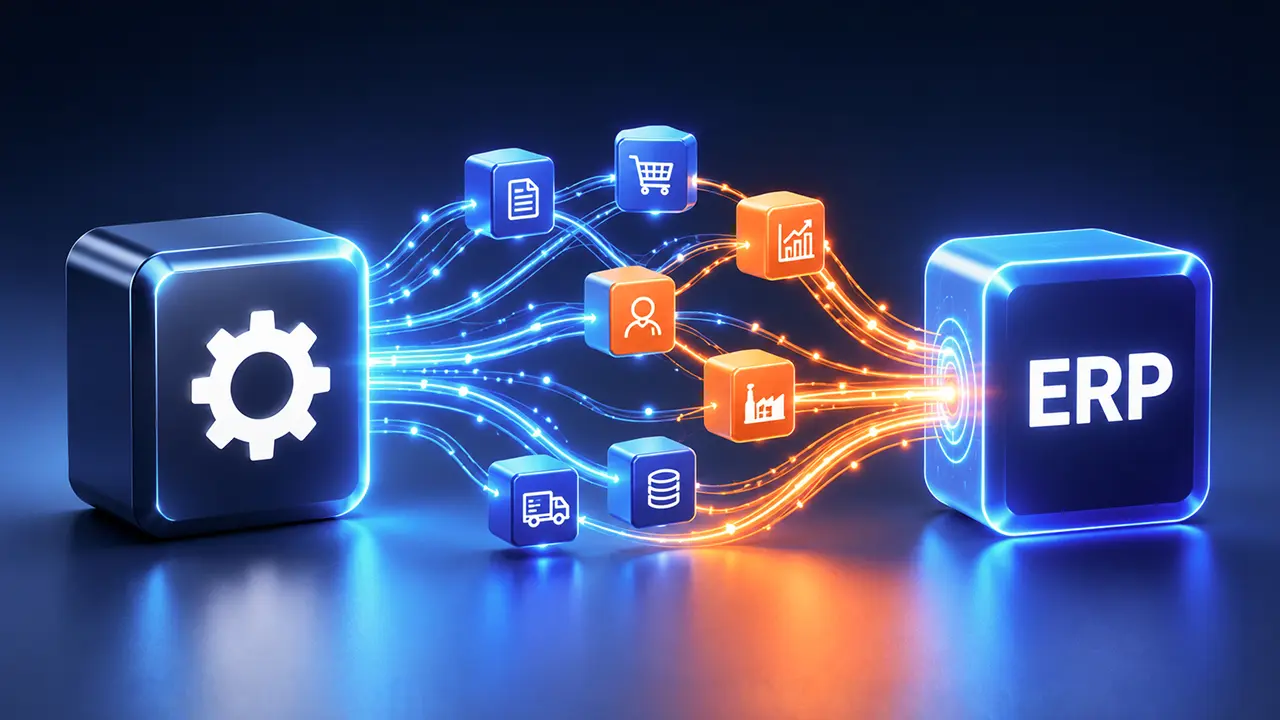
- ERP automation integration goes beyond native ERP workflows by connecting the ERP with CRM, e-commerce, banking, logistics, and other systems to automate end-to-end processes.
- Automation maturity matters before AI adoption. Organizations need reliable connectivity, consistent data, and orchestrated workflows before introducing AI agents or advanced automation.
- Automating a broken process only scales the problem. The right approach is to standardize and improve the process first, then connect systems and automate the workflow.
- High-volume, rule-based processes are the strongest automation candidates. AP/AR, procurement, inventory, reporting, HR, and document processing offer clear opportunities to reduce manual work and improve efficiency.
- ERP automation should be treated as an ongoing capability, not a one-time project. As systems, processes, and business requirements evolve, the integration layer must evolve with them.
Most mid-market and enterprise teams don’t struggle to justify an ERP. They struggle to make it work the way it was supposed to. The system holds the data, but people are still exporting spreadsheets, re-keying purchase orders, reconciling records, and chasing approvals over email. That gap between what an ERP can do and what it actually does day to day is where ERP automation integration becomes critical.
But there’s a part of ERP automation that most guides overlook: automating the wrong process doesn’t solve the problem—it scales it. A broken manual workflow turned into an automated workflow simply breaks faster, with fewer opportunities for people to catch and correct the issue.
That’s why integrating automation with ERP systems is less about connecting another tool to your ERP and more about making the entire operating model work better. The real challenge is knowing which processes are ready for automation, which integration approach fits your architecture, what the investment looks like compared with building in-house, and where automation projects tend to go off track.
This guide provides a practical framework for answering those questions—so you can move from fragmented ERP workflows to automation that is reliable, scalable, and built around how your business actually operates.
What ERP automation integration means and where most definitions stop short
ERP automation integration connects an ERP’s core modules—finance, procurement, inventory, order management, and HR—with the workflows and external systems that keep the business running, including CRM platforms, e-commerce systems, banks, logistics providers, and document-processing tools. The goal is straightforward: move data, trigger actions, and execute decisions across processes without relying on manual re-entry.
But most definitions stop at the ERP itself. They point to capabilities such as automatically approving a purchase order below a defined threshold or triggering a workflow when an invoice is posted. That is native ERP automation—useful, but limited to what happens within the platform.
The bigger opportunity sits beyond the ERP’s boundaries. True ERP automation integration connects the ERP with the wider technology environment through APIs, integration platforms, or other orchestration layers, then applies rules-based automation, robotic process automation (RPA), or AI across the entire business process.
That distinction matters because the biggest operational bottlenecks rarely sit neatly inside one system. They occur at the handoffs between them: when an online order needs to become an ERP transaction, when a supplier invoice arrives in an inbox and needs to become a validated accounting entry, or when payment data from a bank needs to reconcile with financial records.
Native ERP automation can optimize what happens inside the system. ERP automation integration connects the systems around it—and automates the work that happens between them.
The ERP Automation Maturity Model
Before comparing automation tools or choosing an integration approach, determine what problem you actually need to solve. Many organizations jump straight to AI because it sounds like the next logical step, when the real constraint is far more basic: systems that don’t connect reliably, inconsistent data, or processes that still depend on manual intervention.
The ERP automation integration maturity model below provides a practical way to assess where your organization stands today:
| Level | State | What it looks like |
| 1. Manual | No automation | Employees manually enter data into the ERP from spreadsheets, emails, PDFs, or paper documents. Systems operate largely as isolated islands. |
| 2. Scripted | Point fixes | Custom scripts, macros, or small automations move data between specific systems. They may solve an immediate problem but are often fragile, poorly documented, and dependent on individual employees. |
| 3. Connected | Native + basic integration | ERP-native workflows handle routine tasks such as approvals and scheduled jobs, while connectors or integration platforms link a limited number of external systems. |
| 4. Orchestrated | Cross-system automation | An integration layer connects the ERP with CRM, e-commerce, banking, finance, and other systems, enabling real-time or near-real-time data synchronization and centralized monitoring. |
| 5. Autonomous | AI-augmented | AI agents and document intelligence operate on top of a stable integration and orchestration layer, handling exceptions, recommendations, forecasting, and judgment-adjacent tasks while humans remain involved where decisions require oversight. |
Why the levels matter
The uncomfortable truth is that you cannot reliably skip the foundations. An organization at Level 1 or Level 2 that jumps directly to Level 5 by purchasing an AI agent platform before establishing reliable connectivity is not becoming autonomous. It is automating an unstable operating model.
AI does not compensate for poor data quality, fragmented systems, or inconsistent processes. It amplifies them. If an invoice process is already producing incomplete data, automating it at scale can simply produce incomplete data faster. If two systems cannot reliably exchange information, adding an intelligent layer on top does not remove the underlying dependency.
The progression is therefore less about buying increasingly sophisticated technology and more about building the right foundation in sequence: standardize the process, connect the systems, orchestrate the workflow, and then introduce intelligence where it adds measurable value.
If you are unsure which level you occupy, don’t start with your ERP vendor’s capability list. Start with one high-volume manual process and trace it from beginning to end. Identify every point where someone has to copy data, re-key information, reconcile records, download and upload files, or intervene because two systems cannot communicate.
That is your real automation maturity level, not the level your software license says you could achieve.
The business case: where ERP automation integration creates measurable value
The case for ERP automation integration is not simply that automation saves employees time. The stronger business case is that it removes the friction between systems, reduces repetitive work, improves data quality, and allows high-volume processes to run with fewer manual touchpoints.
The numbers help put that opportunity into perspective:
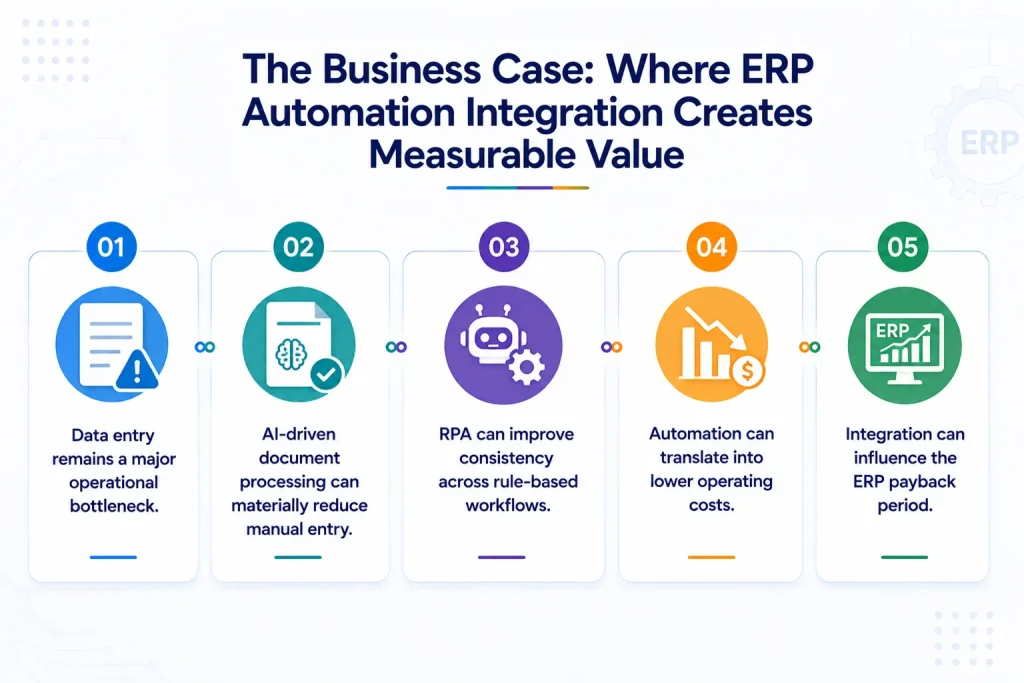
- Data entry remains a major operational bottleneck. More than half of ERP users cite data entry as a significant source of operational drag, while many organizations continue to rely on manual document processing for at least part of their data input.
- AI-driven document processing can materially reduce manual entry. Organizations combining intelligent document processing with ERP workflows have reported 50–70% reductions in data-entry time, particularly across invoice, order, and other document-heavy processes.
- RPA can improve consistency across rule-based workflows. When robotic process automation is applied to repetitive ERP tasks, organizations can see efficiency improvements of around 30%, alongside reductions in manual errors.
- Automation can translate into lower operating costs. Well-designed ERP automation programs are often associated with 20–25% lower operational costs compared with heavily manual processes, depending on process volume, complexity, and implementation quality.
- Integration can influence the ERP payback period. ERP investments typically take years to reach full ROI, and the quality of integration and automation can significantly affect how quickly organizations capture value from the underlying platform.
Where to automate first: the highest-leverage areas
Not every ERP workflow is a suitable candidate for automation. The strongest starting points are processes with high transaction volumes, repetitive decisions, predictable rules, and measurable manual effort. These characteristics make the business case easier to prove and the results easier to validate.
For most organizations, the highest-leverage opportunities sit in the following areas:
| Process area | What gets automated | Typical impact |
| Accounts payable / receivable | Invoice capture, PO matching, approval routing, payment triggers, collections workflows | Fewer errors, faster processing and close cycles, reduced manual workload |
| Procurement | PO creation, vendor matching, budget validation, approval workflows, and status updates | Shorter procurement cycles, stronger spend visibility, fewer approval bottlenecks |
| Inventory & order management | Inventory synchronization, reorder triggers, order validation, and order-to-fulfillment handoffs | Fewer stockouts and overstock situations, faster order-to-cash cycles |
| Financial reporting | Data consolidation, intercompany data flows, scheduled reporting, and reconciliation | Faster financial close, less spreadsheet dependency, fewer reconciliation errors |
| HR & payroll | Employee data synchronization, onboarding workflows, time-tracking integration, and compliance reporting | Lower administrative workload, fewer data inconsistencies, and compliance gaps |
| Document processing | AI/OCR extraction from invoices, receipts, POs and shipping documents directly into ERP fields | Significant reduction in manual data entry and document handling |
Where to go from here
ERP automation integration isn’t a single purchase decision, it’s a sequence: know your maturity level, fix the process before you automate it, pick the integration approach that matches your architecture and team, and build in governance from the start instead of retrofitting it after something breaks. Organizations that treat it as an ongoing capability revisit each time a new system enters the stack, consistently outperforming the ones that treat it as a one-time project with a launch date and a ribbon-cutting.
If you’re not sure which maturity level you’re actually at, or which of the platforms above fits your architecture, that’s usually a faster conversation than it sounds; most of it comes down to how many systems you’re connecting and who’s going to own maintenance once it’s live. Reach out to walk through your specific stack, or request a detailed ERP automation platform comparison guide