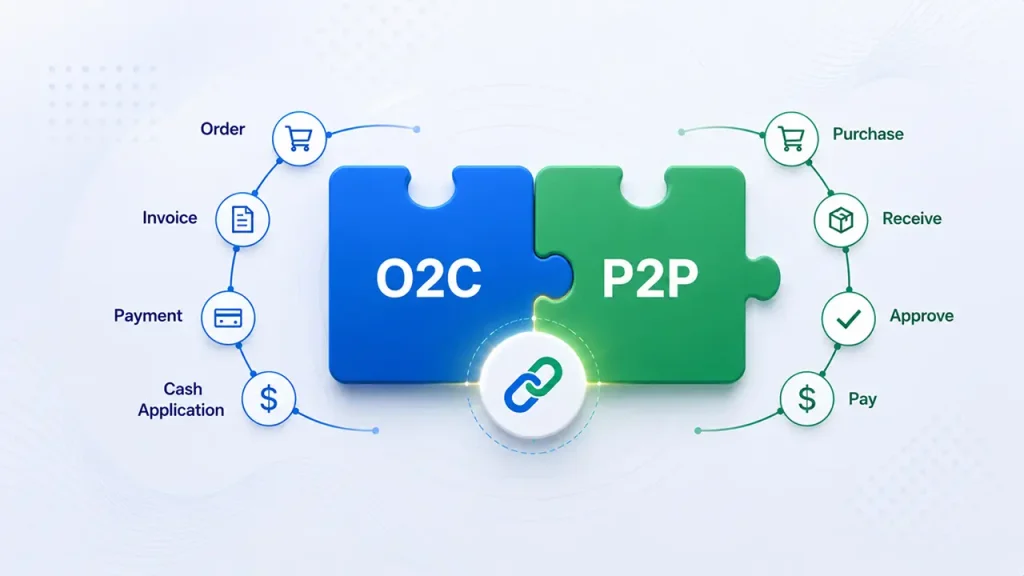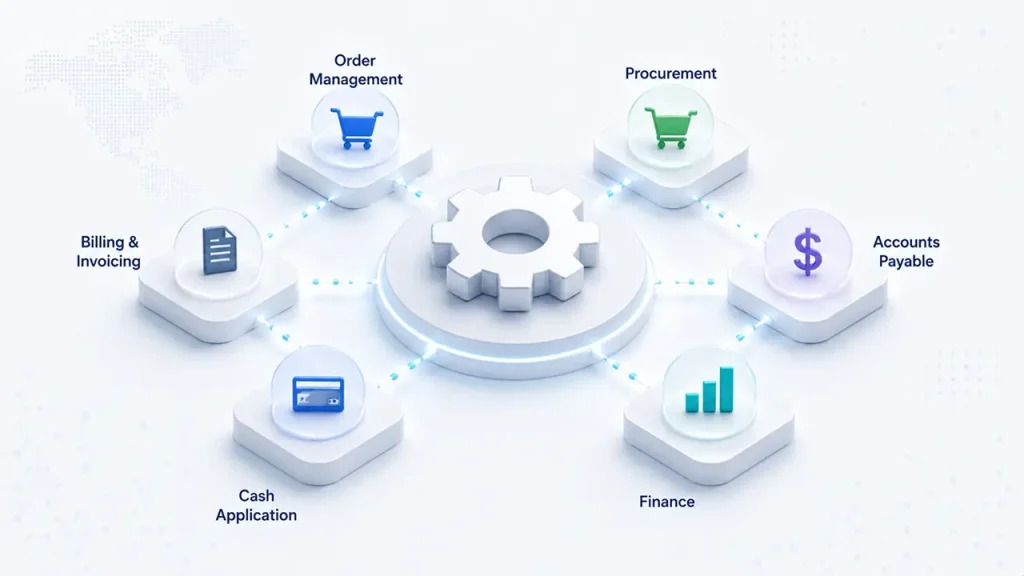









Accounts receivable is where revenue turns into cash, but for many finance teams, it is still one of the most manual and fragmented processes in the organization. Invoice creation, collections, payment matching, dispute management, and reconciliation often depend on spreadsheets, emails, repetitive ERP updates, and manual follow-ups. AR automation changes that by connecting these activities through AI, workflow automation, RPA, and intelligent decision-making.
For finance leaders, the opportunity goes beyond reducing repetitive work. Effective AR automation can accelerate cash conversion, improve visibility into receivables, reduce manual effort, and help teams focus on exceptions instead of routine transactions.
This guide explains how AR automation works, where cash application automation fits into the accounts receivable process, the major use cases, technology options, expected ROI, implementation considerations, and how finance teams can get started.
What Is AR Automation?
Accounts receivable, or AR, is the process of managing money owed to a company by customers for goods or services that have already been delivered. It generally covers activities from invoicing and payment collection through cash application, dispute resolution, and reconciliation.
AR automation uses technologies such as artificial intelligence, robotic process automation, intelligent document processing, workflow automation, and machine learning to automate repetitive activities across this process.
In a traditional AR environment, employees may manually generate invoices, send payment reminders, monitor customer responses, identify overdue accounts, download remittance information, match incoming payments against invoices, investigate deductions, and update the ERP.
AR automation replaces much of this repetitive work with connected digital workflows.
A modern automated accounts receivable process can:
- Generate and distribute invoices automatically.
- Track invoice delivery and payment status.
- Send scheduled collection reminders.
- Prioritize customers based on payment behavior and risk.
- Extract remittance information from emails, PDFs, portals, and EDI.
- Match incoming payments to open invoices.
- Route unmatched payments and disputes to the appropriate team.
- Update ERP systems automatically.
- Reconcile transactions and maintain an audit trail.
The objective is not necessarily to remove humans from AR. Instead, accounts receivable automation moves routine transactions toward straight-through processing while directing human attention toward exceptions, complex disputes, customer relationships, and decisions requiring judgment.
The financial impact can be significant. Faster invoicing and collections can help reduce Days Sales Outstanding (DSO), while faster cash application gives finance teams a more accurate view of outstanding receivables and available cash.
This makes AR automation an important part of the broader order-to-cash automation strategy, connecting invoicing, collections, cash application, disputes, and reconciliation into a more coordinated process.
Cash Application Automation Explained
Cash application is the process of matching incoming customer payments to the appropriate open invoices and recording those payments correctly in the ERP or accounting system.
It sounds straightforward until transaction volumes increase.
Customers can pay through ACH, wire transfers, checks, cards, payment gateways, and other channels. Payment information may arrive separately from the actual transaction. Remittance advice may be sent through email, a customer portal, EDI, a PDF attachment, or another document.
The payment may also create complications:
- The customer pays multiple invoices in one transaction.
- The payment covers only part of an invoice.
- An invoice number is missing or incorrect.
- The customer deducts a credit or disputed amount.
- The payment amount does not exactly match the invoice.
- One customer uses different references across payment methods.
- Remittance information arrives separately from the bank transaction.
This makes cash application one of the most labor-intensive areas of AR.
How Cash Application Automation Works
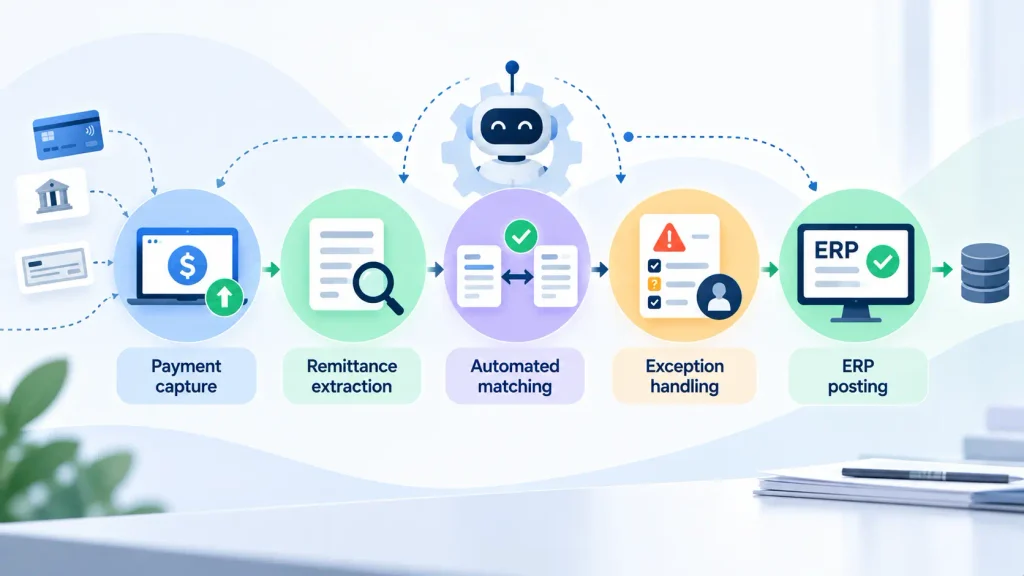
1. Payment capture
The automation layer receives payment information from sources such as banks, lockboxes, payment gateways, and other financial systems. Instead of employees manually downloading and consolidating payment information, transactions can flow automatically into the cash application workflow.
2. Remittance extraction
AI and intelligent document processing can extract remittance information from emails, PDFs, portals, EDI files, spreadsheets, and other unstructured or semi-structured sources.
The system can identify information such as:
- Customer name
- Payment amount
- Invoice numbers
- Credit notes
- Deduction amounts
- Payment references
- Bank transaction details
3. Automated matching
The system compares payment information against open receivables using matching rules, fuzzy matching, machine learning, historical customer behavior, and customer-specific logic.
For example, if an invoice number contains a minor formatting difference from the remittance reference, an intelligent matching engine can still identify the likely invoice.
4. Exception handling
Not every payment should be forced through automation. When the system cannot confidently determine the correct allocation, the transaction is routed to a human reviewer with relevant context.
This creates a better operating model: automation handles predictable transactions while people focus on exceptions.
5. ERP posting
Once a payment is matched and approved according to configured rules, the application can post the cash application directly to systems such as SAP, Oracle, or NetSuite.
The result is a more connected workflow from payment receipt to ERP posting.
For organizations with mature cash application automation, straight-through processing can become a critical KPI. The outline benchmark for mature automated environments is approximately 80–95% straight-through processing, compared with roughly 20–40% in highly manual environments. Actual results vary considerably based on payment quality, remittance availability, customer behavior, ERP configuration, and exception complexity.
AR Automation Use Cases
AR automation is not a single workflow. It is a collection of connected capabilities that can automate different stages of the accounts receivable process.
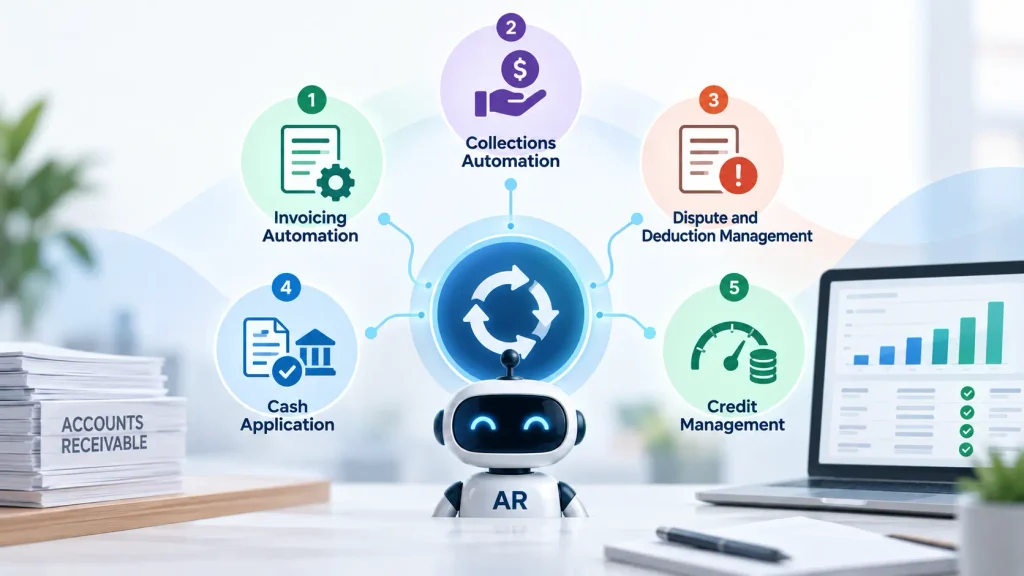
1. Invoicing Automation
The AR process often begins with invoice generation and delivery. Instead of relying on employees to create invoices manually after an order or service milestone, automation can generate invoices based on predefined business events.
A modern invoicing workflow can:
- Automatically generate invoices after order fulfillment.
- Populate invoice information from ERP and business systems.
- Validate required information.
- Deliver invoices electronically.
- Track delivery and customer access.
- Trigger follow-up workflows for undelivered invoices.
- Maintain invoice status in a central system.
Automating this first stage creates a stronger foundation for the rest of the AR process because invoices can enter the collection workflow faster and with fewer manual errors.
For a more profound look at this part of the process, see our guide to invoice automation
2. Collections Automation
Collections teams spend significant time determining which customers need attention, sending reminders, documenting interactions, and following up on overdue invoices.
AR automation can streamline this work through automated dunning sequences and intelligent work prioritization.
A collections workflow can automatically:
- Send payment reminders through email, SMS, or customer portals.
- Adjust communication based on invoice age.
- Prioritize accounts based on payment behavior.
- Identify customers with increasing payment risk.
- Recommend the next collection action.
- Escalate high-value or high-risk accounts.
- Track collection activity and outcomes.
- AI can also help create predictive collection scores
AI can also help create predictive collection scores based on historical payment behavior and customer-specific patterns.
Instead of treating every overdue invoice equally, finance teams can focus their attention where intervention is most likely to make a difference.
Automation can potentially improve collections efficiency by 30–50%, although actual improvement depends on the starting p
3. Dispute and Deduction Management
Disputes and deductions are another major source of manual AR work. A customer may short-pay an invoice because of a pricing disagreement, missing goods, promotional deductions, tax issues, service-level concerns, or another commercial reason.
Without automation, an employee may need to:
- Identify the deduction.
- Create a case.
- Search for supporting information.
- Contact sales or operations.
- Communicate with the customer.
- Determine the root cause.
- Approve or reject the deduction.
- Update the ERP.
AR automation can connect these activities into a structured workflow. AI can classify disputes, extract supporting information, identify recurring deduction patterns, and route cases to the appropriate team.
Anomaly detection can also help identify unusual payment or deduction behavior. For organizations exploring more advanced approaches, agentic AI for fraud detection provides additional context on how agentic AI can support dynamic financial risk detection.
4. Cash Application
Cash application is one of the clearest opportunities for AR automation. Instead of manually searching for invoice numbers and matching transactions, AI-powered matching can analyze payment data, remittance information, historical patterns, and customer-specific rules.
The system can automatically apply high-confidence transactions while routing exceptions for review. This can reduce posting delays and give finance teams a more current view of outstanding receivables.
5. Credit Management
Credit management can also benefit from automation.
Automated credit workflows can support:
- Customer credit scoring.
- Credit-limit monitoring.
- Credit-limit approval workflows.
- Real-time risk alerts.
- Customer payment behavior analysis.
- Proactive reviews of deteriorating accounts.
When credit information, collections data, payment history, and customer risk signals are connected, finance teams can make credit decisions using more current information.
AR Automation Tools and Platforms
The AR automation market includes multiple technology categories rather than one universal solution.
Key Technologies Categories:
1. AI Cash Application
AI-powered cash application solutions use machine learning, rules, historical patterns, and intelligent matching to connect customer payments with open invoices.
Platforms commonly associated with this category include HighRadius, Billtrust, Versapay, and Esker.
2. Collections Automation
Collections platforms automate customer communications, prioritize collection worklists, track promises to pay, and provide analytics around customer payment behavior.
3. RPA for AR
RPA is useful for repetitive, rule-based activities such as:
- Copying information between systems.
- Updating ERP records.
- Downloading reports.
- Triggering notifications.
- Performing repetitive reconciliation tasks.
RPA is particularly useful when existing systems lack native integration capabilities.
4. Agentic AI for Disputes
Agentic AI can extend automation beyond predefined rules by helping interpret context, investigate exceptions, gather information, and determine the next action within defined controls.
This is particularly relevant to disputes and deductions, where every case may contain slightly different information.
5. Intelligent Document Processing for Remittances
Remittance information frequently arrives in inconsistent formats.
IDP can extract structured information from PDFs, emails, spreadsheets, scanned documents, and other sources, making that information usable by the cash application workflow.
Key Platforms to Consider:
Common AR automation and cash application platforms include:
- HighRadius
- Billtrust
- Versapay
- Esker
- Quadient
Pricing models vary by vendor, transaction volume, functionality, implementation requirements, and deployment model, so finance teams should request a solution-specific commercial proposal rather than comparing list prices alone.
When evaluating AR automation software, look beyond the feature list.
Key evaluation criteria include:
- ERP integration capabilities.
- Cash application straight-through processing rate.
- Matching accuracy.
- Collections AI capabilities.
- Dispute and deduction management.
- Customer portal functionality.
- Exception handling.
- Auditability.
- Reporting and analytics.
- Scalability across entities and regions.
AR is also often part of a broader finance shared services environment. Organizations looking to automate multiple finance processes can explore shared services automation.
The broader objective is not simply to buy another AR tool. It is to create an automated operating layer that works with the ERP and existing finance systems.
AR Automation ROI
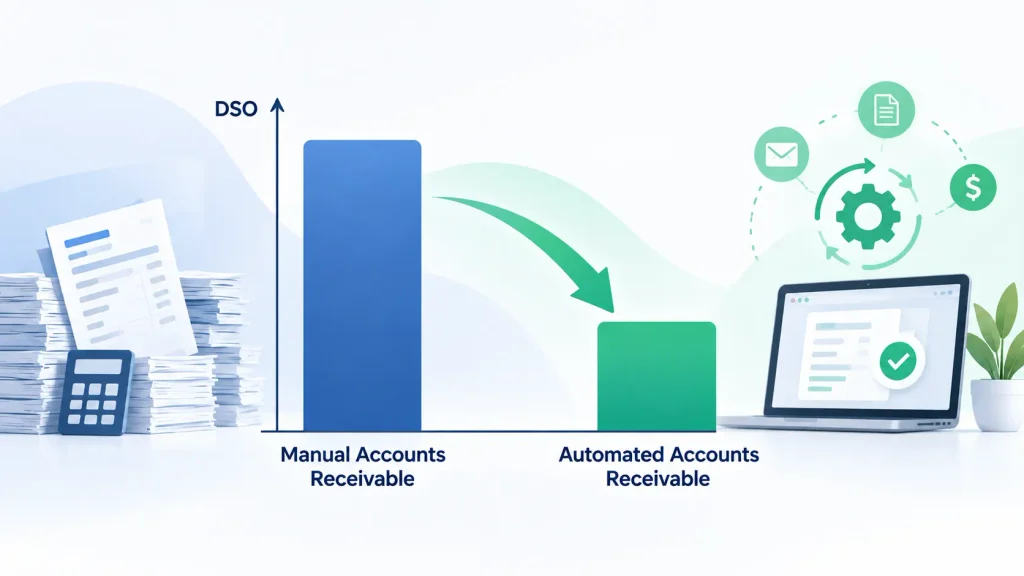
The business case for AR automation should be measured across cost, speed, working capital, accuracy, and capacity.
Indicative industry benchmarks often used when building an initial business case include:
| Metric | Manual / Legacy | Automated / Mature |
| Invoice processing cost | $3–5 | $0.50–1.50 |
| DSO improvement | — | 5–15 days |
| Cash application STP rate | 20–40% | 80–95% |
| Collections efficiency | Baseline | 30–50% improvement |
These should be treated as planning benchmarks rather than guaranteed outcomes. Actual results depend on transaction volumes, payment complexity, customer behavior, ERP architecture, exception rates, and the quality of the underlying data.
Auxiliobits’ published finance automation results provide examples of measurable outcomes from automation engagements, including 40–60% reductions in manual finance work, $200K+ in annual savings, 9,700+ hours recovered annually, and significant cycle-time improvements.
The most important financial impact of AR automation, however, can come from working capital.
If automation reduces DSO, cash reaches the business sooner. Every day removed from DSO can represent additional cash available for operations, investment, debt reduction, or other business requirements.
For example, if a company has $100 million in annual credit sales, a one-day reduction in DSO represents approximately $274,000 in working capital released, before considering other factors such as seasonality and sales patterns.
Finance teams should therefore calculate both operational savings and working-capital impact when building an automation business case.
For a broader framework on measuring returns, see automation ROI.
AR automation can also accelerate downstream reconciliation. Automated matching and exception handling reduce the amount of unresolved AR activity that reaches the close process. This connects directly with reconciliation automation, which focuses on automated transaction matching, exception management, and auditability.
Similarly, cleaner and faster AR data can support month-end close automation by reducing manual reconciliation and improving the availability of financial information during close.
Case Studies
The real value of AR and finance automation becomes clearer when measured through operational outcomes rather than technology features.
Auxiliobits’ published case studies include a large marketing network where vendor invoice processing automation recovered 9,700 hours annually and generated $200K in annual savings. The broader case-study portfolio also includes finance automation engagements focused on reducing manual effort and accelerating financial processes.
Across its finance automation services, Auxiliobits reports outcomes such as 40–60% reduction in manual finance work, 2–3× faster processing, 9,700+ hours recovered annually, and a 73% reduction in close processing time for relevant engagements.
For an AR organization, the equivalent opportunity is to connect the entire receivables workflow: faster invoice delivery, more proactive collections, higher cash application straight-through rates, faster dispute resolution, and cleaner reconciliation.
The specific outcome will always depend on the company’s transaction volume, ERP environment, process maturity, and exception profile.
Explore the full case studies to see examples of automation applied across finance and enterprise operations.
Getting Started With AR Automation
Successful AR automation starts with the process, not the software.
Step 1: Baseline Your Current AR Metrics
Before implementing automation, establish a measurable baseline.
Track:
- Days Sales Outstanding.
- Cash application straight-through rate.
- Cost per invoice.
- Collection effectiveness.
- Invoice processing time.
- Dispute volume.
- Deduction volume.
- Unapplied cash.
- Write-off rate.
- Manual hours spent on AR.
Without baseline data, it becomes difficult to determine whether automation has actually improved performance.
Step 2: Identify the Highest-Impact Opportunity
Do not try to automate the entire AR process on day one. Identify the workflow with the combination of high transaction volume, significant manual effort, and measurable financial impact.
For many organizations, cash application or collections is a logical starting point because these processes involve repetitive activity and can be measured through clear KPIs.
Step 3: Choose Technology That Integrates With Your ERP
Your automation layer should work with your existing enterprise systems. Common ERP environments include SAP, Oracle, NetSuite, Microsoft Dynamics, and other financial platforms.
A good solution should exchange data reliably with the ERP rather than creating another disconnected system.
Step 4: Run a Proof of Concept
A focused proof of concept can validate the technology against real transactions.
A typical POC can test:
- Real payment data.
- Remittance formats.
- Customer-specific matching rules.
- ERP connectivity.
- Exception rates.
- Matching accuracy.
- Human review workflows.
A 4–6 week proof of concept can help finance leaders determine whether the expected automation levels are achievable before committing to broader deployment.
Step 5: Scale to the Full AR Process
Once the first workflow is stable, expand automation across adjacent processes.
For example: Cash application → collections → disputes → reconciliation → credit management
This approach reduces implementation risk while allowing each automation initiative to build on the previous one.
With the right process design, integrations, and implementation partner, a focused finance automation initiative can often be structured around a 6–8 week implementation roadmap, although actual timelines vary by scope, ERP complexity, data quality, and organizational readiness. Auxiliobits describes a six-to-eight-week discovery, build, stabilization, and scale approach for focused finance automation engagements.
Step 6: Measure and Optimize
AR automation should not stop at go-live.
Track performance continuously:
- DSO.
- Cash application STP rate.
- Collection effectiveness.
- Exception rate.
- Unapplied cash.
- Dispute resolution time.
- Write-off rate.
- Cost per transaction.
- Manual hours recovered.
Use these metrics to refine matching rules, improve workflows, identify recurring exceptions, and determine the next process to automate.
The goal is to move from isolated task automation toward a continuously improving accounts receivable process.
Ready to Automate AR and Cash Application?
AR automation can help finance teams reduce manual work, accelerate collections, improve cash application accuracy, shorten DSO, and gain better visibility into working capital.
The right starting point depends on your current process, transaction volumes, ERP environment, and biggest operational bottleneck.
Ready to explore AR automation and cash application automation for your finance team? Book a discovery call to identify opportunities to reduce DSO, improve cash application straight-through rates, and free up working capital.