





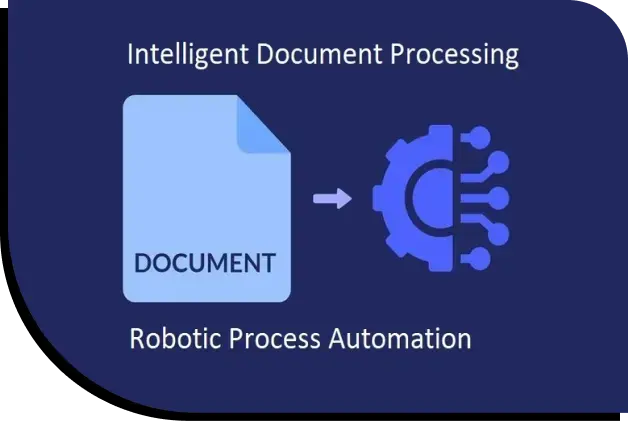
A global finance enterprise processed a large volume of financial documents that required classification, processing, and entry into Oracle Fusion. Documents arrived from different sources and in different formats, making manual classification, data extraction, validation, and ERP entry slow and error-prone.
The organization implemented Oracle finance automation using UiPath RPA to automate the document-processing workflow, from classification and data extraction through Oracle entry and exception handling.
A global finance enterprise received a large volume of financial documents that needed processing and entry into Oracle Fusion. Before entering the ERP, employees had to classify each document to identify and extract the relevant information.
The challenge was complicated by the variety of documents entering the process. Documents were received from different sources and in different formats, meaning employees could not simply follow one standardized manual process for every document.
The documents also contained financial information, making accuracy particularly important. Incorrect classification or data entry could result in additional validation, rechecking, and correction before information could be safely entered into Oracle.
Invoices and purchase orders were taking longer than expected to process. As document volumes increased, the manual approach became a significant operational bottleneck.
Employees had to review documents, determine their category, identify the information required, extract relevant data, validate it, and then enter the information into Oracle Fusion. When errors occurred, additional manual checking and rework were required.
This created several challenges:
Step 1: Documents enter the workflow
Financial documents arrive from different sources and in different formats. Instead of requiring an employee to manually review every document first, the automated workflow takes the incoming documents and begins the classification process.
Step 2: Documents are classified
The first important decision is determining what type of document has been received. The UiPath automation classifies documents before the relevant information is extracted. This is important because different document categories require different information and processing steps. The implementation achieved 100% classification accuracy, according to the case study.
Step 3: Relevant information is extracted
After classification, the automation identifies and retrieves the information required for processing. Instead of employees manually reading documents and entering financial information into Oracle, the bot handles the repetitive data-fetching activity. The implementation achieved 85% accuracy in data fetching, while human error in the automated processing was eliminated.
Step 4: Information is processed in Oracle Fusion
Once the required information is available, the UiPath bot performs the necessary system interactions to process and enter it into Oracle Fusion. This is where RPA provides particular value. Rather than changing the organization’s ERP, the bot interacts with the existing system and performs repetitive actions that previously required employees to work manually through Oracle. The automation therefore works as a layer around the existing finance environment.
Step 5: Exceptions are handled
Not every document will necessarily follow the expected path. The solution included mechanisms for managing exceptions rather than simply stopping when an issue occurred. UiPath Action Centre supported the handling of new document formats and allowed the bot to be trained or retrained as document requirements changed. A queue retry mechanism also allowed failed items to be automatically retried, reducing the need for employees to manually restart failed transactions. The solution maintained activity logs to provide visibility for process, risk, and compliance monitoring.
This created a more controlled workflow:
Document received → Classification → Data extraction → Validation/processing → Oracle Fusion entry → Exception handling → Completion
The result was an automated process capable of handling high document volumes while reducing repetitive manual work and improving processing consistency.
For organizations looking beyond individual RPA bots, this approach can also form part of a broader intelligent enterprise automation strategy.
The organization achieved an improvement of more than 80% in response time. By moving repetitive document-processing activities from manual workflows to automation, documents could move through the process more quickly.
The automated process achieved 85% accuracy in fetching data from the documents.
This reduced the amount of repetitive data-handling work required from employees and created a more consistent process for preparing information for Oracle Fusion.
Document classification reached 100% accuracy in the reported implementation. This is particularly important because classification occurs before the relevant information is extracted. Correctly identifying the document type allows the system to follow the appropriate processing path.
The case study reports a 90% reduction in processing time. For a high-volume document environment, reducing processing time at this stage can have a significant effect on the overall finance workflow because employees spend less time reviewing, categorizing, and entering routine information.
The automated workflow eliminated human error from the automated part of the process. This does not mean that every possible financial exception disappears. Instead, it means that the automation can now consistently perform repetitive manual actions that were previously susceptible to human input errors.
Exception management was also improved. Action Centre allowed the automation to accommodate new document formats through training or retraining, while the queue retry mechanism could automatically retry failed items. Together, these capabilities made the automation more resilient and reduced the amount of manual intervention required when processing problems occurred.
The implementation also enabled employees to redeploy themselves toward more productive and value-adding work rather than spending their time on repetitive document processing.
The case demonstrates that Oracle ERP users do not necessarily need to replace their existing finance systems to automate document-heavy processes.
RPA can operate alongside Oracle Fusion and handle repetitive interactions that previously required employees to manually move information into the ERP.
This model can be applied to other Oracle finance workflows involving high document volumes, including invoice processing, purchase orders, financial forms, and other structured or semi-structured documents.
The key is to identify processes where employees repeatedly perform the same sequence: receive a document, classify it, extract information, validate the data, and enter it into Oracle.
Organizations can then determine where RPA, document processing, and ERP integration can remove unnecessary manual steps.
For organizations with more complex Oracle environments, ERP integration services can help connect automation workflows with existing enterprise applications.
The approach can also extend into invoice automation and AP automation services, where document processing closely connects with ERP transactions.
The broader lesson is simple: Oracle can remain the system of record while automation
Start by identifying the Oracle finance processes that consume the most manual effort. Look for workflows involving large document volumes, repetitive data entry, classification, validation, or frequent movement of information between documents and Oracle Fusion. Processes such as document processing automation and invoice processing automation can be strong candidates for automation.
Then establish a baseline using metrics such as processing time, document volumes, error rates, manual hours, and exception rates. These metrics help quantify the potential benefits of Oracle ERP automation and establish a clear benchmark for measuring results.
From there, determine whether RPA, document automation, or a combination of technologies is appropriate. Where automation needs to exchange data directly with Oracle Fusion, UiPath Oracle integration can help connect automated workflows with existing ERP processes.
A phased approach can reduce implementation risk: automate one well-defined workflow, measure the results, address exceptions, and then expand into additional finance processes.
Organizations can also work with UiPath professional services to design, implement, integrate, and scale UiPath-based automation.
The objective is not simply to automate one task. It is to create a repeatable automation framework that can scale across Oracle finance operations.
Book a discovery call to discuss your Oracle automation opportunities.

Follow Us