







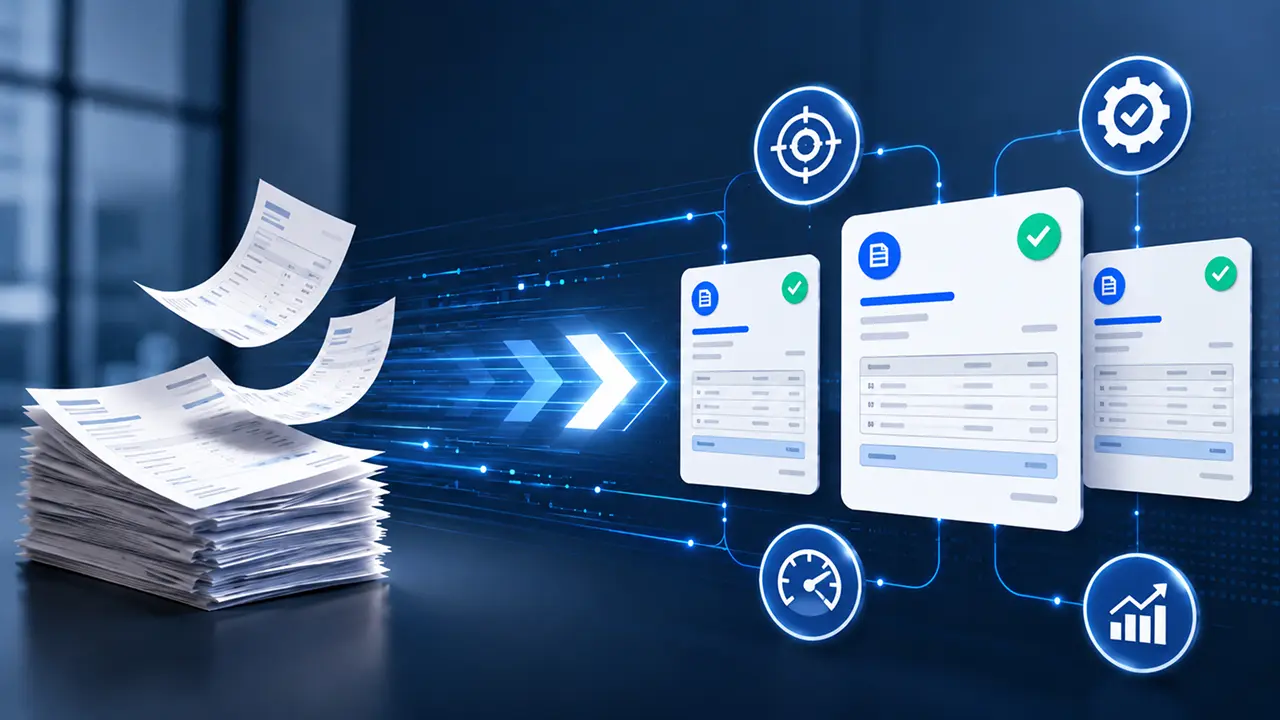
- RPA eliminates operational friction, not just delays. The biggest value comes from removing repetitive tasks such as data entry, matching, approval chasing, and status tracking.
- AP teams shift from transaction processing to exception management. Instead of spending time on routine invoices, teams focus on discrepancies, vendor relationships, and financial decision-making.
- Three-way matching, approvals, and reconciliation become dramatically faster. Processes that traditionally take minutes, hours, or even days can be completed in seconds through automation.
- Automation improves visibility, compliance, and audit readiness. Every action is tracked, timestamped, and documented, creating a reliable audit trail and stronger process governance.
- RPA does not replace your ERP or your AP team. Successful AP automation enhances existing systems and empowers finance teams to focus on higher-value work rather than manual administration.
When finance leaders talk about slow invoice processing, they usually mean the cycle time: how many days from receipt to payment. But if you trace a single invoice through a typical AP workflow, you quickly realize that speed is not where the real problem lives. The real problem is friction — the invisible tax of human handoffs, re-keying, chasing approvals, and correcting data that never quite matches.
Robotic Process Automation (RPA) in accounts payable addresses exactly these issues. Not by hiring faster people or demanding longer hours, but by eliminating the low-value, rule-bound work that slows everything down. Before evaluating an RPA solution, your team deserves to understand, concretely, what will change operationally — and what won’t.

The 5 Operational Layers Where RPA Changes Everything
RPA doesn’t change your ERP, your chart of accounts, or your vendor contracts. What it changes is how work moves through your AP team — layer by layer. Here is where the operational shift actually happens.
1. Invoice Intake and Data Capture
In a traditional AP operation, invoices arrive from multiple channels — email, postal mail, vendor portals, EDI feeds, and fax in some industries. Each channel requires a different handling step: someone opens the email, downloads the PDF, opens the ERP, and manually keys in vendor name, invoice number, date, line items, and amounts. Even with a scanning solution, there is usually a human validating or correcting extracted data.
At the intake layer, RPA is deployed, allowing bots to continuously monitor designated inboxes and shared folders. When an invoice arrives, the bot extracts structured data using OCR and pre-trained field recognition, validates it against your vendor master and PO database, and creates the invoice record in the ERP — all without human touch for standard invoices.
What operationally changes: Your AP team stops being data entry operators. They begin receiving exception queues — pre-populated, flagged invoices that need judgment — rather than blank entry screens. Intake volume becomes a processing metric, not a staffing constraint.
2. Three-Way Matching
Three-way matching — reconciling the purchase order, the goods receipt, and the vendor invoice — is one of the most time-consuming tasks in AP. In manual environments, a processor pulls the PO from the system, locates the receiving document, compares line items, quantities, and unit prices, and either approves the match or opens a discrepancy investigation. For high-volume AP teams processing thousands of invoices monthly, this step alone can consume 40–50% of team capacity.
RPA bots execute three-way matching in seconds. The logic is rule-based: if the invoice quantity matches the PO within a defined tolerance (say, ±2%) and the price aligns with the agreed rate, the match is auto-approved and moves to payment scheduling. If a mismatch is detected, the bot flags it; attaches the relevant documents; routes it to the responsible buyer or procurement contact; and logs the exception with a timestamp and discrepancy details.
What operationally changes: Match rates for clean invoices climb to 85–95% in fully automated environments. Your team works exceptions, not matches. Processing time for a matched invoice drops from minutes to seconds.
3. Approval Routing and Escalation
Approval workflows are where invoices go to die — or at least stall. The typical pattern: an invoice sits in an email thread, the approver is traveling, the finance manager doesn’t know it’s waiting, and two weeks later someone calls the vendor to apologize for a late payment. The damage is real: late payment penalties, lost early-payment discounts, and strained vendor relationships.
RPA addresses approval routing with rules-based logic that mirrors your actual approval policy. An invoice under a defined threshold goes straight to payment. Invoices above the threshold are routed based on cost center, department, or vendor category to the correct approver — with automatic escalation triggers if no action is taken within 48 hours. The bot doesn’t forget, doesn’t go on holiday, and doesn’t need to check the organizational chart.
What operationally changes: Approval SLAs become measurable and enforceable. You gain full visibility into where every invoice is in the workflow, in real time. Escalation is systematic, not a manual follow-up task.
4. Payment Execution and Reconciliation
Payment runs in manual AP environments typically happen on a fixed schedule — weekly or bi-weekly — partly driven by when the team has time to prepare payment files. Payment preparation involves exporting approved invoices, checking cash positions, building payment files in the format required by your bank, and submitting them. Post-payment, reconciliation means matching bank statements to the payment ledger, a process that can take days.
With RPA, payment execution workflows are automated end-to-end. Approved invoices are automatically staged for payment based on due date and early-payment discount windows. Payment files are generated in the correct format and submitted. Post-payment, the bot pulls bank confirmation data and auto-reconciles against the AP ledger, flagging discrepancies for human review.
What operationally changes: You move from scheduled payment runs to dynamic payment optimization — capturing early-pay discounts that manual schedules miss. Reconciliation shifts from a multi-day close task to a near-real-time activity.
5. Vendor Communication and Query Resolution
Vendor queries — “Where is my payment?” “Why was my invoice short-paid?” “Can you confirm receipt?” consumes significant AP team time. In high-volume operations, query management can represent 15–20% of the team’s daily workload, much of it pulling up the same information that already exists in the system.
RPA, integrated with a vendor portal or automated email response system, can handle a significant proportion of routine vendor queries without human involvement. Payment status lookups, remittance advice generation, and standard acknowledgement responses are all rule-bound activities that bots execute reliably and immediately.
What operationally changes: Vendors get faster responses. Your team fields fewer repetitive calls. Complex disputes — the queries that actually need human judgment — get faster attention because the queue is no longer full of status checks.
Before vs After: An Operational Snapshot
The table below captures the operational reality across each stage of the AP lifecycle. These are not aspirational projections — they reflect outcomes documented in mid-market and enterprise RPA deployments across manufacturing, retail, and professional services.
| Process Area | Without RPA | With RPA |
| Invoice Intake | Manual keying from PDFs/emails; 3–7 min per invoice | Bot extraction + ERP entry; 15–30 sec per invoice |
| 3-Way Matching | Manual document pull + comparison; 5–12 min per match | Automated match in seconds; exceptions only flagged |
| Approval Routing | Email-based; no SLA enforcement; frequent stalls | Rules-based routing; auto-escalation after 48 hrs |
| Duplicate Detection | Periodic manual review; errors caught at audit | Real-time duplicate check on every invoice entry |
| Payment Scheduling | Fixed weekly/bi-weekly runs; discount windows missed | Dynamic scheduling; early-pay discounts captured |
| Reconciliation | 2–4 day month-end process | Near-real-time; automated ledger matching |
| Vendor Queries | 15–20% of team bandwidth on status checks | Routine queries handled by bot; team handles disputes |
| Audit Trail | Inconsistent; reconstructed from emails | Timestamped, complete, always available |
What RPA in AP Does Not Change (And Why That Matters)
Clarity about what RPA does not change is just as important as understanding what it does. Misaligned expectations are the most common reason AP automation projects underperform.
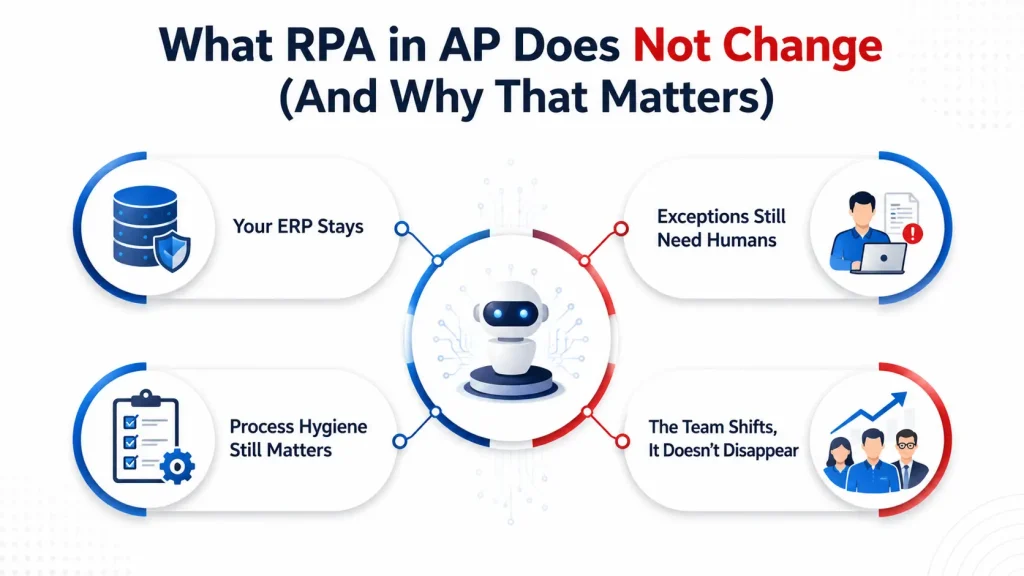
- Your ERP stays: RPA does not replace your ERP or financial system of record.Bots interact with your existing systems—SAP, Oracle, NetSuite, and Dynamics—through the UI or API layers. Your chart of accounts, financial controls, and reporting architecture remain intact.
- Exceptions still need humans: RPA does not handle unstructured or judgment-intensive work automatically. Bots execute rules. When an invoice arrives with a pricing dispute, a missing PO, or an unusual vendor arrangement, it routes to a human. The AP team’s judgment work becomes higher value — not eliminated.
- Process hygiene still matters: RPA does not fix broken upstream processes on its own. If your vendor master data is inconsistent, your PO issuance process is undisciplined, or your approval hierarchy is poorly defined, RPA will execute those broken processes faster. Effective RPA deployment requires process clarity first.
- The team shifts; it doesn’t disappear: RPA does not instantly eliminate all staffing needs.In most deployments, the AP team is redeployed toward exception management, vendor relationship oversight, and strategic finance work — not eliminated. Headcount impact, where it occurs, typically comes through attrition rather than reduction.
The Operational Reality: Automation Changes the Work, Not the Responsibility
RPA in accounts payable is not a technology project. It is an operational redesign project that happens to use technology as its primary tool. The teams that succeed are those who go in with a clear-eyed view of what the bots will handle, what they will surface for human review, and how the AP team’s daily work will evolve as a result.
The accounts payable function does not become less important in an automated environment. It becomes more strategic — with your team’s energy directed toward vendor relationships, cash flow optimization, exception quality, and process governance rather than keying, matching, and chasing approvals.
Speed is the outcome. Operational clarity is what gets you there.
Ready to See What Changes in Your Operation? Request a process walkthrough with our AP automation team. We’ll map your current invoice workflow, identify your highest-value automation candidates, and show you exactly what the operational change looks like – for your volume, your ERP, and your team.




