







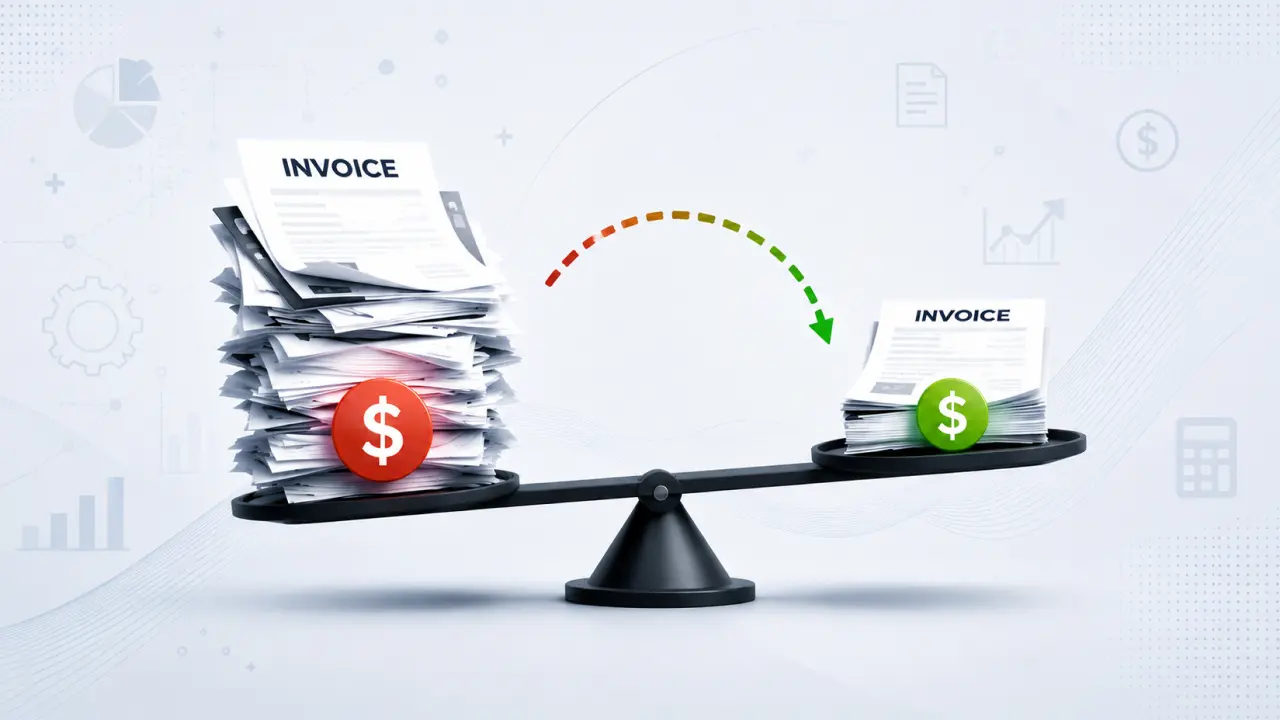
Key Takeaways
- Most organizations underestimate their true cost per invoice because they only consider visible expenses. When labor, exception handling, late payment penalties, storage, compliance, and infrastructure costs are included, the actual cost is often much higher than expected.
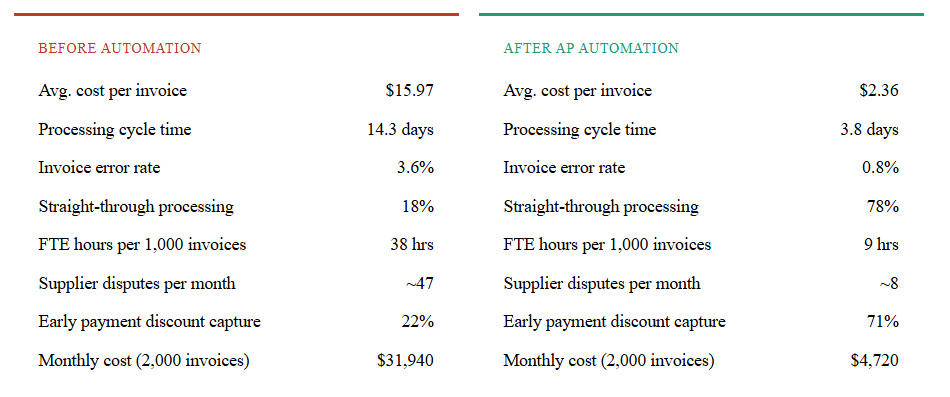
- AP workflow automation can reduce invoice processing costs by up to 85%, lowering the average cost per invoice from nearly $16 to around $2–3 while improving processing speed and accuracy.
- The value of automation extends beyond cost savings. Faster approvals, improved vendor relationships, higher early-payment discount capture, and increased finance team productivity create significant long-term business benefits.
- Companies processing approximately 2,000 invoices per month can save more than $300,000 annually and often recover their automation investment within the first year through reduced labor and operational costs alone.
- Organizations that establish clear processes, maintain high-quality vendor data, and secure cross-functional stakeholder alignment before implementation achieve faster adoption, lower exception rates, and stronger returns from AP automation initiatives.
Your accounts payable team is processing hundreds — maybe thousands — of invoices each month. But do you know exactly what each one costs you? Most finance leaders are shocked when they see the real number. Here’s how to calculate, benchmark, and dramatically reduce that cost with AP workflow automation.

What makes up your true cost per invoice?
Most AP managers estimate their invoice cost at $5–8. The actual industry average is nearly $16. The gap exists because the visible costs — software, paper, postage — are only a fraction of the real picture. When you factor in the full labor cost across every person who touches an invoice, the error correction cycles, the time spent chasing approvals, and the cost of late-payment penalties, the number climbs fast.
There are six cost components that every honest cost-per-invoice calculation must include:
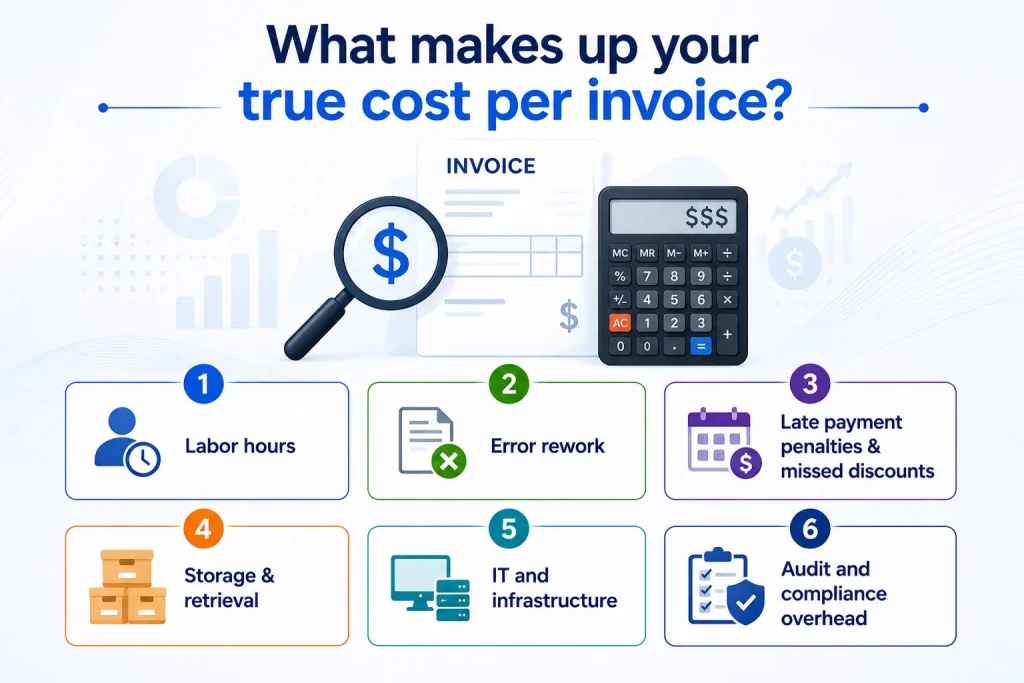
Labor hours—data entry, coding, routing, approval follow-up, and exception handling. This is typically 55–65% of total cost.
Error rework—the cost to investigate, correct, and reprocess the ~3.6% of invoices that contain errors in manual environments.
Late payment penalties & missed discounts—slow approval cycles cost companies an average of 1–2% in lost early-payment discounts annually.
Storage & retrieval—physical or digital filing, retrieval during audits, and document retention compliance.
IT and infrastructure—ERP touchpoints, legacy system maintenance, and security for unstructured invoice data.
Audit and compliance overhead— time spent preparing audit trails, reconciling discrepancies, and responding to vendor disputes.
The full before-vs-after breakdown
Here’s how the numbers change when a typical mid-market company — processing around 2,000 invoices per month — moves from manual to automated AP workflow automation:
Cost per invoice comparison — manual vs automated, by component
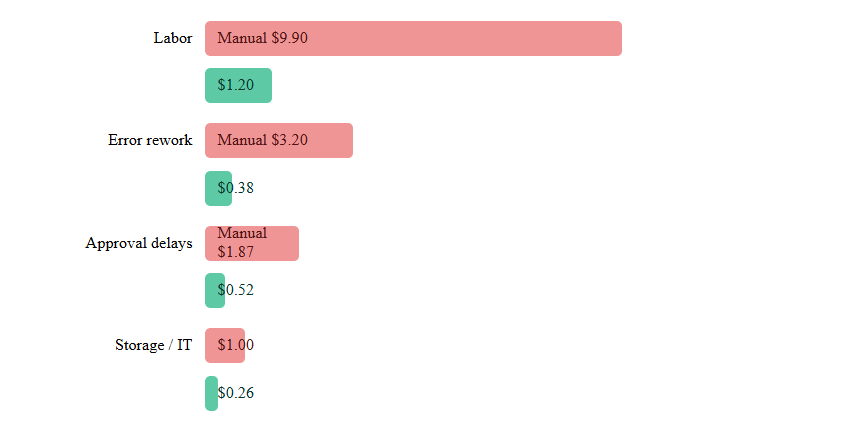
Each cost component is shown as manual (top bar) vs automated (bottom bar).
The hidden costs nobody talks about
The numbers above capture the direct, measurable costs. But there’s a second tier of damage that manual AP inflicts on a business — costs that don’t appear on any spreadsheet until things go wrong.
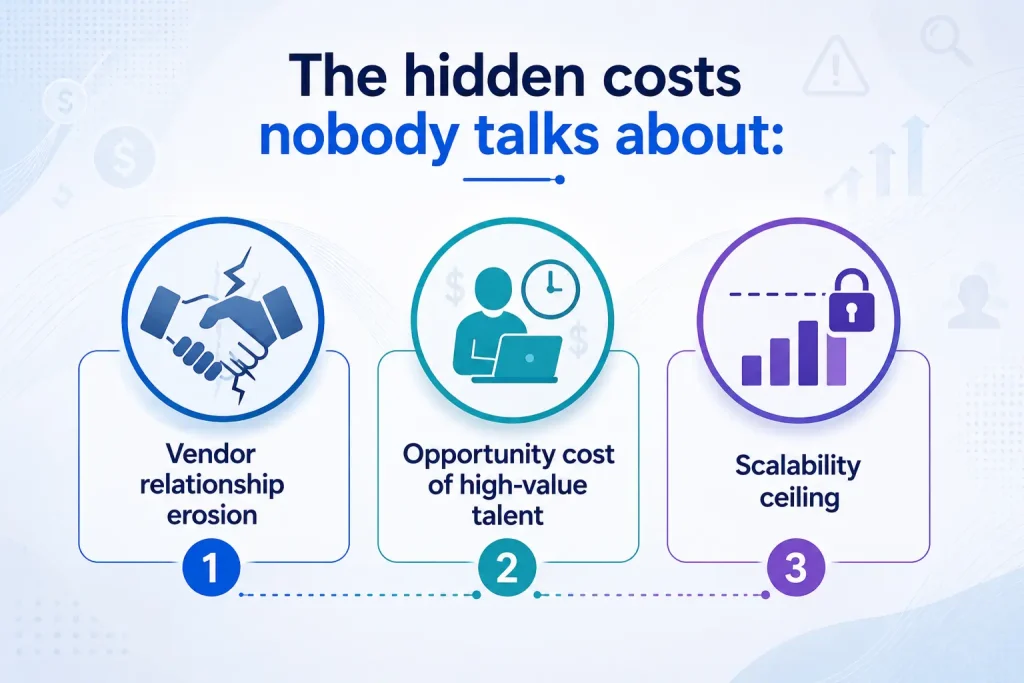
1. Vendor relationship erosion
Slow payment cycles damage supplier trust. Vendors respond by tightening credit terms, reducing priority service, or simply choosing to work more closely with competitors who pay faster. In industries with supply chain pressure, this is a strategic risk, not just a finance inefficiency.
2. Opportunity cost of high-value talent
Your AP team members are typically experienced finance professionals. When 70% of their day is consumed by data entry and exception chasing, they’re not available for vendor negotiation, cash flow forecasting, or spend analysis — work that directly creates value. AP workflow automation doesn’t just reduce cost; it frees capacity for strategic work
3. Scalability ceiling
Manual AP processes scale linearly: double the invoice volume, double the headcount. Automation breaks this relationship. Companies that automate can grow invoice volume by 3–5x without proportional headcount growth, which becomes a critical advantage during periods of M&A, rapid expansion, or vendor consolidation.
“Organizations in the top quartile of AP automation adoption process invoices at 81% lower cost than bottom-quartile peers — and they do it with 73% fewer staff hours per invoice.”
How to calculate your ROI from AP workflow automation
Before you can evaluate any automation solution, you need to know your own baseline numbers. Here’s the framework used by finance transformation teams to build a defensible ROI business case.
Step 1 — Calculate your current cost per invoice
(Total AP labor cost + Error rework cost + Late fees + Storage cost)
÷ Total monthly invoices processed
= Current cost per invoice
Step 2 — Model your post-automation cost
(Software license cost + Reduced labor + Reduced rework + Discount capture)
÷ Total monthly invoices processed
= Automated cost per invoice
Step 3 — Annual ROI
((Current CPI − Automated CPI) × Annual invoice volume) − Annual software cost
÷ Annual software cost × 100
= ROI %
A worked example: 2,000 invoices/month
Let’s run the numbers for a company processing 2,000 invoices per month with a current cost of $15.97 per invoice, moving to an automated cost of $2.36 with a platform licensed at $36,000 per year.
Annual savings on processing cost
($15.97 − $2.36) × 24,000 invoices/year = $326,640 saved
Net annual benefit after platform cost
$326,640 − $36,000 = $290,640 net gain
Return on investment
$290,640 ÷ $36,000 = 807% ROI
Payback period: approximately 6.4 months
And this calculation doesn’t even factor in the value of early payment discounts recaptured (often 1–2% of total spend), reduced duplicate payment recovery costs, or the avoided cost of a headcount hire to manage volume growth.
For further details, contact us today. You can also book an AP assessment.
Real-world results: a mid-market manufacturer’s story
Case study
A $280M Industrial Manufacturer, Midwest US
Processing ~3,400 invoices/month before AP workflow automation implementation
The company’s AP team of 7 spent most of their time on manual data entry from paper and emailed PDFs, with approval routing handled entirely through email chains. Exception rates were running at 4.1%, and the company was capturing less than 20% of available early payment discounts despite having strong vendor relationships.
After deploying an integrated AP automation platform — including OCR-based data capture, three-way matching, and automated approval workflows — the results were measured at 12 months post-implementation:
↓ 85%
Cost per invoice
↑ 68%
Discount capture rate
4.7×
Team capacity freed
The finance team was redeployed toward vendor negotiation and cash flow forecasting. No headcount reduction was needed — the same team now supports 35% higher invoice volumes without adding staff. Annual net saving: $412,000.
What to look for in an AP automation platform
Not all AP workflow automation tools deliver the same ROI. The difference between a 200% return and an 800% return often comes down to how well the platform handles the nuanced, messy realities of real invoice processing. Here’s what separates best-in-class solutions from box-checking implementations:
1. Intelligent data capture beyond basic OCR—Can it extract data from non-standard layouts, handwritten fields, or multi-page invoices? Template-based OCR alone creates a new category of exceptions.
2. Configurable approval workflows—Rigid, pre-built workflows require you to change your process to fit the tool. Look for platforms where approval routing logic is configurable without developer involvement.
3. ERP-native integration—Bi-directional sync with your ERP (SAP, Oracle, NetSuite, Dynamics) eliminates manual reposting and keeps your GL clean without double-entry.
4. Exception intelligence, not just flagging—The best platforms don’t just flag exceptions — they route them to the right person with context, suggest resolutions, and track resolution time as a KPI.
5. Audit trail and compliance-readiness—Every action on every invoice should be timestamped and immutable. SOX, GDPR, and local tax compliance requirements should be supported by default.
6. Vendor portal and self-service—Supplier-facing portals reduce inbound status calls and let vendors submit, track, and resolve invoice queries without involving your team.
Is your team ready to automate?
AP workflow automation delivers its strongest ROI when organizations are ready at two levels: process clarity and data quality. Before implementation, run a quick diagnostic across three areas:
1. Process clarity: Can you map, end-to-end, exactly how a standard invoice moves from receipt to payment today? Including every exception path? Automation amplifies what’s already there — well-defined processes produce excellent automated outcomes; chaotic ones produce automated chaos.
2. Data quality: Is your vendor master clean? Duplicate vendors, missing payment terms, and inconsistent naming conventions all cause matching failures that become exceptions. A vendor master cleanup before automation go-live typically reduces post-automation exception rates by 40–60%.
3. Stakeholder alignment: AP transformation touches procurement, treasury, IT, and business unit approvers — not just finance. Projects that launch with cross-functional alignment on goals, change management, and success metrics consistently outperform those treated as finance-only initiatives.
Companies that complete all three readiness steps before go-live reach full ROI capture an average of 4.2 months faster than those that skip the diagnostic phase.
— Gartner Finance & Accounting Benchmarks, 2025
The bottom line
The cost-per-invoice gap between manual and automated AP is not marginal — it’s a 6:1 ratio on average, and best-in-class automation widens that gap further. For a company processing 2,000 invoices monthly, that’s over $300,000 in annual savings available, with payback in under 9 months.
But the ROI story goes beyond the invoice cost itself. AP workflow automation unlocks strategic capacity in your finance team, strengthens vendor relationships through faster payment cycles, and creates a scalable foundation that grows with your business without growing your headcount proportionally.
The question isn’t whether the ROI is there. The data is unambiguous. The question is how to build the internal business case that moves the investment from “evaluated” to “approved” — and that starts with your numbers, not industry averages.




