








Key Takeaways
- High automation rates do not automatically mean high efficiency. The invoices that remain manual are often the most complex and resource-intensive, making exception management a critical success factor.
- Automating approvals without challenging them can lock in inefficiencies. Many approval chains contain legacy steps that no longer add value and should be eliminated before being automated.
- Outlier invoices determine the real success of AP automation. A strong AP automation strategy must handle exceptions, disputes, credit memos, and non-standard transactions without forcing teams back into manual work.
- Vendor experience should be part of the automation strategy. Improving internal processing speed should not come at the expense of vendor communication, payment transparency, or relationship quality.
- Data governance is an ongoing requirement, not a one-time project. Without continuous vendor master maintenance and data quality controls, automation effectiveness gradually declines as exceptions increase.
A few years ago, a mid-sized manufacturing company proudly announced it had “gone live” on a new AP automation platform. Six months later, the finance director described the result this way: *”We didn’t eliminate the bottleneck. We just gave it a better dashboard.”*
That line sticks with people because it captures something rarely discussed openly: most AP automation failures aren’t really technology failures. They’re failures of assumption — about process, people, data, and what “automated” actually means in practice.
This post isn’t a list of obvious tips like “choose the right software” or “get buy-in from your team.” You’ve heard that. Instead, this is about the less-discussed, often counterintuitive reasons accounts payable automation initiatives quietly underdeliver – and the mental models that help you avoid them.
The “70% Automated” Illusion
Here’s a pattern that shows up again and again: a company implements accounts payable automation and reports that 70% of invoices are now processed “touchlessly”. On paper, that sounds like a win.
But dig a little deeper, and a different picture often emerges. That 70% figure usually represents the *easiest* invoices — recurring vendors, predictable amounts, clean POs. The remaining 30% — the exceptions, mismatches, new vendors, and disputed amounts — still consume almost all of AP’s time, because exceptions were always the time-consuming part to begin with.
In other words, automation often solves the part of the problem that was never really the problem. The 30% that’s left is now visible and frustrating, because everything around it moved faster while it stayed slow.
Before measuring “percent automated”, it’s worth asking — automated for whom, and which 30% remains? That remaining slice is usually where the real ROI conversation should start, not end.
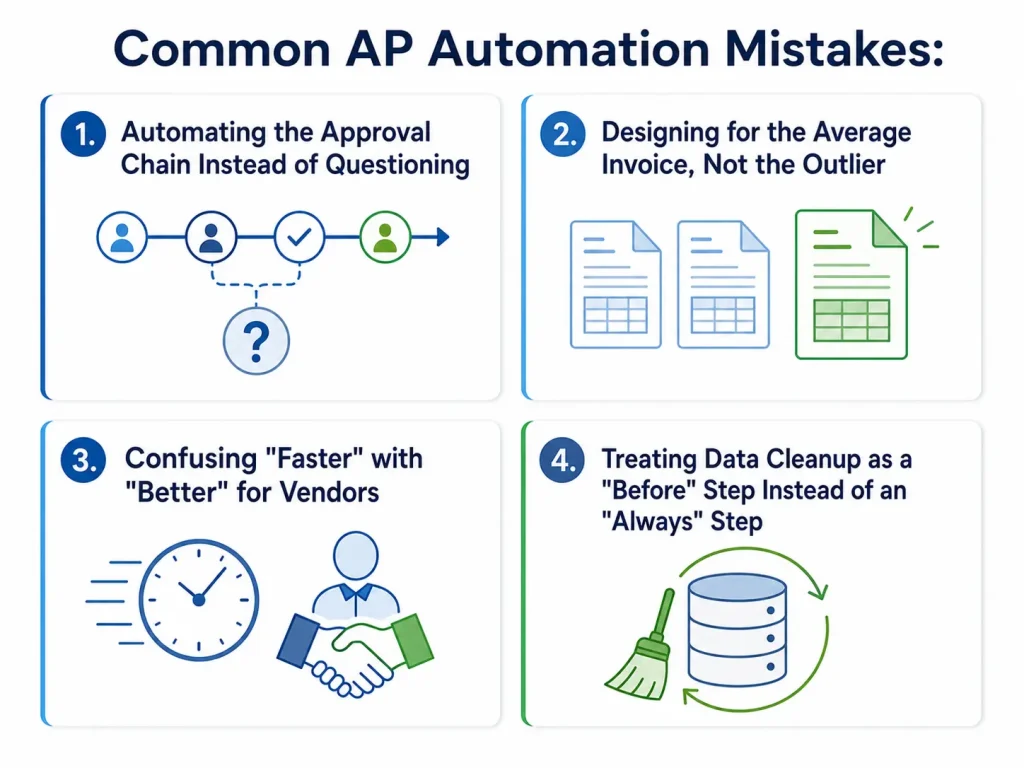
Mistake: Automating the Approval Chain Instead of Questioning It
Most AP automation projects faithfully digitize the existing approval hierarchy — the same people, the same thresholds, the same sequence, just routed electronically instead of via email or paper.
This feels safe. It isn’t disruptive. And it’s often exactly the wrong move.
Approval chains tend to accumulate over time for reasons that no longer apply — a former controller who wanted visibility into every purchase over $500; a department head who left the company two years ago but whose approval step never got removed; and a “temporary” extra review added during an audit that became permanent.
When these legacy steps get automated rather than questioned, the result is a faster version of a slow process. Invoices now move through five approval steps in hours instead of days — which sounds like progress until you realize three of those five steps add nothing but delay and approver fatigue.
For each approval step in your current chain, ask “what decision does this person actually make that the previous approver couldn’t?’ ” If the honest answer is “they just rubber-stamp it”, that step is a candidate for removal, automated or not.
Mistake: Designing for the Average Invoice, Not the Outlier
Most AP automation discussions implicitly design around the “typical” invoice — a single PO, one cost center, a familiar vendor, and a normal amount. And most invoices *are* like that.
But the invoices that cause the most pain – the ones that trigger late payment penalties, vendor escalations, and frustrated emails to finance – are almost always the outliers: the split-billing invoice, the vendor who changed their banking details, the credit memo that needs to offset three separate invoices, and the urgent payment that arrives after a budget freeze.
If your automation setup handles the 80% smoothly but has no clear, fast path for the unusual 20%, those outliers don’t disappear — they get rerouted back into manual handling, often *slower* than before, because the automated system now adds an extra layer to work around.
A genuinely strong accounts payable automation setup is judged less by how it handles routine invoices (which were never that hard) and more by how gracefully it handles the messy ones – without forcing AP staff back into spreadsheets and email threads.
Mistake: Confusing “Faster” with “Better” for Vendors
A lot of AP automation messaging focuses on internal speed – faster approvals, faster processing, and faster close. Vendors, meanwhile, often experience automation differently: a new portal they’re forced to use, a different remittance format, or a points-of-contact change that breaks an existing relationship.
There’s an interesting tension here. Internally, automation can look like a clear win — fewer days to process an invoice. But if vendors can no longer reach a real person when something goes wrong, or if a new system rejects invoices for formatting reasons that weren’t communicated in advance, the *relationship* cost can outweigh the *processing* gain.
This rarely shows up in automation ROI calculations, because “vendor goodwill” doesn’t have a line item. But finance teams that have been through a rocky AP automation rollout often mention it as the thing they wish they’d planned for — not the software itself, but the vendor-facing ripple effects of changing how payments work.
Mistake: Treating Data Cleanup as a “Before” Step Instead of an “Always” Step
Most guidance frames data cleanup – deduplicating vendors, standardizing payment terms, correcting tax information – as something to do *before* implementing automation. That’s true, but incomplete.
Vendor data doesn’t stay clean. New vendors get added (sometimes by multiple people, creating duplicates from day one). Banking details change. Entities merge. Tax statuses shift. A one-time cleanup before go-live addresses the data you have *at that moment* — but accounts payable automation runs continuously, which means data entropy is also continuous.
Organizations that treat data quality as an ongoing discipline — not a pre-launch checklist item — tend to avoid the slow creep of exceptions that gradually erodes automation’s effectiveness over the first 12–18 months. Without that, teams often find themselves, a year in, wondering why “automated” invoices are generating more exceptions than they did at launch.
The Underlying Pattern
If there’s a thread connecting all of these, it’s this: AP automation tends to make existing processes faster, not necessarily better — and the gap between those two things is where most disappointment lives.
Automation is exceptional at execution speed. It is not, by itself, a substitute for the harder work of examining *why* a process looks the way it does, *who* it’s actually serving, and *where* the real friction has always been hiding.
None of this means automation isn’t worth pursuing — quite the opposite. It means the organizations getting the most value tend to treat automation as a forcing function for asking better questions about their AP process, rather than a way to avoid asking those questions altogether.




