








Key Takeaways
- Evaluate expense automation across all five automation layers, not just features.
- Measure hidden manual costs to build a stronger business case for automation.
- Identify your organization’s automation maturity before selecting a solution.
- Use the Readiness Score to prioritize improvements and compare vendors.
- Focus on eliminating manual work beyond expense capture for maximum ROI.
Most expense automation content follows the same shape: a list of pain points, a list of features, and a demo CTA. It reads like it was written from a features page, because it usually was. We’ve sat through enough failed rollouts to know that’s not where automation projects actually break down. They break down because teams evaluate tools when they should be evaluating layers and they compare price and feature checklists when the real differentiator is where, exactly, the automation stops and manual work quietly picks back up.
This guide gives you the framework we use internally to diagnose that gap: the Five-Layer Automation Stack, a Hidden Cost Ledger for building your business case, and a Readiness Score you can run against any vendor before you sign.
The Mistake Most Evaluations Make
When you ask a vendor, “Does your platform automate expenses?” every vendor will say yes. It’s a meaningless question because expense automation isn’t one process — it’s five, and most platforms only fully own two or three of them.
We call this the Five-Layer Automation Stack:
| Layer | What It Does | Where Platforms Usually Fall Short |
| 1. Capture | Pulls receipt and transaction data from cards, apps, email | Requires manual upload for edge cases (cash, foreign currency) |
| 2. Classification | Codes are spent on GL accounts and cost centers | Relies on static rules that break when the chart of accounts changes |
| 3. Enforcement | Flags policy violations before approval, not after | Enforces only amount thresholds, misses category or vendor-level rules |
| 4. Routing | Sends requests through the correct approval chain | One-size-fits-all chains regardless of exception severity |
| 5. Reconciliation | Syncs approved spend into your accounting system | “Integration” means a nightly CSV export, not a live sync |
The diagnostic value of this stack isn’t the list itself — it’s using it as a scorecard. Take any platform you’re evaluating and rate each layer 1–5 based on whether it’s fully automated, partially automated, or still manual. Most vendors score a strong 4–5 on Capture and Classification, because that’s the demo-friendly part. Layers 3 through 5 are where the real differentiation — and the real remaining manual work — lives. If a vendor can’t clearly explain their Layer 5 reconciliation without a support engineer in the room, that’s a signal worth noting before you sign anything.
The Hidden Cost Ledger
Before you can justify automating anything, you need an honest baseline. The problem is that manual expense management doesn’t produce one visible cost — it produces six small ones scattered across departments, which is precisely why it survives budget reviews it shouldn’t.
We call this the Hidden Cost Ledger — six line items finance teams almost never total up in one place:
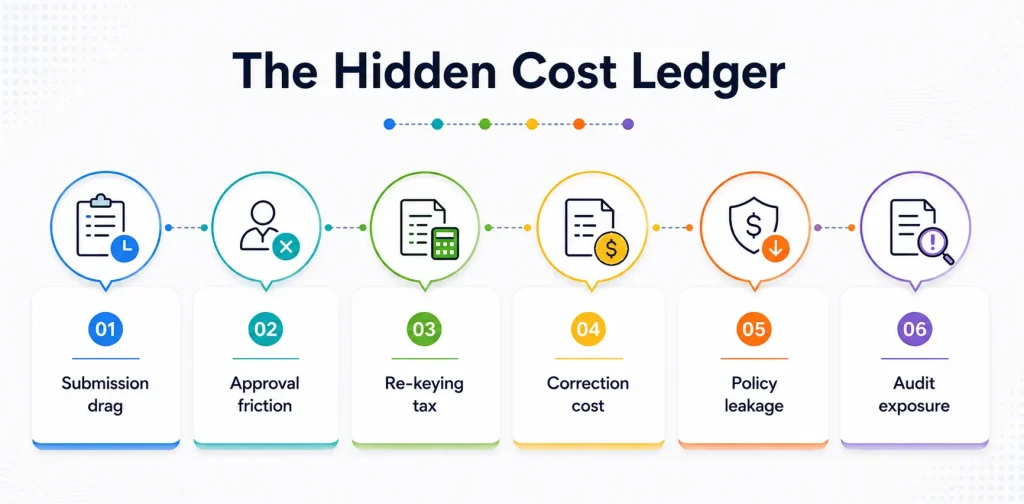
- Submission drag — employee hours spent compiling receipts and reports
- Approval friction — manager time spent reviewing line items a system could have pre-screened
- Re-keying tax — finance team hours spent manually entering approved expenses into the GL
- Correction cost — time spent fixing mis-coded or duplicated entries after the fact
- Policy leakage — out-of-policy spend that goes undetected because no one has time to check every line
- Audit exposure — the cost of missing documentation discovered during review instead of before
Individually, none of these look large enough to justify a platform purchase. Add them up across a quarter, and they usually do. This is the ledger to fill in — even roughly — before your first vendor call, because it’s the number your CFO will ask for anyway.
The Automation Maturity Curve
Every organization we’ve watched go through this process sits somewhere on the same curve, whether they’ve named it or not:
Manual → Hybrid → Automated → Autonomous
- Manual: spreadsheets, paper receipts, and email approvals. Every exception is a fire drill.
- Hybrid: a tool handles capture, but classification, enforcement, or reconciliation still route back to a human. This is where most organisations that say, “we’ve already automated this” actually sit — and where they typically underestimate how much manual work remains.
- Automated: all five layers of the stack run without manual intervention for the majority of transactions. Humans review exceptions, not every line item.
- Autonomous: the system doesn’t just flag exceptions; it predicts and prevents them, adjusting policy recommendations based on spend patterns before violations occur.
Knowing which rung you’re on matters more than which vendor has the most features, because it tells you what gap you’re actually closing. A company stuck in Hybrid doesn’t need more capture tools — it needs Layers 3 through 5 fixed. That’s an entirely different buying decision than a company still fully in Manual, and conflating the two is one of the most common reasons implementations underdeliver.
The Expense Automation Readiness Score
Run this against any platform you’re evaluating, or against your own current state. Score 0–2 points per layer (0 = fully manual, 1 = partially automated, and 2 = completely automated), for a maximum of 10.
- 0–4: Manual stage. Automation will deliver the fastest, most obvious ROI — start with Capture and Enforcement.
- 5–7: Hybrid stage. You likely already have tooling in place, but it’s not compounding. Focus your evaluation on Layers 3–5 specifically, not the whole stack.
- 8–10: Automated stage. You’re optimizing, not overhauling. The right next question is whether you’re ready to move toward Autonomous — predictive policy and pattern-based exception routing.
This score does two things a generic feature checklist can’t: it tells you what to prioritize, and it gives you a shared number to bring into budget conversations instead of a subjective “it feels inefficient.”
What This Looks Like in Practice
A 300-person services company we’d score as solidly Hybrid — spreadsheet-adjacent capture tool, no real enforcement layer — typically sees the heaviest disruption in the first 30 days after moving to full automation, as historical policy gets codified into system rules. That’s the expected cost of closing the Layer 3 and Layer 4 gaps, not a sign of a bad rollout.
By day 60, the pattern usually flips: approvers are reviewing flagged exceptions instead of every line item, and finance stops re-keying data because Layer 5 reconciliation is live. The Hidden Cost Ledger items that used to eat the final week of every month — correction cost, re-keying tax — mostly disappear, and that week gets redirected to analysis instead of cleanup.
The pattern holds across most Hybrid-to-Automated transitions: the ROI curve is real, but it’s back-loaded into month two, which is worth setting as the internal expectation before rollout, not after.
Common Objections, Scored Against the Stack
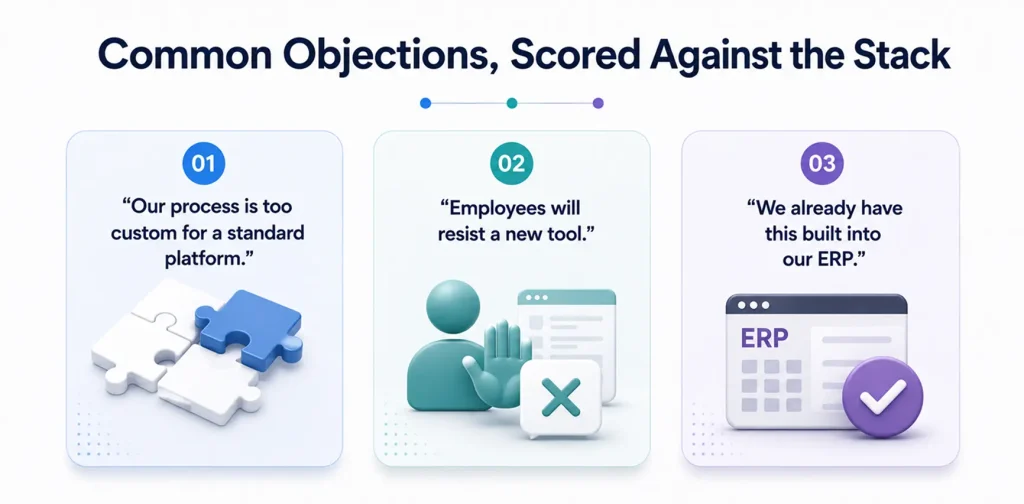
- “Our process is too custom for a standard platform.” This is usually a Layer 3 (Enforcement) concern, not a platform-wide one. Most mid-market and enterprise platforms support custom rule logic — the real diagnostic question is whether that customization is self-managed by finance or requires a vendor ticket every time your policy changes.
- “Employees will resist a new tool.” This almost always traces back to a weak Layer 1 (Capture) experience in whatever tool they’ve used before. Platforms with genuinely fast capture — photo-to-submission in under a minute — tend to see adoption happen without a change-management campaign.
- “We already have this built into our ERP.” Run it through the Readiness Score. Native ERP expense modules typically score well on Layer 5 (they’re already inside the system of record) but weakly on Layers 1 through 3. Knowing exactly which layers are weak tells you whether to supplement or replace, instead of guessing.
Where to Go From Here
Before your next vendor conversation, it’s worth doing three things:
- Score your current state against the Five-Layer Stack (even roughly)
- Fill in what you can of the Hidden Cost Ledger
- Identify where you sit on the Maturity Curve — Manual, Hybrid, or Automated
Walking in with those three artifacts changes the conversation from a feature tour into an actual fit assessment. It’s also the fastest way to tell whether a platform is solving your real gap or just re-selling you the layers you’ve already automated.
Want to run your Readiness Score with us on the call? Talk to our team for a walkthrough scored against your current stack, layer by layer.




