







Key Takeaways
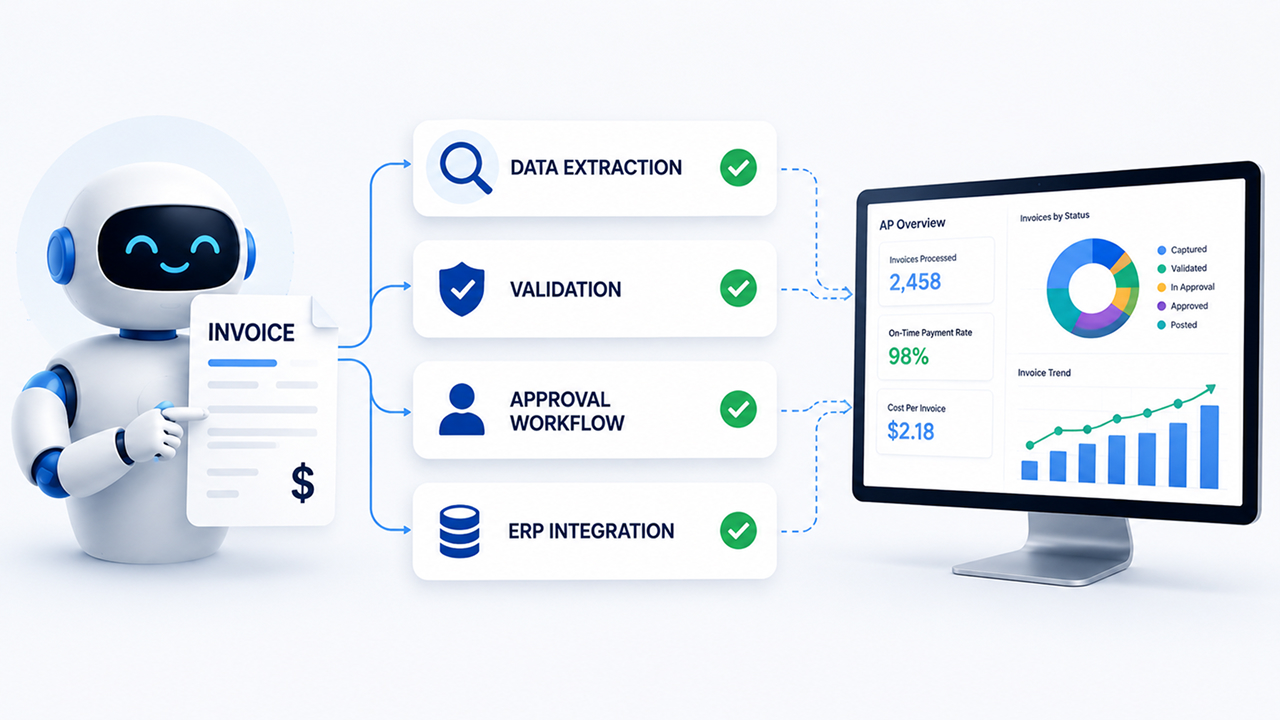
- AP automation streamlines the entire invoice-to-payment process by automating data capture, validation, matching, approvals, coding, payments, and archiving.
- AI-powered invoice processing significantly reduces manual data entry, duplicate payments, processing errors, and compliance risks while improving overall accuracy.
- Automated approval workflows eliminate bottlenecks by routing invoices to the right stakeholders, sending reminders, and maintaining a complete audit trail.
- Integration with ERP systems enables automatic GL coding, real-time visibility into liabilities, and faster financial reporting without duplicate data entry.
- AP automation is not just about going paperless; it enables touchless invoice processing, better cash-flow management, stronger vendor relationships, and improved finance team productivity.
Every finance team knows the feeling: a stack of invoices, a spreadsheet full of vendor details, approval emails buried three threads deep, and a payment deadline creeping closer. Accounts payable has always been one of the most labor-intensive corners of finance — not because the work is complex in concept, but because the volume is relentless.
Finance automation is changing that reality. And nowhere is that change more visible than in accounts payable.
But before you can evaluate whether AP automation is right for your organization, it helps to understand exactly how it works — from the moment an invoice lands in your system to the moment a payment clears. This is that walkthrough.
What Is AP Automation?
Accounts payable automation is the use of software — often powered by AI and machine learning — to handle the routine, rules-based tasks involved in processing vendor invoices and making payments. Instead of a finance team member manually entering data, chasing approvals, and scheduling payments, the system handles these tasks.
Finance automation in AP doesn’t mean removing humans from the process. It means removing humans from the tedious parts — data entry, routing, matching, and filing — so they can focus on exceptions, strategy, and relationships.
The AP Lifecycle, Step by Step
Here’s what the end-to-end journey looks like when automation is in place:
Step 1: Invoice Capture
What happens manually: Someone receives a PDF via email, downloads it, and starts typing vendor names, invoice numbers, line items, and amounts into an ERP or spreadsheet.
What happens with automation: The invoice arrives — by email, supplier portal, EDI, or even postal scan — and the system captures it automatically. Optical character recognition (OCR) technology reads the document and extracts the relevant fields: vendor name, invoice date, invoice number, line items, amounts, tax, and due date.
Modern AP automation platforms go beyond basic OCR. They use AI to learn document layouts over time, getting more accurate with each invoice processed. Structured invoices (like PDFs with embedded text) are processed almost instantly. Even scanned paper invoices or unusual formats are handled with high accuracy.Why it matters: Data entry errors are one of the most common sources of payment mistakes and duplicate payments. Automated capture eliminates the human-error variable before the process even begins.
Step 2: Data Validation and Enrichment
What happens manually: Someone cross-references the invoice against the vendor master list, checks payment terms, verifies the tax ID, and flags anything that looks off
What happens with automation: The system instantly validates captured data against your existing records. It checks:
- Is this vendor in the approved vendor master?
- Do the payment terms match what’s on file?
- Is the currency correct?
- Are there any duplicate invoices (same vendor, amount, date)?
- Does the invoice meet your company’s required fields?
If something doesn’t match, the invoice is flagged for human review with a specific reason — rather than silently proceeding or getting lost in an inbox.
Why it matters: Duplicate payments cost organizations an estimated 0.1%–0.5% of total spend. Automated validation catches them before they happen.
Step 3: 2-Way or 3-Way Matching
This step is where AP automation becomes especially powerful for organizations that use purchase orders
2-way matching compares the invoice against the purchase order (PO): Do the amounts, quantities, and vendor details align?
3-way matching adds a third document: the goods receipt or delivery confirmation. It asks, ‘Was this item actually received before we pay for it?
What happens with automation: The system pulls the relevant PO and receipt from your ERP or procurement system and performs the match automatically. If everything aligns within defined tolerances (a small variance in price or quantity is often acceptable), the invoice moves forward without human intervention. If there’s a discrepancy, it routes to the appropriate person with context already attached.
Why it matters: Manual matching is time-consuming and error-prone. With finance automation, matched invoices can move straight to approval — or even straight to payment — with zero human touch.
Step 4: Approval Routing
What happens manually: Someone determines who needs to approve this invoice, forwards it by email, follows up when there’s no response, tracks who has seen it, and re-routes it if someone is out of the office.
What happens with automation: The system applies your pre-configured approval rules automatically. Rules can be based on:
- Invoice amount (invoices over $10,000 go to CFO)
- Vendor type (IT vendor invoices route to IT department head)
- Cost center or GL code
- Exception status (flagged invoices require additional sign-off)
Approvers receive notifications via email or a mobile app, review the invoice in context, and approve or reject with a single click. The system tracks the full audit trail — who saw it, when, and what action they took.
If an approver doesn’t respond within a set window, the system automatically escalates or re-routes based on your rules.
Why it matters: Approval bottlenecks are the #1 reason invoices get paid late, triggering late fees and damaging vendor relationships. Automated routing keeps invoices moving even when individuals are unavailable.
Step 5: GL Coding and ERP Integration
What happens manually: A team member assigns the correct general ledger (GL) codes to each line item — a task that requires knowledge of the chart of accounts, departmental cost centres, and project codes.
What happens with automation: AI-powered AP platforms learn your coding patterns. After seeing how your team codes invoices from a particular vendor or category, the system starts suggesting — or automatically applying — the correct GL codes.
These coded invoices then sync directly with your ERP (SAP, Oracle, NetSuite, QuickBooks, and others), eliminating the need for manual data re-entry into your accounting system.Why it matters: Incorrect GL coding causes downstream problems in budgeting, forecasting, and financial reporting. Automated coding reduces errors while dramatically cutting the time your team spends on this routine task.
Step 6: Payment Execution
What happens manually: Finance prepares a payment run; selects a payment method (ACH, wire, check), enters bank details, gets secondary approval for large amounts; and initiates the payment.
What happens with automation: Based on invoice due dates and your configured payment policies, the system generates a payment run recommendation. It groups payments by vendor, applies early-payment discounts where applicable, and presents a summary for final approval.
Once approved, payments execute automatically via your preferred method. Vendors can receive automated remittance advice notifications, reducing inbound “where’s my payment?” calls.
Some platforms also offer virtual card payments, which can generate rebates on spend — effectively turning AP into a revenue source.
Why it matters: Timely, accurate payments protect vendor relationships and credit terms. Strategic payment timing — capturing early payment discounts, optimizing cash flow — becomes possible when you have visibility into your entire invoice pipeline.
Step 7: Archiving, Audit Trail, and Reporting
What happens manually: Paid invoices get filed — maybe in a shared drive, maybe in physical storage — and retrieving them for an audit means searching through folders manually.
What happens with automation: Every invoice, every action, every approval, and every payment is stored in a searchable digital archive with a complete, timestamped audit trail. When an auditor asks for all invoices from a specific vendor in Q3, you pull them in seconds.
Finance automation platforms also provide real-time dashboards: invoice volumes, processing times, approval bottlenecks, outstanding liabilities, and spend by category. This visibility helps finance leaders make better decisions — not just process faster.
Why it matters: Audit readiness used to require weeks of preparation. With automated archiving, you’re audit-ready every day.
What Makes Finance Automation Different From Just “Going Paperless”
A common misconception is that digitizing invoices — scanning paper, receiving PDFs — is the same as automating AP. It’s not.
Going paperless eliminates physical documents. Finance automation eliminates manual work at every step. The difference is the intelligence layer: extraction, validation, matching, routing, coding, and payment — handled by rules and AI rather than human effort.
True AP automation means an invoice can travel from receipt to payment with minimal (or even zero) human touches when everything is in order. Human attention is reserved for exceptions, decisions, and relationships.
Common Objections — And What the Data Shows
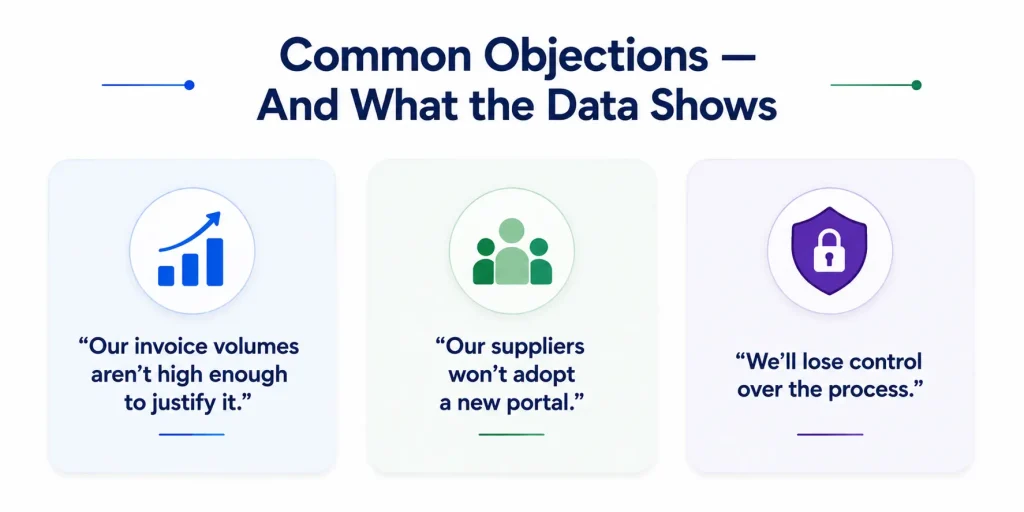
“Our invoice volumes aren’t high enough to justify it.” Even teams processing 200–300 invoices per month see meaningful time savings and error reduction. The ROI isn’t just about volume — it’s about the cost per invoice and the hidden costs of errors, late fees, and staff time.
“Our suppliers won’t adopt a new portal.” Most modern AP automation platforms support multiple submission formats — email, EDI, PDF, and portal — so suppliers don’t need to change their behavior.
“We’ll lose control over the process.” The opposite tends to be true. Automation gives finance leaders more visibility, not less. Every step is tracked, every exception is surfaced, and every payment is logged.
The Bottom Line
Finance automation doesn’t make accounts payable disappear. It makes it work the way it should — fast, accurate, visible, and strategic.
The manual AP lifecycle — receive, enter, match, route, code, pay, file — still exists. But in an automated environment, most of that lifecycle runs in the background, with your team stepping in only where human judgment genuinely adds value.
Understanding how each step works is the first step toward understanding whether automation belongs in your finance stack.Want to go deeper? Get in touch with us today and explore how leading finance teams are benchmarking AP performance, evaluating vendors, and making the case for automation internally.




