
Key Takeaways
- NetSuite automation reduces cycle times, improves accuracy, and strengthens compliance.
- SuiteFlow is best for rule-based workflows. SuiteScript handles complex custom logic.
- Finance workflows like vendor bill processing, bank reconciliation, and expense approvals benefit most.
- Procurement workflows like PO approvals, vendor onboarding, and contract renewals are the prime candidates.
- A structured roadmap starting from small and scaling fast ensures success.
Finance and procurement functions are the foundation of any company. They ensure that vendors are paid on time, contracts are completed, and the company has the right supplies and services at the right price. But in every company, these functions still carry a huge manual load that includes routing purchase orders through authorization, reviewing vendor invoices, reconciling payments, and creating audit trails.
While NetSuite does automate much of this by providing an integrated ERP system, businesses still face inefficiencies:
- Invoices are waiting for manual approval.
- Duplicate vendor accounts are leading to payment delays.
- Month-end closings are taking weeks as a result of reconciliation bottlenecks.
- Procurement approvals stuck in email loops.
This is where automation steps in. Through automating NetSuite workflows, procurement and finance departments can reduce cycle times, eliminate errors, increase compliance, and focus on higher-value tasks.
This post will discuss automating NetSuite workflows, from finance operations like expense reports and journal entries to procurement-driven workflows like vendor setup and purchase order approvals.
Also read: Why Procurement in Manufacturing Still Runs on Emails: A Deep Dive into Manual Vendor Management?
Why Automate NetSuite Workflows?
NetSuite automation is not all about “getting things done faster.” It actually changes the nature of how finance and procurement staff work.
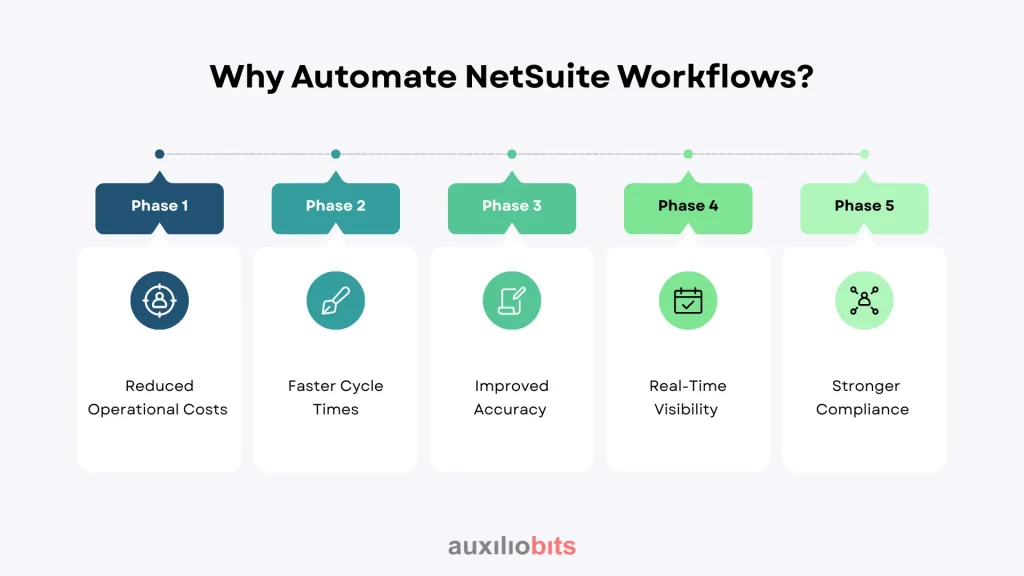
1. Reduced Operational Costs
Manual processes require more staff and time. Automating approval of invoices, reconciliations, and POs actually saves on operational overhead.
2. Faster Cycle Times
Invoices, expense reports, and purchase orders no longer sit in queues. Rules-based routing delivers them to the proper approver immediately.
3. Improved Accuracy
Automated verification eliminates data entry mistakes, duplicate transactions, and oversights.
4. Real-Time Visibility
Automated workflows based on dashboards give CFOs and procurement executives real-time visibility into expenditures, supplier performance, and cash flow.
5. Stronger Compliance
Automated workflows leave a full audit trail. Approvals are tracked, and then rules are applied consistently. Also, audit readiness is improved.
NetSuite’s Automation Capabilities
NetSuite provides multiple native automation capabilities, each of which is applicable to some specific needs.
1. SuiteFlow
- What it does: A graphical no-code/low-code environment for designing workflows.
- Use cases: Approval routing, sending messages, field updates, and creating records.
- Example: An order below $5,000 can be automatically approved, and anything above that goes to a manager.
2. SuiteScript
- What it does: Provides flexibility in deploying advanced customizations and API connections.
- Use cases: Auto-applying complex business rules, integration with third-party systems.
- Example: Automatically generating a purchase order whenever inventory falls to safety stock levels.
3. SuiteAnalytics
- What it does: It provides KPIs, saved searches, and various dashboards.
- Use cases: Real-time visibility and alerts to trigger workflow events.
- Example: It sends a notification to finance when payments to vendors reach a certain level during a specific month.
4. Integration with External Tools
- What it does: It integrates the NetSuite workflows into other systems, like banks or CRMs.
- Use cases: It includes validating contracts or bank reconciliations.
- Example: UiPath bot extracts invoice details from emails, then validates against NetSuite POs, and finally posts approved bills automatically.
Automating Finance Workflows in NetSuite
Let us look into some common finance workflows that can be automated in NetSuite
1. Vendor Bill Processing
Difficulty: Invoicing is very time-consuming and error-prone, and causes delayed payment runs.
Automation:
- The invoice is received either via email or the portal.
- OCR, along with SuiteFlo, extracts and validates the data.
- It auto-matches invoices against POs and receipts.
- It then routes for approval if exceptions are detected.
- It posts to the GL automatically.
Benefit: Faster accounts payable, improved accuracy, and fewer late fees.
2. Approving Expense Reports
Problem: It takes weeks for employees to be reimbursed since reports sit in approval queues.
Automation:
- SuiteFlow automatically routes expense reports based on amount, department, or project.
- Auto rejection if policies are violated, like missing receipts.
- Auto approval follows value claims.
Benefit: Faster reimbursements and consistent policy enforcement.
3. Bank Reconciliation
Problem: Manual reconciliations cause month-end closings to be too slow.
Automation:
- Integrate daily bank feeds.
- AI or the RPA bots match the transactions with corresponding NetSuite records.
- Exceptions are flagged for human review.
Benefit: Real-time reconciliation, closing cycles in days instead of weeks..
4. Journal Entry Management
Problem: Manual journal entries are prone to errors and require multiple approvals.
Automation:
- Auto routing based on certain specific thresholds.
- Auto approval for the recurring standard entries.
Benefit: It leads to accuracy and speed during the month-end closing.
Automating Procurement Workflows in NetSuite
Procurement teams can also realize significant efficiencies through automation.
1. Purchase Order Approvals
Problem: Purchase Orders stuck in email chains cause some delay in procurement.
Automation
- Threshold-based approvals in SuiteFlow.
- Example:
- If <$5,000: This is auto-approved.
- If $5,000–$20,000: It requires manager approval.
- If it’s $20,000, it requires CFO approval.
Benefit: Faster procurement cycles with clear governance.
2. Vendor Onboarding
Problem: New vendor onboarding is inconsistent and leads to compliance risks.
Automation:
- New vendor request triggers a workflow.
- RPA verifies the tax IDs and compliance data.
- Vendor record auto-created in NetSuite after validation.
Benefit: Standardized, compliant vendor onboarding.
3. Contract Renewal Tracking
Problem: Expired contracts lead to service disruptions or missed negotiations.
Automation:
- NetSuite workflow monitors contract end dates.
- Auto alert 90 days before expiry.
- Option to auto-generate renewal POs.
Benefit: Avoids missed renewals and provides leverage for renegotiation.
How to Build a NetSuite Automation Roadmap
Automation should be performed as a formalized roadmap
1. Audit Current Processes
- Determine batched tasks and manual bottlenecks
- Example: 60% of vendor bills are still entered manually.
2. Prioritize High-Impact Workflows
- Prioritize those processes with high volume or high error rates..
- Example: AP automation has a faster ROI compared with specialty workflows.
3. Utilize NetSuite Native Tools First
- Start with SuiteFlow for approvals, notifications, and simple logic.
- Include SuiteScript for complicated cases.
4. Integrate with External Systems
- Enrich automation with RPA/iPaaS for multi-system procedures.
- Example: Synchronization of vendor information from an onboarding platform into NetSuite.
5. Governance and Monitoring
- Set up approval thresholds, keep audit logs in storage, and use dashboards for KPIs.
- Track metrics like cycle time, error percentage, and compliance exceptions.
Real-World Example
A global manufacturing organization automated its procure-to-pay procedure in NetSuite. It includes
- Vendor invoices are being uploaded to a portal.
- OCR, along with RPA, extracts invoice data.
- SuiteFlow matches invoices against Purchase Orders and routes exceptions to approvers.
- Approved invoices are posted directly to the GL.
End Results:
- Invoice cycle time is reduced by 40%.
- Late payment penalties are reduced by 20%.
- It ensures full audit readiness across multiple regions.
Another case in the healthcare industry:
- Automated contract renewal tracking in NetSuite.
- Alerts are sent 120 days before expiry, with renewal workflows triggered automatically.
- Result: No missed renewals, improved supplier negotiations, and compliance with healthcare procurement standards.
Conclusion
Automation of NetSuite workflows is a method of revolutionizing finance and procurement processes. Whether it is streamlining AP, accelerating POs, or ensuring contracts never slip through the cracks, automation releases speed, precision, and compliance on business-critical processes.
With SuiteFlow, SuiteScript, and external automation tools, companies can develop intelligent, rules-based workflows that grow with complexity and scale. As a result, finance and procurement teams spend less time chasing approvals or reconciling transactions and more time driving strategy, compliance, and cost savings.