


Key Takeaways
- High-volume AP reconciliation fails more due to inconsistency than sheer volume
- Most effort is wasted on finding issues, not resolving them
- ap reconciliation automation works best when focused on repeatable patterns
- Exception quality matters more than automation coverage
- Scalable reconciliation is about managing variability, not eliminating it
low. It’s manageable. You have a few dozen suppliers, statements arrive monthly, someone cross-checks balances against the ledger, flags discrepancies, and moves on.
Now multiply that by 5,000 vendors.
Or 20,000.
Or a global manufacturing network where suppliers send statements in different formats, currencies, and—occasionally—different levels of accuracy. That’s where AP reconciliation stops being a routine accounting task and turns into an operational bottleneck.
And not the obvious kind. It doesn’t crash systems. It quietly slows everything down—cash visibility, dispute resolution, audit readiness, vendor relationships. You don’t always notice it until it’s already affecting working capital.
The Reality of High-Volume Vendor Portfolios
At scale, reconciliation isn’t just matching invoices to payments. It becomes a coordination problem across systems, data quality, and timing.
A typical high-volume AP environment looks something like this:
- Vendors send statements via email (PDF, Excel, sometimes even scanned copies)
- ERP reflects invoices and payments—but not always in real time
- Credits, debit notes, and adjustments sit in separate workflows
- Payment runs don’t always align cleanly with statement cycles
And then someone in AP is expected to “reconcile” all of these transactions. There’s a quiet assumption here—that reconciliation is a linear process. It isn’t.
It’s messy. Non-linear. Tribal knowledge, such as “this vendor always includes future-dated invoices” or “they net off credits differently,” often plays a crucial role.
That nuance is precisely where traditional approaches start to fail.
Why AP Reconciliation Breaks at Scale
It’s tempting to think the problem is just volume. More vendors = more work.
That’s only partially true. The more profound issue is inconsistency.
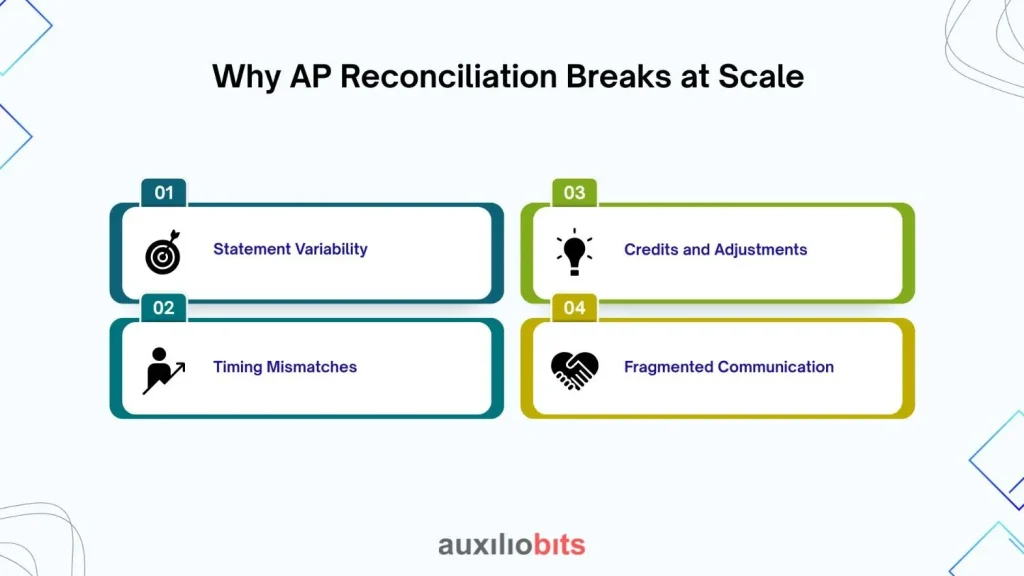
1. Statement Variability
Not all vendor statements are created equal:
- Different formats (structured vs unstructured)
- Inconsistent reference fields (invoice numbers don’t always match ERP)
- Aggregated vs line-level details
- Missing credits or unapplied cash
Even within the same vendor, formats can change over time. Procurement renegotiates terms, billing structures shift, or a vendor simply updates their template.
2. Timing Mismatches
Statements reflect a point. Your ERP reflects another.
- Payments in transit
- Invoices posted after statement generation
- Backdated entries
So when discrepancies show up, are they real—or just timing differences? Experienced AP analysts know the difference. Systems usually don’t.
3. Credits and Adjustments
This is where things get genuinely frustrating.
Credits might:
- Sit unapplied in the ERP
- Be netted off in the vendor statement
- Appear as separate entries with unclear references
Reconciliation becomes less about matching and more about interpretation.
4. Fragmented Communication
When mismatches occur, resolution requires outreach:
- Email threads with vendors
- Internal coordination with procurement or receiving teams
- Chasing supporting documents
Multiply that across thousands of vendors, and you’re not just reconciling—you’re managing conversations at scale.
The Cost of Getting It “Mostly Right”
Some organizations accept a certain level of imperfection. “Close enough” reconciliation. Minor discrepancies get written off or deferred. It works—until it doesn’t.
Here’s what tends to happen:
- Duplicate payments slip through because discrepancies weren’t investigated deeply enough.
- Aging reports become unreliable, affecting cash planning.
- Audit cycles become painful with manual evidence gathering.
- Vendor trust erodes—especially when disputes linger.
There’s also an internal cost: skilled AP analysts spending hours on low-value matching tasks instead of exception handling or process improvement.
Also read: Sales Order Processing Without Manual Intervention
What Changes with AP Reconciliation Automation?
Automation doesn’t magically solve reconciliation. But it does change where humans spend their time.
The shift is subtle but important.
Instead of: “Find and fix everything manually”
It becomes: “Let systems handle the predictable, and focus on what requires judgment”
That’s the promise of AP reconciliation automation—though in practice, the implementation matters a lot more than the idea.
Where Automation Actually Helps
1. Ingesting and Structuring Statements
High-volume environments can’t rely on manual data entry.
Automation tools can:
- Extract data from PDFs, emails, and spreadsheets
- Normalize formats across vendors
- Map fields to ERP structures
This alone eliminates a significant chunk of effort. But this aspect is often overlooked—accuracy depends heavily on how well the system is trained on vendor-specific patterns. Generic extraction models struggle with edge cases.
2. Matching Logic Beyond Exact Matches
Basic matching (invoice number + amount) works maybe 60–70% of the time.
The rest requires:
- Fuzzy matching (slight variations in references)
- Aggregation logic (multiple invoices vs single payment)
- Tolerance thresholds (minor amount differences)
Effective automation frameworks handle these scenarios. Poor ones create more confusion than they solve. Intelligent matching and over-engineering are two distinct concepts.
3. Identifying True Exceptions
This area is where automation should shine—but often doesn’t.
A useful system doesn’t just flag mismatches. It categorizes them:
- Timing differences
- Missing invoices
- Unapplied credits
- Potential duplicates
Without that classification, you’re still left with a long list of “issues” and no prioritization.
4. Audit Trails and Documentation
One underrated benefit:
- Every reconciliation step gets logged
- Supporting documents are linked automatically
- Audit readiness improves significantly
A Quick Reality Check
Not every reconciliation process should be fully automated. That might sound counterintuitive, but it’s true.
Highly complex vendor relationships—with frequent contract changes, dynamic pricing, or non-standard billing—still require human oversight.
Automation works best when:
- Processes are repetitive
- Data patterns are somewhat predictable
- Exceptions follow recognizable categories
Trying to automate everything often leads to brittle systems that break under real-world variability.
What Scalable AP Reconciliation Looks Like in Practice
In organizations that have figured this process out (or at least made meaningful progress), a few patterns emerge.
1. A Tiered Reconciliation Model
Not all vendors are treated equally.
- Tier 1 (High-value, high-volume vendors): Automated matching + prioritized exception handling;
- Tier 2 (Moderate complexity): Partial automation with periodic manual review.
- Tier 3 (Low volume): Manual or semi-automated processes.
This segmentation avoids over-investing in low-impact areas.
2. Exception-Driven Workflows
Instead of reviewing every line item:
- Systems reconcile the majority automatically
- Only exceptions are surfaced to AP teams
This reduces workload dramatically but only if exception quality is high. Otherwise, you’re just shifting the problem.
3. Continuous Learning Loops
The best setups don’t treat automation as static.
They evolve:
- Matching rules get refined
- Vendor-specific patterns are learned
- False positives decrease over time
It’s less “set and forget” and more “train and adapt”.
Common Pitfalls That Don’t Get Talked About Enough
1. Over-Reliance on ERP Data
ERPs are often treated as the “source of truth”. In reconciliation, there’s just one version of the truth. Blindly aligning everything to ERP data can mask issues rather than resolve them.
2. Ignoring Vendor Behavior
Vendors aren’t static entities. They change formats, processes, and sometimes even reconciliation logic. Automation needs to account for that variability—or it quickly becomes outdated.
3. Underestimating Change Management
Introducing automation changes how AP teams work.
- Roles shift
- Skill requirements evolve
- Resistance is… not uncommon
Without proper onboarding, even the best tools struggle to gain adoption.
The Strategic Impact
It’s easy to frame AP reconciliation as a back-office function. But at scale, it influences more than just accounting accuracy.
- Cash flow visibility improves when discrepancies are resolved faster
- Vendor negotiations become more informed with cleaner data
- Risk exposure decreases through better audit trails
There’s also a cultural shift. When reconciliation becomes more reliable, finance teams trust their numbers more. That confidence shows up in decision-making.
So, What Should You Do?
If you’re dealing with high-volume vendor portfolios, a few practical steps tend to make a difference:
- Start by analyzing discrepancy patterns—not just volumes
- Segment vendors based on complexity and impact
- Invest in automation where repeatability exists
- Keep humans focused on judgment-heavy tasks
- Continuously refine matching logic
And maybe most importantly—accept that reconciliation will never be perfectly clean. That’s not the goal. The goal is to make it predictable, manageable, and scalable.
A Final Thought
There’s a tendency to treat AP reconciliation as a problem that needs to be “solved”. It isn’t. It’s a process that needs to be managed better—especially as vendor ecosystems grow more complex.
Automation helps, and it plays a significant role, especially when applied correctly. But the real shift happens when organizations stop chasing perfection and start building systems that handle imperfection intelligently.
That’s where scale stops being a burden—and starts becoming manageable.