








- Touchless order pipelines eliminate manual data entry by automating order capture, validation, ERP integration, and exception handling.
- Sales Order Automation significantly reduces errors and processing time, often cutting order handling from several minutes to just seconds.
- Manufacturing environments benefit the most because they handle complex orders, distributor channels, and large order volumes.
- Automation projects succeed when companies start with standard order scenarios first, instead of trying to automate every edge case.
- The real value isn’t removing people—it’s removing them from repetitive data entry, allowing operations teams to focus on customer support and exception management.
Manufacturing companies usually find it easy to generate demand. The harder problem is what happens after the customer says yes.
The moment a purchase order arrives—through email, a distributor portal, EDI feed, or even a scanned document—someone inside the organization still ends up re-entering data into an ERP system. In theory, modern ERPs were meant to eliminate this friction. In practice, many sales operations teams still spend hours converting orders into structured transactions.
This is where sales order automation becomes more than a productivity initiative. In manufacturing environments, especially those dealing with configurable products, distributor networks, or large order volumes, automation creates what many operations leaders now call a touchless pipeline—a system where orders move from intake to fulfillment without human intervention.
The idea sounds simple. But implementing automation for sales orders in manufacturing is less about placing clerks and more about redesigning how information flows through the enterprise.
Why Manual Sales Order Processing Still Exists
Before discussing automation, it’s worth acknowledging something uncomfortable: many organizations already have ERP systems capable of handling automated orders. Yet manual intervention remains common.
The reasons are rarely technical.
Instead, the friction tends to come from operational realities:
- Orders arrive in inconsistent formats.
- Customers send emails with attachments instead of structured forms.
- Pricing exceptions occur frequently.
- Product configurations require validation.
- Credit checks happen outside the order workflow.
Over time, sales operations teams compensate by creating human workarounds.
A typical manual process looks something like this:
- Customer emails a purchase order.
- Sales operations downloads the document.
- Someone reviews quantities and pricing.
- Order details are entered into ERP.
- Exceptions are resolved through email chains.
- Order confirmation is generated.
On paper, it’s manageable. At scale, it becomes a bottleneck.
What a Touchless Sales Order Pipeline Means
When people discuss sales order automation, they often picture simple rule-based systems that import EDI orders automatically.
This is just one aspect of the overall process.
A touchless pipeline means the entire journey—from order intake to ERP confirmation—happens without manual steps.
A mature automated pipeline usually includes several layers:
- Intelligent order ingestion
- Document interpretation and validation
- Business rule evaluation
- ERP transaction creation
- Exception handling workflows
If everything works correctly, the order flows through the system without human involvement. But—and this matters—humans still remain part of the system, just at different points.
Instead of entering orders, teams manage exceptions, pricing rules, and customer issues.
The Four Layers of Sales Order Automation in Manufacturing
Manufacturing companies are implementing workflows for sales order automation through four technical layers.
Each layer solves a different operational problem.
1. Order Intake Automation
Orders rarely arrive in a clean format.
Manufacturers receive orders through:
- Email attachments
- Distributor portals
- PDF purchase orders
- EDI transactions
- CRM systems
- Field sales submissions
A touchless pipeline begins with order ingestion automation. This layer captures incoming orders automatically and routes them into processing systems. Some organizations rely on EDI for this step, but EDI adoption varies widely across industries. Many distributors still prefer sending PDFs.
This is where AI-driven document processing becomes critical. Systems extract key fields from order documents:
- Customer name
- Item numbers
- Quantities
- Requested delivery dates
- Pricing references
And yes, extraction accuracy has improved dramatically in the last few years. Modern systems regularly achieve 95–98% accuracy when trained properly. But they still fail occasionally. That’s unavoidable. Which is why the next layer matters.
2. Order Validation and Business Rule Processing
Once data is extracted, the system evaluates whether the order is valid.
This step often includes:
- Product code validation
- Contract pricing verification
- Customer credit checks
- Inventory availability checks
- Delivery constraints
This is where many automation projects quietly collapse. Why? Business rules within manufacturing environments are seldom straightforward.
Example: A distributor may receive special pricing for specific SKUs—but only when ordering in pallet quantities. If they order fewer units, the pricing changes. These edge cases must be encoded into the automation logic. Some companies attempt to automate everything at once. That rarely works. A better approach is progressive automation—start with 80% of standard orders, then expand rule coverage gradually.
3. ERP Transaction Automation
Once validation succeeds, the system creates the sales order in the ERP automatically.
For most manufacturers, that means integration with platforms like:
- SAP
- Oracle
- Microsoft Dynamics
- Infor
- NetSuite
The ERP transaction typically includes:
- Customer account mapping
- SKU identification
- Quantity and pricing data
- Delivery scheduling
- Tax calculation
Historically, organizations used RPA bots to handle this step. More recently, API-based integrations have become the preferred architecture. APIs are faster, more reliable, and easier to maintain. Still, many companies continue using RPA because legacy ERPs lack modern integration options.
4. Exception Management Workflows
Even in highly automated systems, some orders will fail validation.
Common examples include:
- Pricing discrepancies
- Unknown product codes
- Credit limit issues
- Incomplete order information
This is where automation maturity becomes visible. Poorly designed systems simply send an email notification. Better systems create structured exception workflows.
For example:
- Automatically route the issue to the appropriate sales manager
- Provide a pre-filled correction interface
- Reprocess the order once the issue is resolved
The difference between basic automation and a true touchless pipeline often lies in how exceptions are handled.
Where Sales Order Automation Delivers the Biggest Gains
Automation initiatives often promise vague benefits like “efficiency” or “productivity.”
In reality, the operational impact tends to show up in specific areas.
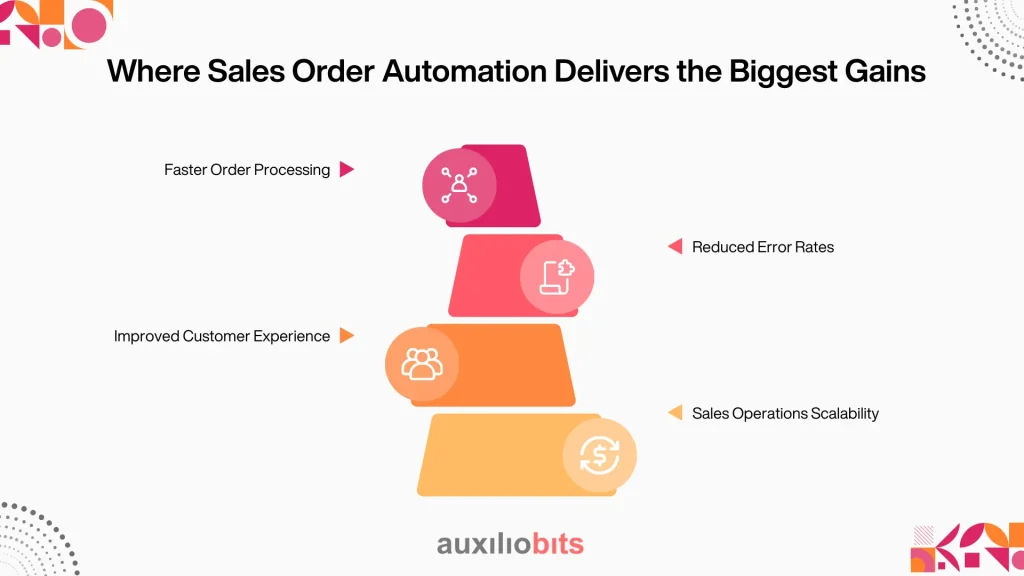
1. Faster Order Processing
Manual order entry can take 5–10 minutes per order depending on complexity. Automated systems reduce this to seconds. For manufacturers processing thousands of orders daily, the time savings become significant.
2. Reduced Error Rates
Data entry mistakes are surprisingly common:
- Incorrect SKUs
- Wrong quantities
- Pricing mismatches
- Shipping date errors
Automated systems enforce validation rules consistently. Interestingly, many companies report error reductions of 70–90% after implementing sales order automation.
3. Improved Customer Experience
Customers rarely complain about internal inefficiencies. They complain when orders are delayed. Touchless pipelines shorten order confirmation cycles dramatically. Instead of waiting hours—or days—for confirmation, customers receive responses almost immediately. That responsiveness can become a competitive advantage.
4. Sales Operations Scalability
Manual processing requires hiring more staff as order volume grows. Automation changes the equation. One operations team that previously processed 600 orders daily with eight staff members was able to handle 2,000+ orders per day with the same team after automation. Not because employees worked harder—but because they stopped doing repetitive data entry.
Also read: Service Analytics That Drive Continuous Improvement
When Sales Order Automation Fails
Despite the benefits, automation initiatives sometimes disappoint.
Usually for predictable reasons.
1. Overly Complex Automation Scope
Some organizations attempt to automate every possible order scenario from day one.That rarely works. Edge cases multiply quickly in manufacturing environments. Successful implementations start with the most common order types and expand gradually.
2. Poor Data Governance
Automation systems depend on clean master data. If product codes, pricing tables, or customer records are inconsistent, automated pipelines break down. Many companies discover data quality issues only after automation begins.
3. Misalignment Between Sales and Operations
Sales teams often negotiate custom terms with customers. Automation systems enforce standard rules. Without alignment, friction appears quickly. Salespeople may perceive automation as restrictive, while operations teams view it as necessary discipline.
Both perspectives are valid. The solution usually involves configurable rule systems, not rigid automation logic.
The Role of AI in Modern Sales Order Automation
Traditional automation relied on rigid rules. Modern automation increasingly uses AI to interpret documents, predict exceptions, and adapt to variability.
Some emerging capabilities include:
- Document understanding models that learn new order formats automatically
- AI-assisted exception classification
- Order anomaly detection
- Predictive order validation
However, AI doesn’t replace structured process design. A common misconception is that machine learning can “figure out” messy workflows. It can’t. AI improves interpretation and pattern recognition, but the underlying order lifecycle still requires clear architecture.
The Long-Term Vision: Autonomous Order Operations
If touchless pipelines represent the current frontier, the next phase involves autonomous order operations.
In this model:
- AI agents monitor order flows continuously
- Exceptions are resolved automatically where possible
- Pricing anomalies trigger rule updates
- Customer communication happens automatically
We’re not fully there yet. But the building blocks already exist. Manufacturers implementing sales order automation today are effectively preparing for that future.
A Practical Way to Start
Organizations exploring initiatives for automating sales orders in manufacturingre to begin.
The most effective starting point is surprisingly simple:
1. Analyze your order exceptions
Look at:
- How many orders require manual corrections
- Which validation issues occur most frequently
- Where delays happen
You’ll likely discover that 20% of scenarios cause 80% of manual intervention. Automating those scenarios first usually produces the fastest results.
Final Thoughts
Sales order processing has never been glamorous work. Yet it sits at the heart of manufacturing operations. Every order represents revenue, customer trust, and operational coordination. Automating that pipeline isn’t just about reducing administrative work. It’s about making the entire supply chain more responsive.
And perhaps the most intriguing shift is this: The companies adopting sales order automation aren’t necessarily trying to remove humans from the process.
They’re trying to remove humans from the wrong parts of the process. Data entry is one of those parts.




