








Key Takeaways
- Manual Excel reporting limits operational speed. Spreadsheet-driven production reporting creates delays, inconsistencies, and hidden risk—especially in multi-line or multi-site environments.
- Agent-generated reports standardize logic across the enterprise. Manufacturing reporting automation centralizes KPI definitions, calculations, and variance thresholds, reducing interpretation bias.
- The real value isn’t time savings; it’s earlier detection. Quickly spotting issues like yield loss, repeated downtime, or changes in OEE helps protect profit margins and speeds up responses.
- Automation amplifies structure; it doesn’t fix poor data. Clean upstream data, clearly defined KPIs, and governance discipline are prerequisites for reliable agent-driven reporting.
- Spreadsheets still have a role—but not in core reporting cycles. Excel works well for ad hoc analysis and modeling, but production reporting should function as infrastructure, not manual effort.
If you’ve spent any time inside a plant—really inside it, not just in the conference room—you already know this: production reporting is rarely as clean as the dashboard suggests.
At 6:45 AM, before the first review meeting, someone is still reconciling yesterday’s output. A supervisor is double-checking scrap numbers because they don’t match the MES totals. Maintenance is arguing that downtime was logged incorrectly. In a way that is almost unavoidable, an open Excel file is performing its unsung duty with impressive conditional formatting.
Excel isn’t the villain here. It’s the crutch.
The issue is that production reporting in modern manufacturing environments has become too complex, too fast-moving, and too cross-functional to depend on manual spreadsheet work. What’s replacing it isn’t just visualization software or “better BI”. It’s an agent-generated reporting system built on structured manufacturing reporting automation.
And that’s a more fundamental shift than it sounds.
The Reality No One Admits About Production Reports
Officially, production reports track:
- Output
- Downtime
- Scrap
- OEE
- Labor efficiency
- Material consumption
Unofficially, they also:
- Protect departments from blame
- Smooth inconsistencies
- Reconcile system gaps
- Buy time before month-end
Where Excel Quietly Creates Risk
Spreadsheets introduce fragility in ways that don’t show up immediately.
- A formula overwritten accidentally
- A hidden column excluded from a pivot
- A macro that only one person understands
- Copy-paste errors from MES exports
You don’t notice until a quarterly review reveals discrepancies. And here is the uncomfortable truth: manual reporting almost always includes human “corrections”. Sometimes to adjust anomalies. Occasionally, these adjustments are made to ensure they align with expectations.
Not malicious. Just… human.
Agent-generated reports eliminate that gray zone by codifying business logic into systems rather than individuals’ judgment calls.
What Agent-Generated Reporting Looks Like in Practice
Strip away the buzzwords. Here’s what it really means.
An autonomous reporting agent:
- Pulls production data directly from MES
- Validates it against ERP material consumption
- Cross-checks downtime logs with maintenance tickets
- Applies predefined yield and OEE calculations
- Flags statistically abnormal shifts
- Generates a structured report with contextual commentary
- Distributes it automatically
No manual export. No consolidation sheet. No late-night “just fixing something small.”
The most effective implementations don’t try to sound intelligent. They’re precise and understated.
Example excerpt from an agent-generated report: Line 3 OEE decreased by 2.8% versus the rolling 14-day average. Primary contributor: unplanned downtime (feeder jam), recurring for the third time in five shifts. Yield variance within tolerance.
Also read: Why Manufacturing CXOs Are Moving from Automation to Agentic AI
Manufacturing Reporting Automation Changes Accountability
Here’s something people rarely say openly: manual reporting creates room for narrative adjustment.
When reporting is automated:
- KPI definitions are fixed
- Calculations are standardized
- Historical baselines are consistent
- Audit trails are preserved
It narrows the space for reinterpretation.
In a multi-site packaging manufacturer I advised, plant managers initially resisted automated reporting. They preferred flexibility in classifying downtime categories.
Once automation went live, classification logic became uniform. Within three months, downtime reporting stabilized—and corporate comparisons suddenly became meaningful.
Transparency can be uncomfortable. But it also clarifies performance.
The Structural Shift: From Aggregation to Interpretation
Manual production reporting focuses on aggregation. Agents focus on interpretation.
That difference matters.
Excel workflows typically involve:
- Export
- Clean
- Merge
- Calculate
- Format
Agent-driven manufacturing reporting automation shifts the workflow to:
- Ingest
- Validate
- Compute
- Analyze
- Generate
- Distribute
Notice what disappears? Human consolidation. What remains is human oversight.
Supervisors review reports. They don’t build them.
A Food Manufacturing Case: Yield Variability
One regional food processor struggled with weekly yield reconciliation.
The process:
- Shift supervisors logged scrap manually
- MES tracked output
- ERP tracked material usage
- Finance adjusted yield during month-end
Weekly yield reports required 8–10 hours of analyst time.
After implementing agent-generated reporting:
- Yield formulas were codified centrally
- Scrap classifications were standardized
- Data synchronization ran hourly
- Variance alerts triggered automatically
Reporting time dropped to under an hour per week. But the real gain wasn’t time. It was the speed of detection. Yield anomalies that previously surfaced after seven days were identified within hours. That changes operational response cycles.
Why Some Implementations Fail
It’s not always smooth.
Manufacturing reporting automation fails when:
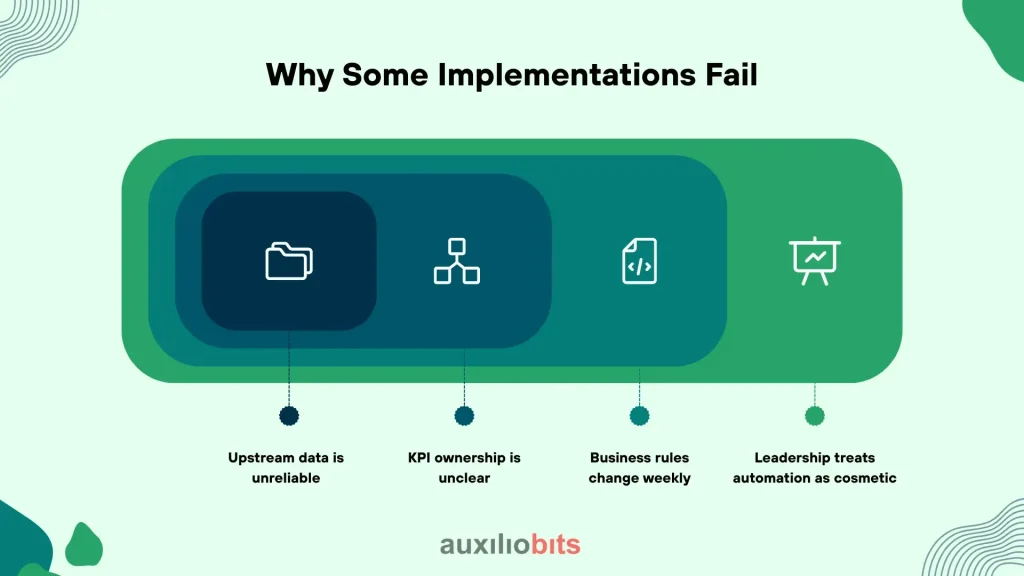
- Upstream data is unreliable
- KPI ownership is unclear
- Business rules change weekly
- Leadership treats automation as cosmetic
If downtime categories aren’t consistently defined, agents will faithfully report inconsistent data. Automation amplifies structure. It doesn’t create it.
Another failure mode: overcomplication. Some organizations attempt to layer predictive analytics and AI recommendations before stabilizing basic reporting logic.
Start with deterministic reporting. Then evolve.
The Architecture That Works
Effective agent-generated reporting relies on layered architecture:
- Data connectors (MES, ERP, IoT)
- Validation engines
- KPI computation layer
- Reasoning logic
- Report generation engine
- Automated distribution
The reasoning layer is where nuance lives.
It can:
- Compare performance against rolling averages
- Detect anomaly clusters
- Identify recurrence patterns
- Add concise natural-language summaries
This isn’t generic AI output. It’s domain-specific reasoning based on production context.
Dashboards Are Not Enough
There’s a misconception that dashboards solve reporting problems. They don’t. Dashboards require users to log in, interpret, and navigate.
Agent-generated reports push structured insight directly to stakeholders:
- Daily production summary emails
- Weekly executive briefs
- Variance alerts embedded in workflows
Dashboards are exploratory tools. Agents are operational assistants. You need both. But if daily production summaries still depend on someone preparing slides, something is structurally misaligned.
Cultural Shifts Nobody Plans For
Automation affects behavior.
Once production reports become autonomous:
- Meetings shorten
- Debates shift from “what happened” to “why”
- Finance and operations align faster
- Data disputes decline
There’s also a psychological shift. Supervisors spend less time documenting and more time improving processes.
That matters.
A Necessary Contradiction
Manufacturing reporting automation reduces operational friction—but implementation demands rigor.
You must:
- Define KPIs unambiguously
- Align cross-functional definitions
- Clean historical datasets
- Lockdown governance
It’s a front-loaded effort. And yes, some teams underestimate this phase. But once reporting logic stabilizes, it becomes resilient. It doesn’t depend on institutional memory.
The Financial Implication Most Overlook
CFOs often focus on labor savings.
That’s short-sighted.
The real financial leverage comes from:
- Faster detection of yield erosion
- Earlier identification of systemic downtime
- Reduced inventory distortion
- Improved forecast accuracy
When reporting lag shrinks, corrective action accelerates.
A two-day improvement in anomaly detection across high-volume lines can materially affect quarterly margins.
Manual Excel workflows rarely support that level of responsiveness.
When Spreadsheets Still Make Sense
Not everything should be automated.
Excel remains valuable for:
- Scenario modeling
- One-off analysis
- Root-cause exploration
- Temporary reporting during pilots
The goal isn’t spreadsheet elimination. It’s removing spreadsheets from core production reporting cycles.
There’s a difference.
What Changes When Excel Is No Longer the Backbone
Something subtle happens. Reporting becomes infrastructure—not effort.
Supervisors review. Analysts refine logic. Leadership focuses on decisions.
No one is staying late reconciling pivot tables.
No one is debating which version is correct.
And when anomalies appear, they appear quickly—with context.
That’s the real shift.
Not digital transformation slogans. The real shift is not about dashboards with prettier charts. Just operational clarity delivered without manual Excel work.
Once a plant experiences that level of structured reporting discipline, going back to spreadsheet consolidation feels less like flexibility—and more like regression.
And that’s usually the moment organizations realize they’ve crossed into a different maturity level of manufacturing reporting automation.




