








Key Takeaways
- Treat negotiation as a state machine, not a free chat. Define states, transitions, and stop conditions.
- Keep math deterministic. Use functions for price tiers, currency, and rebates; let the LLM handle language and routing.
- Express policy as code. Floors, ceilings, approvals, and acceptable concessions must be machine‑readable.
- Ground the agent in your systems of record (CLM, ERP/P2P, supplier master, risk). Retrieval needs definitions.
- Start with repeatable scenarios—renewals and tail spend. Keep autonomy narrow at first.
There is no denying the fact that procurement teams handle many small negotiations and a few big ones. The small ones are where time disappears: renewals, minor scope changes, price adjustments, and routine terms. Most of this work happens over email or inside vendor portals. It is slow, repetitive, and hard to track. Agentic assistants can take on a portion of this load under clear rules. They prepare offers, reply to standard counters, and escalate when limits are reached. Humans stay in control.
This article explains how to build such assistants in a safe and reliable way. The language is simple on purpose. We keep the focus on data, rules, and process—not buzzwords.
Also read: Why Procurement in Manufacturing Still Runs on Emails: A Deep Dive into Manual Vendor Management?
What an Agentic Procurement Assistant Does
Think of the assistant as a policy‑aware application with a language model inside. It can read context, draft messages, call tools, and follow a negotiation playbook. It does not sign contracts. It does not invent prices. It acts within limits you define.
Typical actions include:
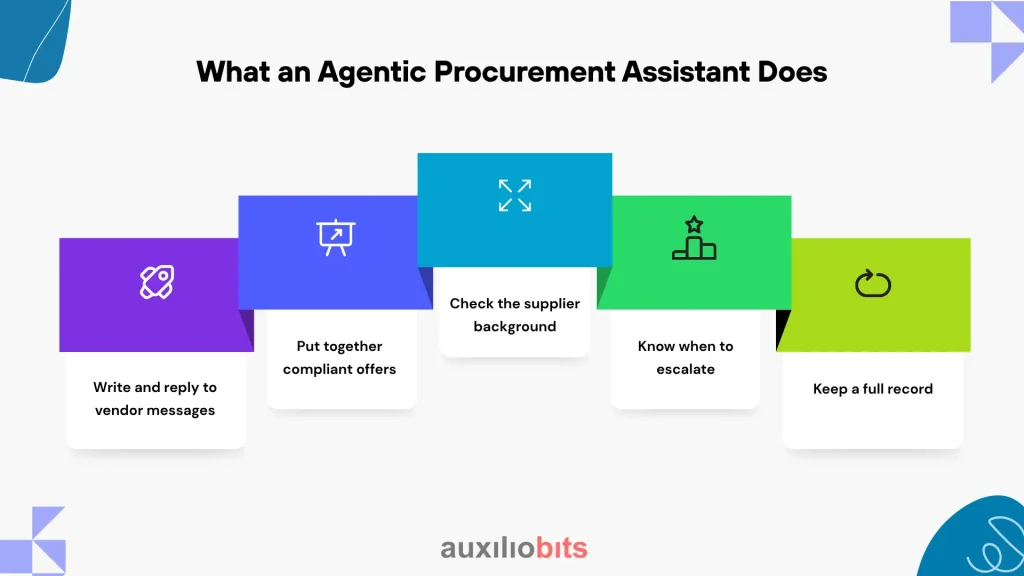
- Write and reply to vendor messages. It can draft emails or portal responses that align with company policy—no guesswork, just structured terms.
- Put together compliant offers. Based on price tiers, volume, and terms, it calculates what’s acceptable and prepares a clean proposal.
- Check the supplier background. Before engaging, it pulls in any red flags—like expired insurance, sanctions, or compliance risks.
- Know when to escalate. If a counteroffer goes outside the rules, the assistant won’t just guess—it flags it for the category manager.
- Keep a full record. Every message, rule check, and offer is logged automatically for audit, tracking, and reporting.
Where to Use It First
Choose areas with repeatable patterns and clear policies.
- SaaS renewals with stable usage and a known MSA.
- Freight spot buys on defined lanes with index‑based pricing.
- Packaging of MRO items with catalog SKUs and tiered prices.
- Small services SOW extensions that follow a template.
Avoid one‑off strategic deals in the first phase. Those stay human‑led with the assistant in a support role (drafting, checking, logging).
Architecture Overview
A simple, reliable architecture is better than a complex one you cannot control.
Data Plane
- CLM for contracts and clauses
- ERP/P2P for suppliers, POs, invoices, and currency
- Sourcing portal or tender tool for events and bids
- Risk systems for sanctions, insurance, cyber posture
- Communications layer (email or portal messaging)
- Spend history by category, vendor, and region
Control Plane
- Orchestrator that implements the negotiation state machine
- LLM gateway for model selection, function calls, and filtering
- Policy engine that evaluates floors/ceilings and approvals
- Deterministic calculators for pricing math and currency
- Retrieval layer over contracts, prior rounds, and playbooks
- Observability: structured logs, replay, and metrics
Negotiation as a State Machine
Structure keeps negotiations consistent and auditable.
States: INIT → PROBE → (PROPOSE ↔ COUNTER)* → {AGREE, EXIT}
INIT gathers context and policy. PROBE asks missing questions. PROPOSE creates a compliant offer. COUNTER evaluates the vendor’s reply. AGREE routes for approvals and update systems. EXIT ends gracefully with a reason.
Use clear transition rules, for example:
- price_per_unit <= price_ceiling(category, region, volume_tier)
- payment_terms_days >= minimum_terms(entity)
- termination_for_convenience == required
- if net_discount > approval_threshold then escalate
Policy as Code
Write rules in a machine‑readable form. The model reads them; it does not guess them. Keep the surface small and clear.# Example: SaaS renewal policy (simplified)
anchor = last_year_unit_price * 0.92 # start 8% below
Floor last_year_unit_price * 0.80 # do not go below 20%
tier = discount_for_volume(units)
extra = 0.02 if term_months>=24 else 0.00
req_approval = (net_discount>0.18)
if counter_price < floor or removes_TFC:
escalate(‘Category Manager’)
Deterministic Calculators for Money and Units
All arithmetic runs in code you control. The assistant calls functions and receives typed results with units. Handle currency, tiers, rebates, and true‑ups here. Reject calls with missing units or unknown rates.
Common functions:
- convert_currency(amount, from_ccy, to_ccy, policy_rate)
- apply_tiers(qty, price_table)
- compute_effective_discount(list_price, net_price)
- rebate_accrual(net_spend, rebate_curve)
Retrieval over Contracts and Past Conversations
Split contracts by clause. Store embeddings with clause IDs, effective dates, and contract type. For conversations, chunk by round and store vendor identity and timestamps. The assistant must cite sources in messages so reviewers can click and verify (“MSA §4.2 – price protection for 24 months”).
Vendor Identity and Messaging Channels
Use vendor portals when possible. For email, enforce SPF/DKIM/DMARC and block look‑alike domains. Rate‑limit outreach and require human approval on first contact with a supplier. Include a reference ID in every message.
Simulation and Tuning
Before any live use, run simulations. Create vendor personas (conservative, opportunistic, capacity‑tight). Tune anchor strength, concession steps, and escalation thresholds based on results. Aim for steady, repeatable outcomes, not headline savings.
Metrics That Matter
Track outcomes with simple, auditable measures:
- Realized savings vs. baseline (audited)
- Acceptance rate by round and category
- Cycle time from request to agreement
- Escalation ratio and time to resolve
- Guardrail violations blocked by policy engine
- Leakage after signature (do POs and invoices reflect the deal?)
- Supplier experience: response time and dispute rate
Build vs Buy
Both paths can work. Check these items either way:
- Integrations: CLM, ERP/P2P, and portal connectors with idempotent writes
- Policy expression: real rule engine, not hidden prompt logic
- Security: SSO/SAML, attribute‑based access, data residency, audit logs
- Observability: structured logs, replay, and red‑team hooks
- Cost control: cache retrieval, deduplicate rounds, cap outbound attempts
Roles and Responsibilities
| Role | What they see | What they can do |
| CPO | KPIs, guardrail drift, escalations | Approve policy changes; prioritize categories |
| Category Manager | Live rounds, exceptions | Tune anchors; approve concessions; finalize awards |
| Legal | Clause deviations | Gate non‑standard terms; add safe alternatives |
| Finance | Savings vs plan; payment terms | Set thresholds; validate realized savings |
| Risk/Security | Vendor risk status | Block risky vendors; require controls |
Common Failure Modes and How to Prevent Them
Even the smartest systems can trip up once they meet the messy reality of real data, vendors, and day-to-day use. Most issues aren’t surprises—they’re patterns that show up again and again. Spot them early, and you’ll save yourself a lot of cleanup later.
- Bad baselines. Stale usage data causes wrong anchors – run freshness checks at INIT.
- Hallucinated concessions. Assistant proposes unapproved terms – require citations and rule checks before sending.
- Identity spoofing. Fake domains engage the agent and enforce authentication and first‑contact approval.
- Policy drift. Hidden prompt edits widen concessions – store policy as code with review and diff.
- Alert fatigue. Too many escalations – tune thresholds using telemetry and simulation results.
Operating Model and Runbooks
Define runbooks per category with RACI and SLAs. Review telemetry weekly. Red‑team prompts and vendor personas quarterly. Rotate keys and review access. Treat the system as production software, not an experiment.
90‑Day Rollout Plan
Days 0–30
- Pick one category (e.g., SaaS renewals). Map data sources. Clean supplier master.
- Implement read‑only integrations and define policy as code for that category.
- Ship a supervised agent that drafts messages and computes offers; humans send.
Days 31–60
- Add the state machine and deterministic calculators. Enable citations to clauses and prior rounds.
- Build simulation and vendor personas. Tune concession logic. Start limited live rounds.
Days 61–90
- Allow auto‑send within narrow bounds. Route all out‑of‑policy counters for approval.
- Expand to a second category. Publish metrics weekly and adjust thresholds.
Final Thoughts
Agentic negotiation works best when everyone understands the rules and the math behind them. The goal isn’t to replace people—it’s to take the busywork off their plate so they can focus on the bigger, more strategic deals.
Start small. Pick categories like renewals or low-value spend where things are predictable and policies are already in place. Test carefully, keep an eye on what the data says, and adjust as you go. Treat the assistant like any other system that supports real work—it needs structure, oversight, and constant tuning.
As teams get more comfortable, you can expand step by step. The aim is a dependable tool that saves time, keeps policies consistent, and helps procurement, finance, and legal work more smoothly together. Automation should make people’s jobs easier—not make them disappear.





